
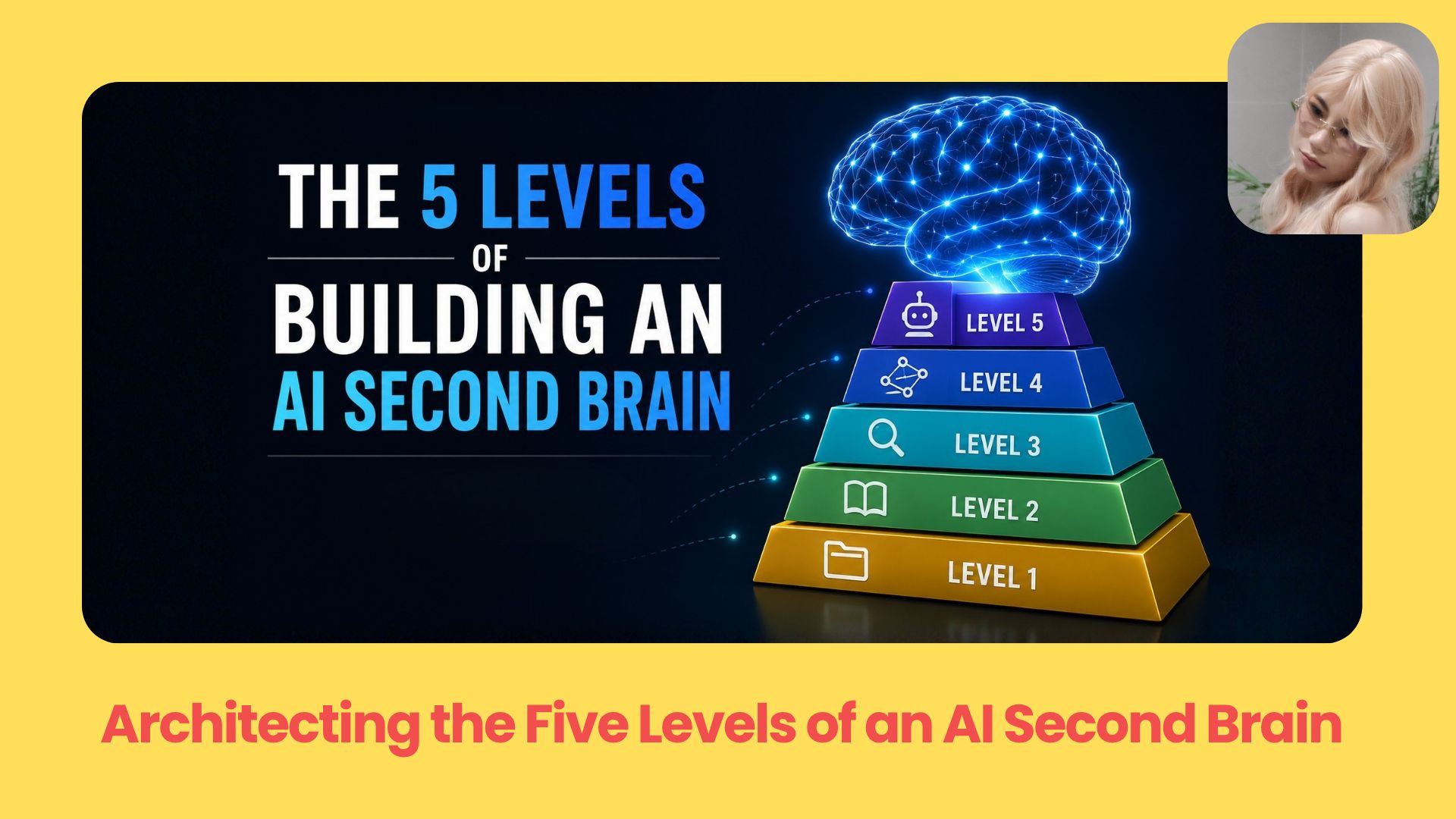
Turn your scattered information into a fully organized AI brain. Organize notes, transcripts, and projects into a system that remembers everything and finds exactly what you need.. Ai Fire 101.
TL;DR
An AI second brain is a system of files, folders, and routing rules that helps you and your AI find useful information again. The best setup is not the most advanced one, but the simplest one that solves your current problem.
Start with markdown files, clear folders, and a
CLAUDE.mdorAGENTS.mdfile that tells your AI where to look. When your notes grow, turn them into a wiki. When keyword search fails, add semantic search. When relationships matter, use a knowledge graph.This article explains the 5 levels of building an AI memory system, from basic file lookup to an always-on autonomous brain OS.
Key points
Important fact: Level 1 or Level 2 is enough for most people.
Common mistake: Adding complex tools before fixing your folder structure.
Practical takeaway: Save long-term context, but route to fast-changing data.
Table of Contents
Introduction
Don’t you still think an AI second brain is a giant web of nodes, clusters, and relationship maps? It looks impressive on screen. But the useful part is much simpler.
Your data is your moat.
Your project notes, client context, meeting summaries, decisions, workflows, prompts, ideas, and personal preferences all become more valuable for Claude Code, Codex, Hermes, or any AI agent.
In this guide, I’ll walk you through the 5 levels of building an AI second brain, so you can choose the simplest level that actually solves your current problem.
I. Two Rules Before Building Your AI Second Brain
Before you add more tools, folders, or databases, check two things first.
Rule 1. Be Careful With Private Data
Your AI second brain may hold client files, business notes, contracts, financial details, and internal context.
Before sending sensitive data into a cloud AI tool, check the provider’s privacy, retention, and training settings first.
-
For personal projects, cloud AI may be fine
-
For client files, contracts, financial details, or sensitive company data, consider local files, open-source models, or a private setup where you control where the data goes
Rule 2: Capture Context Before Fixing Retrieval
Bad AI memory is often bad input.
Your AI cannot find nuance that only lives in your head. If your notes are thin, messy, or missing key details, better search will not fully fix it.
Before upgrading your AI note taking app, ask:
Have I actually written down the important context?Then use this filter before saving anything:
Will this still be useful one year from now?|
If yes → Save it |
If no → Route to it instead |
|---|---|
|
Goals, decisions, workflows, brand rules, project history |
Slack threads, emails, customer messages, live client data |
Store what lasts. Fetch what changes.
II. 5 Levels Of Building An AI Second Brain
Before you build your AI second brain, you need to know what problem you are actually solving.
Each level answers a different retrieval question:
|
Level |
Retrieval Question |
Best For |
|---|---|---|
|
Level 1 |
Can I find the exact file or keyword? |
Simple folders, personal context, project notes |
|
Level 2 |
Can I pull everything about one topic together? |
Wikis, references, repeated ideas |
|
Level 3 |
Can I search by meaning instead of exact words? |
Large text libraries, transcripts, long notes |
|
Level 4 |
Can I follow relationships between people, tools, companies, or ideas? |
CRM-style data, client networks, relationship-heavy work |
|
Level 5 |
Can the whole system update and manage memory by itself? |
Always-on agents, advanced AI operating systems |
Use this table as a map. Then follow each level below:
Level 1: Exact File & Word Search
Level 1 is the most basic version of an AI second brain.
The goal: your AI should know where to look before it answers.
The problem this solves: Let’s say you’re a YouTuber. You have notes, scripts, video ideas, channel strategy, and half-finished drafts spread across your project folder. You start using Claude Code to help with content work, and you ask:
Help me write a hook for my next video.Claude replies:

It has no idea who you are, what you create, which files matter, or where your current work lives. That gets old fast.
Level 1 fixes that with one important file: CLAUDE.md.
For Codex-style agents, you can usually create an AGENTS.md file with the same routing idea. Check your tool’s expected file name and format.
This file acts as the routing layer for your AI note taking app. It tells the AI what your project is, how you work, and which folders to check first.
A simple folder setup can look like this:
my-youtube-project/
├── CLAUDE.md
├── context/
│   ├── about-me.md
│   └── channel-info.md
└── projects/
    ├── video-ideas.md
    └── ongoing-videos.md
Here’s mine
Now let’s make each file useful.
In Claude Code, CLAUDE.md is the file I would use as the main routing file for the project.
# My YouTube Second Brain

## Who I am

I am Robin, a YouTuber creating content about AI and productivity.

My channel has 45,000 subscribers.
I upload 2 videos per week.
My current goal is to reach 100,000 subscribers by the end of this year.

## How I like to work

- Give me short answers with practical examples.
- When I ask about a video, check my active video files first.
- Always think from the viewer's perspective when helping with content.

## Where data lives

- Information about me and my channel lives in `context/`.
- Video ideas and active videos live in `projects/`.
Then your context/about-me.md gives the AI stable background.
# About Me — Robin

## Background

- I have been making YouTube videos for 2 years.
- I worked as a software engineer for 5 years before this.
- I live in NY.

## My channel

- Niche: AI tools and productivity for United State viewers.
- Main formats: tutorials from 10–15 minutes and tool reviews from 8–12 minutes.
- I do not make vlogs, drama videos, or reaction videos.

## My strengths

- I can explain technical topics in a simple way.
- I can code, so my tool demos are deeper than most creators.

## What I want to improve

- My opening hooks are still weak.
- My thumbnails need to be more clickable.
Your projects/video-ideas.md stores possible future videos.

Your projects/ongoing-videos.md stores current work.
# Ongoing Videos

## [FILMING] Claude Code From A–Z

Deadline: June 30
Status: Script done, not filmed yet
Notes: Add a real demo. Section 3 of the script still feels weak.

## [EDITING] AI Tools For Content Creators

Deadline: June 22
Status: Editing
Notes: Missing B-roll.
Now the same request becomes much easier.
Help me write a hook for my next video.
That is the whole point of Level 1.
Claude does not ask you to explain your channel again. It knows who you are. It knows what you are working on. It knows which folder to check before answering.
This level works best when your project still has a small number of files. You can usually find information by exact names, dates, project titles, client names, or keywords.
Level 2: LLM Wiki / Topic Aggregation
When the pain shows up: For the first few months, Level 1 works fine. Claude knows context/ is for channel background and projects/ is for active videos.
Then the project grows.
After 3 months, the projects/ folder has 50 files: video ideas, hook drafts, thumbnail notes, retention research, competitor analysis, and notes after each upload.
So when I ask:
What have I researched about retention? Summarize it for me.Claude knows it should look inside projects/, but that folder is now too messy. It opens a few files, guesses which ones matter, misses the best note, and gives a shallow answer.
That is the new pain.
→ The actual problem now: the routing is still correct, but the folder itself has no map. You know the information is somewhere in there. Your AI knows the information is probably somewhere in there. But neither of you knows which file contains what, or how the files connect.
Level 2 fixes this by adding a wiki.
A wiki is a group of markdown files organized around topics. It has an index.md file that works as the table of contents. Your AI reads the index first, then follows the links to the right pages instead of guessing through random files.
You do not delete your Level 1 setup. You build on top of it.
my-youtube-project/
├── CLAUDE.md
├── context/
│   ├── about-me.md
│   └── channel-info.md
├── projects/
│   ├── video-ideas.md
│   └── ongoing-videos.md
├── wiki/
│   ├── index.md
│   ├── concepts/
│   │   ├── hook.md
│   │   └── retention.md
│   ├── techniques/
│   │   └── thumbnail.md
│   └── sources/
│       └── mrbeast-analysis.md
├── references/
│   └── upload-checklist.md
└── memory/
    └── memory.md
Now update CLAUDE.md so your AI knows the wiki exists.
## Where data lives

- Information about me and my channel lives in `context/`.
- Active videos and video ideas live in `projects/`.
- Knowledge about content creation, hooks, retention, thumbnails, and strategy lives in `wiki/`.
- Always read `wiki/index.md` first before searching the wiki.
- Checklists, formulas, and reusable references live in `references/`.
- Long-term memory about how I work lives in `memory/memory.md`.
The most important file in Level 2 is wiki/index.md.
This file is the map.
# YouTube Content Wiki

This is the knowledge base for content strategy.
Start here, find the right topic, then follow the linked files.

## Main Concepts

- [[concepts/hook]] — how to open a video and make people keep watching
- [[concepts/retention]] — how to keep viewers watching until the end

## Techniques

- [[techniques/thumbnail]] — how to improve click-through rate

## Sources

- [[sources/mrbeast-analysis]] — notes on how MrBeast improves retention
Then each topic gets its own page.
For example, wiki/concepts/retention.md:
# Retention

Retention means how long viewers keep watching a video.
YouTube usually pushes videos with strong retention.

## Core Principles

- The first 15 seconds matter most. See [[concepts/hook]].
- Add a strong moment around minute 2–3 to stop viewers from leaving.
- Each section should lead into the next section with an open loop.

## What I Have Learned From My Channel

- A 12-minute tutorial usually keeps retention better than a 20-minute tutorial.
- Practical demos keep viewers longer than theory-only sections.

## Related

- [[concepts/hook]] — a strong hook is the first step of retention.
- [[sources/mrbeast-analysis]] — useful examples from MrBeast videos.
This is where your AI second brain starts becoming much more useful.
Now, when you asks:
What have I researched about retention? Summarize it for me.Claude has a clear path:
wiki/index.md
→ concepts/retention.md
→ concepts/hook.md
→ sources/mrbeast-analysis.md
So the answer becomes much better.

That is the real difference.
Your AI is no longer crawling through a messy folder. It follows the structure you created. It can pull together scattered ideas because the wiki tells it how those ideas connect.
Level 2 also adds memory.
Claude Code has memory workflows. You can use /memory to manage memory depending on your setup.
For a tool-agnostic setup, I usually create my own memory/memory.md file and add a rule in CLAUDE.md telling the agent what should be saved there.

Example:
# Memory — What I Have Learned About Robin

- Robin likes practical examples and does not want long theory. (10/06)
- Robin's video hooks are a weak point, so prioritize hook improvement. (12/06)
- Robin is focusing on Claude Code videos in June. (15/06)
This makes your AI note taking app feel more personal because the agent has a clear place to read durable preferences, repeated patterns, and long-term working context.
To keep the setup flexible across tools, create a copy of CLAUDE.md and name it:
AGENTS.mdClaude Code can read CLAUDE.md. Codex can read AGENTS.md. Both can be pointed to the same memory/memory.md file.
That is the main idea: routing still matters.
You can also ask Claude to build the wiki faster. For example, paste in a long transcript, research note, or strategy document, then say:
Ingest this into my wiki.

Create a source file inside `wiki/sources/`.
Extract the main concepts.
Create new concept files if needed.
Update `wiki/index.md` with links to the new files.
This saves a lot of manual work.

But there is one rule you cannot skip: Every new wiki file needs a link from index.md.

If you create a new file but forget to update the index, your AI may not know that file exists. The wiki becomes messy again, just with prettier folders.
Level 2 works well when you have many notes around repeated topics. It is great for content strategy, research libraries, meeting themes, product notes, and internal knowledge.
Level 3: Semantic Search / Vectorized Data
Level 3 starts when your wiki is already useful, but search still misses notes you know exist.
My YouTube second brain now has a large wiki/ folder. It includes video transcripts, research notes, competitor breakdowns, retention ideas, hook examples, and upload reviews.
For example when you ask:
What have I written about viewers leaving a video halfway through?Claude checks the wiki and looks for that exact idea. But the notes do not use the phrase “viewers leaving halfway through.”
The useful notes are saved under different words:
drop-off
retention drop at minute 5
audience exits
viewers stop watching
So Level 2 can still miss them.
The pain is clear: you remember the meaning, but not the exact words.
Level 1 and Level 2 are mostly based on exact words and clear links. Level 3 adds semantic search, so your AI second brain can find notes by meaning.
Here is the basic idea:
Document → chunks → embeddings → vector database → meaning-based searchA document is cut into smaller chunks. Each chunk is passed through an embedding model. That model turns the chunk into a point in vector space. Chunks with similar meaning sit close to each other.
So when you search for: viewers leaving a video
Your system can also find:
drop-off
retention drop
audience exits
people stop watching
Level 1 and Level 2 work more like:
X = XLevel 3 works more like:
X ≈ Y, ZThat is why semantic search is powerful for large text libraries. It helps your AI find the right idea even when your wording changes.
But this is also where many people get vector databases wrong.
Vector search isn’t magic. It returns similar chunks. It does not always return full context. That matters a lot. If you ask:
Summarize my full research session from May 15.Vector search may pull a few chunks related to “May 15” and “summary,” then miss the rest of the session. The answer can sound correct while still being incomplete.
The same problem happens with tables. If you ask:
Which week had my highest video views?Vector search may grab one chunk where week 6 looks high, then miss week 14 or week 19 in another chunk with higher numbers.
So use Level 3 for the right job.
Semantic search is great when you need one specific detail from a huge pile of text. For example:
What did I write about red thumbnails?
What was rule 17 again?
Which notes mention audience drop-off?
What did viewers complain about in old comments?
It is weaker when the AI needs to read everything from start to finish. That means you should not turn your whole AI note taking app into a vector database.
A better setup is mixed.
Keep stable context, active projects, wiki pages, and memory as markdown. Then use vector search only for the parts that are huge and hard to search by exact words.
For me, that could be the transcript library.
my-youtube-project/
├── CLAUDE.md
├── context/
├── projects/
├── wiki/
├── memory/
└── vector-index/
    ├── how-search-works.md
    └── transcript-search-data
Then update CLAUDE.md with clear routing rules.
## Where data lives

- Background about me and my current videos lives in `context/` and `projects/`.
- Topic-based knowledge lives in `wiki/`.
- Long-term working memory lives in `memory/memory.md`.
- Large transcript search lives in `vector-index/`.

## When to use each system

- To summarize a full transcript, meeting, or project file, read the full markdown file.
- To find one specific detail across many transcripts, use `vector-index/`.
- To answer questions about current work, check `projects/` first.
This rule is important because it teaches your AI when semantic search is useful and when it should avoid it.
Now I can ask:
What have I written about viewers leaving a video halfway through?And Claude can search by meaning.

That is the value of Level 3.
Level 4: Knowledge Graph / Relationships
Level 4 starts when semantic search can find the right notes, but your questions need more than similar text.
Let’s go back to my YouTube project.
Level 3 works well. I can search across transcripts and research notes by meaning. I can find ideas about drop-off, retention, thumbnails, hooks, and viewer feedback even when the exact words are different.
Then I ask:
If I make a video about Cursor, which sponsors, creators, and old videos are related?Semantic search may return chunks that mention Cursor. That helps, but it does not answer the full question.
To answer well, the AI needs to know relationships:
Cursor is a competitor of GitHub Copilot.
GitHub Copilot sponsored a video in March.
That video was co-produced with Creator Ella.
Ella specializes in AI coding.
This’s a relationship problem. Level 4 solves this with a knowledge graph.
A knowledge graph stores entities and typed relationships. Each piece of knowledge becomes a simple structure:
Subject → relationship → objectFor my setup, that could look like this:
Video "Cursor Tutorial" → COVERS → Cursor
Cursor → COMPETES_WITH → GitHub Copilot
Video "Copilot Review" → SPONSORED_BY → GitHub Copilot
Video "Copilot Review" → CO_PRODUCED_BY → Creator Ella
Creator Ella → SPECIALIZES_IN → AI coding
Now your AI second brain can follow a chain.
It can start from Cursor, move to Copilot, find the sponsored Copilot video, then find Ella as the co-producer. That gives you a much richer answer than a few random chunks that mention Cursor.
Here is the simple difference between a wiki link and a knowledge graph:
|
Wiki Backlink |
Knowledge Graph |
|---|---|
|
|
|
|
Shows two ideas are related |
Shows how they are related |
|
AI may need to read the full file |
AI can pull the exact relationship |
|
Works as “see also” |
Works as a labeled connection |
A backlink tells your AI there is a connection. A knowledge graph tells your AI what that connection means.
That is why Level 4 can be more precise.
If you ask, “Who specializes in AI coding?” your AI does not need to read Ella’s full profile. It can pull one relationship:
Creator Ella → SPECIALIZES_IN → AI codingBut Level 4 has one big challenge: you need enough relationship data.
The software can help build the graph. Tools such as LightRAG, Graphiti, and Neo4j can extract entities and relationships from text. But they can only work with information that exists somewhere.
If you know Ella specializes in AI coding, but you never wrote it down, the graph cannot use it. This is where an interview-style workflow helps a lot.
You can ask your AI to “grill” you about one area of your work until the important relationships come out of your head and into a file.
For example:
Grill me about the AI coding side of my YouTube channel.Then the AI can ask:
Which AI coding tools have you covered?
Which tools compete with each other?
Which videos had sponsors?
Who co-produced those videos?
Which creators specialize in AI coding?
Are there any sponsors you should avoid mentioning together?
After that interview, the AI can turn your answers into a brainstorm file. You can also give it contracts, email threads, meeting notes, or old transcripts so it can extract more entities and relationships.
A Level 4 folder structure can look like this:
youtube-second-brain/
├── CLAUDE.md
├── context/
├── projects/
├── wiki/
├── transcripts/
├── vector-index/
└── knowledge-graph/
    ├── entities/
    ├── relations/
    └── brainstorms/
Then update your routing file so the AI knows when to use the graph.
## When to use the knowledge graph

Use `knowledge-graph/` when the question involves relationships between tools, sponsors, creators, companies, videos, or projects.

Use it for questions like:
- Which sponsors are connected to this topic?
- Which creators have worked on related videos?
- Which tools compete with each other?
- Which old videos should I reference?
Now I can ask:
If I make a video about Cursor, which sponsors, creators, and old videos are related?And the AI can reason through the graph:
Cursor → COMPETES_WITH → GitHub Copilot
GitHub Copilot → SPONSORED → Video "Copilot Review"
Video "Copilot Review" → CO_PRODUCED_BY → Creator Ella
Creator Ella → SPECIALIZES_IN → AI coding
That is the real value of Level 4.
Level 5: Autonomous Always-On Brain
Level 5 starts when your AI second brain already works, but keeping it updated becomes a job. At this point, I would already have the full system:
Level 1: routing
Level 2: wiki
Level 3: semantic search
Level 4: knowledge graph
That sounds powerful, but there is still one problem.
I am still the person feeding the system.
I have to paste transcripts into the wiki. I have to run brainstorm sessions. I have to update memory. I have to refresh the vector index. I have to decide which relationships should go into the knowledge graph.
You will feel this pain when your system gets big enough.
If you skip one week, your AI second brain becomes one week behind. If you skip a month, it starts giving answers from old context.
That’s the pain Level 5 tries to solve: your second brain should update itself in the background.
The core idea is an always-on loop:
Ingest → Process → Update → RefreshHere is what each step means:
Ingest: pull new data from meetings, transcripts, tasks, emails, or comments.
Process: clean the text, chunk it, create embeddings, and extract entities.
Update: write useful information into wiki, memory, vector search, or graph.
Refresh: remove stale data, rebuild indexes, and keep the system clean.
In Level 1 to Level 4, you start every step yourself.
You tell Claude to ingest a transcript. You ask it to update a wiki page. You run the memory update. You decide when to refresh the graph.
In Level 5, a background agent does this on a schedule.
For example, you can make it run every night:
Pull today's meeting transcripts.
Extract important decisions.
Update memory.md.
Add useful ideas to the wiki.
Refresh the vector index.
Add new entities and relationships to the graph.
Your folder structure can look like this:
my-second-brain/
├── CLAUDE.md
├── context/
├── projects/
├── wiki/
├── transcripts/
├── vector-index/
├── knowledge-graph/
└── automation/
    ├── sources.md
    ├── schedule
    └── ingest-loop
The new folder is automation/.
This’s where you define what the system should pull, when it should run, and what it should save.
For example, your automation/sources.md can look like this:
# Sources

## Meeting Transcripts

Pull new meeting transcripts every night.
Save only important decisions, recurring ideas, and long-term context.

## Project Tasks

Check completed tasks every Friday.
Save major process changes and important project updates.

## Comments And Feedback

Do not save every comment.
Summarize repeated feedback patterns once per week.
Then your schedule can be simple:

This’s where an always-running agent can help. A system such as GBrain fits this level because it is built around continuous memory and syncing.
You can also build a similar workflow with Claude Code, but you need to manage the schedule yourself. That means setting up cron jobs, deciding what runs, handling errors, and checking that the agent does not write bad data into your files.
This is why I would be careful with Level 5. The risk’s too much context.
An always-on system can start saving everything:
Slack threads
emails
meeting notes
random comments
temporary tasks
old client details
At first, that feels useful. Then your AI note taking app becomes noisy.
More data does not always create better answers. Too much stale context can make your AI slower, less focused, and less trustworthy.
So before you let any system save data automatically, give it one filter:
Will this still be useful one year from now?If yes, save it as long-term context. If no, don’t store it forever. Teach your AI where to fetch it when needed.
This is the difference between context and connections. Context is stable. You should save it.
brand rules
major decisions
quarterly goals
project history
core workflows
Connections change fast. You should route to them.
Slack threads
emails
live client data
recent comments
temporary task updates
That is why I would not rush into Level 5.
Level 5 may sound impressive, but automation can create a mess if you let it save the wrong data. A clean Level 2 or Level 3 system is often more useful than an advanced brain OS full of noise.
III. How to Choose the Right AI Second Brain Level
Your AI second brain doesn’t need to stay at one level everywhere.
One folder can be markdown. Another folder can be a wiki. Another folder can use semantic search. The right setup depends on how you need to find the information later.
|
Your Current Problem |
Use This Level |
|---|---|
|
You keep re-explaining your setup to AI |
Level 1: routing file + folders |
|
You can only find files when you remember the exact name |
Level 1 |
|
You have 30+ notes and keep forgetting what is inside them |
Level 2: wiki |
|
Your AI misses notes that you know exist |
Level 3: semantic search |
|
You need to follow people, companies, tools, clients, or relationship chains |
Level 4: knowledge graph |
|
You spend too much time updating memory, wiki, vector search, and graph by hand |
Level 5: autonomous brain OS |
Ask this:
What is the smallest system that solves my current retrieval problem?Conclusion
An AI second brain doesn’t need to start as a huge system.
Start with simple markdown files, clear folders, and routing rules your AI can actually follow. That alone can remove a lot of repeated explaining, missed context, and wasted time.
If your notes grow, turn them into a wiki. If keyword search starts failing, add semantic search. If your work depends on people, companies, and relationship chains, then a knowledge graph may make sense.
But don’t build complexity before you feel the pain.
If you are interested in other topics and how AI is transforming different aspects of our lives or even in making money using AI with more detailed, step-by-step guidance, you can find our other articles here:
-
Master These 23+ Free Google AI Updates That Outclass Every Tool in Only 24 Hours!
-
The New Way to Build Profitable AI Websites With Gemini 3 (It Starts With One Page)
-
Google Antigravity 2.0 is Free: Should Claude Code and Codex Be Worried?*
-
10 Minutes to Take Control of 90% of AI Video Workflows From Scratch (Google Flow + Claude AI)*
-
Copy Claude Fable 5’s Working Style into Any AI Model: Step-by-Step Guide*
*indicates a premium content, if any
Leave a Reply