
Stop waiting to get back to your laptop before real work begins. This guide shows how to trigger lead scraping, meeting prep, inbox sweeps, and research directly from your phone using Claude Dispatch.. Ai Tools, Ai Fire 101, 🔥 Ai Fire Academy, Ai Workflows.
TL;DR BOX
In March 2026, Anthropic solved the “desk-bound” limitation of AI agents with the launch of Claude Dispatch. While Claude Cowork already allowed users to automate file management, web research and email drafting on their desktops, Dispatch provides a mobile remote control. Now, you can start difficult tasks just by sending a simple text message from your phone while you are away from your computer.
The system works by bridging the Claude mobile app to your desktop instance of Claude Cowork. As long as your computer is awake and the Claude Desktop app is running, it can access your local folders and over 38 native connectors (Gmail, Slack, Google Drive). By integrating the Zapier MCP, you can expand this reach to over 8,000 apps, turning your phone into a universal remote for your entire digital workspace.
Key Points
Fact: Claude Dispatch was released as part of the Claude Pro ($17/month) and Team plans in mid-March 2026.
Mistake: Assuming the work happens in the cloud. Claude Dispatch acts as a remote trigger; the actual processing and file manipulation happen locally on your desktop computer.
Action: Install the Claude Desktop App and the Mobile App today. Use the “Connectors” tab in Cowork to link your Gmail and Slack so you can run remote “Sweeps” while on the go.
Critical Insight
In 2026, the big change is that we are moving from “chatting” with AI to “giving it jobs” to finish. With Dispatch, you aren’t asking Claude a question; you are assigning a “Skill” (a pre-defined instruction set) that executes a multi-step job. This effectively gives non-technical users a 24/7 digital employee that they can manage from a smartphone without any coding knowledge.
Table of Contents
I. Introduction
Claude Cowork is essentially OpenClaw but built by Anthropic. But instead of a DIY open-source setup that takes hours to configure, Cowork is plug-and-play, backed by Anthropic’s security infrastructure, and private by design.
It went viral for a reason. But there was one problem nobody could ignore: you had to be at your desk to use it. If you left, your AI workflow paused with you.
So, Anthropic just fixed that with a new tool called Claude Dispatch.
Now, all you do is send one text from your phone, and Claude gets straight to work on your computer while you’re already out the door. By the time you’re back at your desk, the work is already done!
This post walks through 5 practical Claude Dispatch use cases you can start using today, how to set everything up and an honest breakdown of how it compares to other phone-controlled AI tools on the market. This guide is useful if:
-
You want an AI agent that keeps working while you are away from your computer
-
You want multi-step workflows without writing code
-
You want your AI connected to Gmail, Slack, Drive and other tools
-
You want prebuilt automation skills that install in minutes
-
You want a mobile-first workflow where tasks keep running in the background
II. What Is Claude Dispatch?
Claude Dispatch is a new feature inside Claude Cowork that connects your phone to your desktop. You can think of it as a control layer that lets your phone trigger actions on your desktop AI.
Here’s the flow in simple terms:
-
You’re on your phone, anywhere in the world.
-
You tap the Dispatch button in the Claude mobile app and text a task (“inbox sweep”, “meeting prep”, “research [topic]”).
-
Claude Cowork, running on your desktop, receives the instruction.
-
It does the work: it reads your files, searches the internet, checks your emails and writes reports for you.
-
You can see the full results on your computer and a short summary is sent to your phone.
What makes this genuinely powerful is that Cowork has access to your actual computer, your folders, files, browser and all connected apps via the Connectors feature. That includes Gmail, Slack, Google Drive, Canva, GitHub and 30+ more.
Claude Dispatch is just the remote trigger for all of it.
III. How to Set Up Claude Dispatch in 5 Minutes
Setup requires installing Claude on both desktop and mobile devices, then enabling Cowork tasks. The Dispatch button appears inside the mobile interface. Tasks triggered remotely appear in the desktop task list. The current beta processes dependent tasks sequentially.
Key takeaways
-
Install desktop and mobile apps.
-
Activate the Cowork workspace.
-
Sequential tasks run step-by-step.
-
Beta limitations still apply.
Before anything else, here’s what you need:
-
Claude Desktop App: download for Mac or Windows at claude.ai
-
Claude Mobile App: iPhone or Android
-
Claude Pro Plan: $17/month. Dispatch is included. You don’t need the $100/month Max plan.
1. The Interface
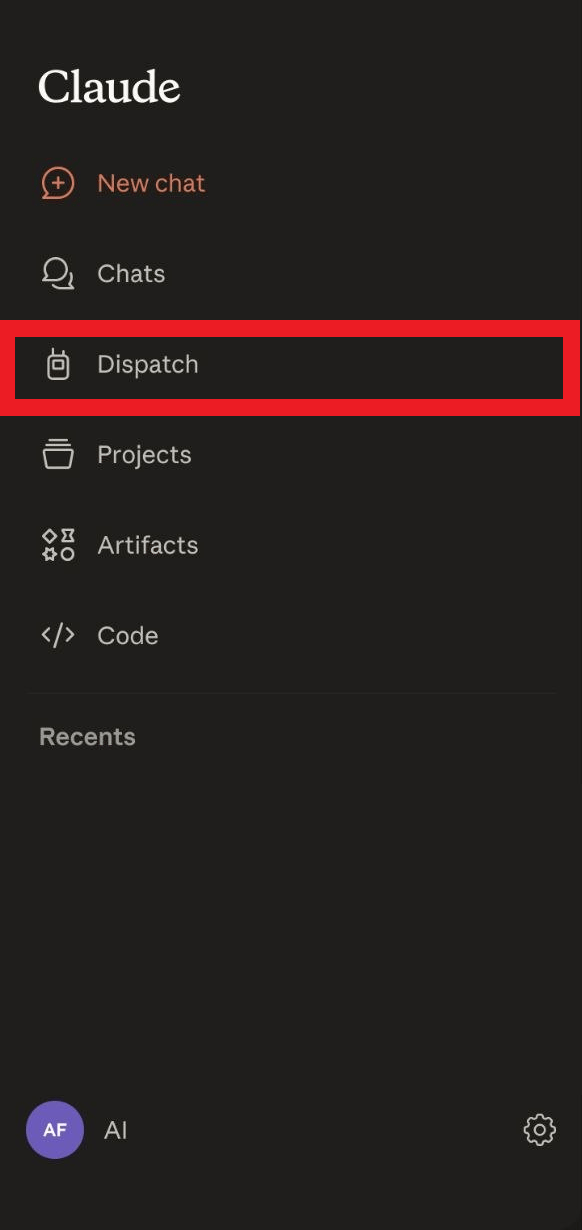
After installing the apps, open Claude on your phone and you will see the Dispatch button in the left menu, next to Chat, Projects, Artifacts and Code. This is where you can trigger tasks remotely.
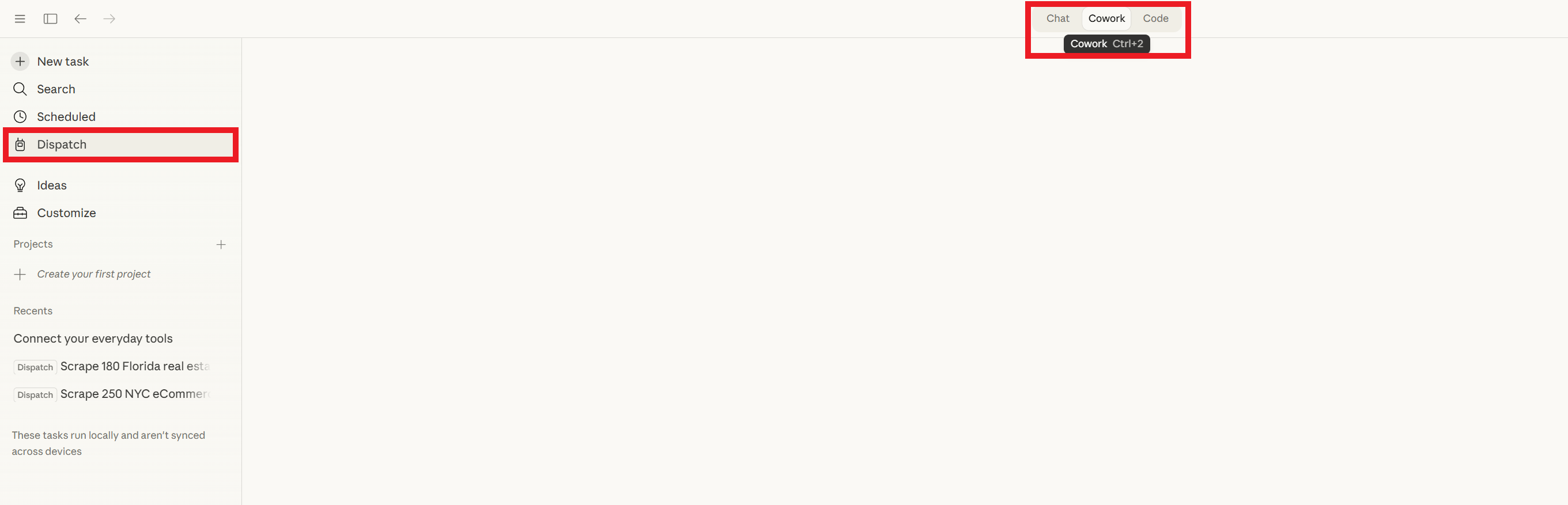
On the desktop, go to the Cowork tab, create a new task and choose the folder where Claude should operate. Cowork will stay inside that folder while working. Any task sent from your phone will appear in the Recent Tasks list with a Dispatch label, so you can easily recognize what was triggered remotely.
2. One Limitation Worth Knowing
Dispatch is in beta and it shows in one specific way: sequential tasks need to run one at a time for now. That means Step 2 must wait for Step 1 to finish.
Independent tasks that do not rely on each other, such as researching multiple topics or checking email while reviewing a calendar, already work smoothly.
This is part of the beta stage and will likely improve over time.
IV. What the Free Plugin Adds to Claude Dispatch
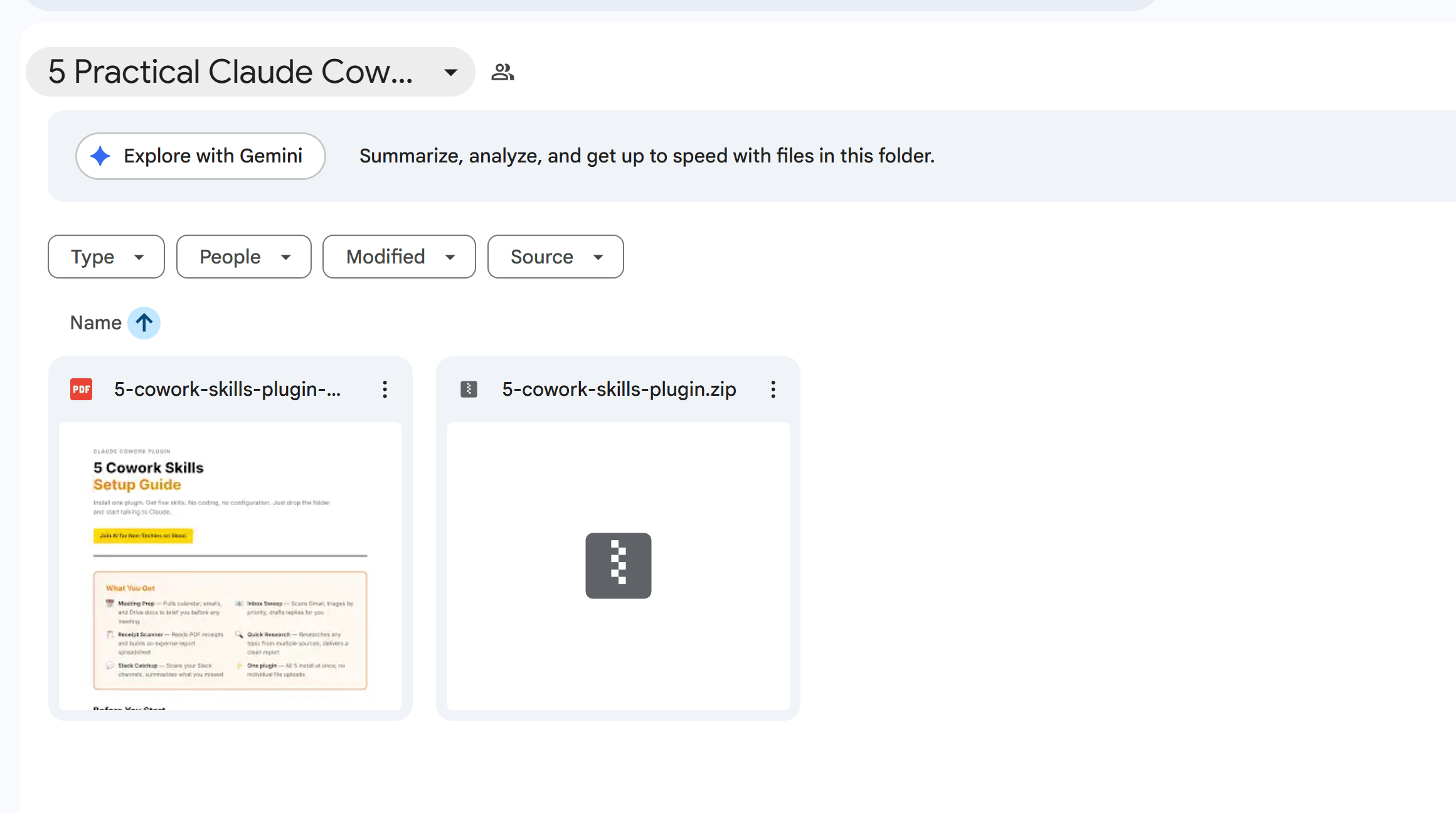
The free plugin installs five prebuilt automation skills as instruction files. Each skill responds to a trigger phrase sent from your phone. Installation takes only a few minutes inside the Cowork plugin menu. These “skills” are ready to use immediately. You don’t have to change any difficult settings.
Key takeaways
-
Prebuilt instruction files included.
-
Triggers activate workflows instantly.
-
Installation takes about two minutes.
-
Simplifies workflow setup.
Before getting into the use cases, grab the free plugin below. It’s a bundled zip file from a popular AI automation creator containing all 5 skills prewritten as instruction files.
You’ve reached the locked part! Subscribe to read the rest.
Get access to this post and other subscriber-only content.
Upgrade Translation missing: en.app.shared.conjuction.or Sign In
A subscription gets you
- Instant access to 700+ AI workflows ($5,800+ Value)
- Advanced AI tutorials: Master prompt engineering, RAG, model fine-tuning, Hugging Face, and open-source LLMs, etc ($2,997+ Value)
- Daily AI Tutorials: Unlock new AI tools, money-making strategies, and industry (ecommerce, marketing, coding, teaching, and more) transformations (with videos!) ($3,650+ Value)
- AI Case studies: Discover how companies use AI for internal success and innovative products ($1,997+ Value)
- $300,000+ Savings/Discounts: Save big on top AI tools and exclusive startup discounts
Leave a Reply