
Send one message from your phone and let Claude run the task on your desktop. Remote control for AI agents sounds simple. But it changes the whole workflow. Fully explained.. How To Make Money With Ai, Ai Tools, Ai Fire 101, Ai Workflows.
TL;DR BOX
In March 2026, Anthropic launched Claude Dispatch, a research preview that effectively turns your smartphone into a remote control for your desktop AI. Unlike traditional chat, which resets every session, Dispatch enables a persistent, agentic thread where you can assign high-effort tasks (e.g., “Scrape 200 leads”, “Summarize my last 50 Slack messages”, “Organize my Q1 receipts”) from your phone and let your computer execute them locally.
This native “bridge” eliminates the need for messy DIY agent stacks or exposing API keys to third-party wrappers. By pairing your Claude mobile app with Claude Cowork on your desktop, you gain access to local files and professional connectors (Notion, Google Sheets, GitHub) while you are away from your desk. As of March 2026, it is available for Max and Pro subscribers, it works on macOS now and Windows support is coming very soon.
Key Points
Fact: Claude Dispatch was officially released as a research preview on March 17, 2026.
Mistake: Assuming your computer can be asleep. Dispatch requires your desktop to remain awake and active with Claude Desktop running to execute tasks.
Action: Update your Claude mobile and desktop apps today. Look for the “Dispatch” icon in the Cowork tab of your desktop app to begin the pairing process via QR code.
Critical Insight
The defining shift of 2026 is the move from Synchronous to Asynchronous AI. You no longer wait for a response; you delegate a job, put your phone in your pocket and return later to a finished deliverable stored on your hard drive.
Table of Contents
I. Introduction
Until recently, running an AI agent remotely was possible but messy. You had to connect multiple tools, manage API keys, monitor costs and hope nothing breaks between steps. The potential was there but the setup was fragile.
Anthropic just changed that equation. Instead of relying on complex DIY stacks, Claude Dispatch brings agent workflows directly into a native system.
You send instructions from your phone and the AI handles the work across your connected tools.
This guide explains what Claude Dispatch does, how it works, why it matters for both beginners and advanced users and how to set it up in just a few minutes.
II. What Is Claude Dispatch?
Claude Dispatch is a bridge between your phone and your computer, with Claude running in the middle.
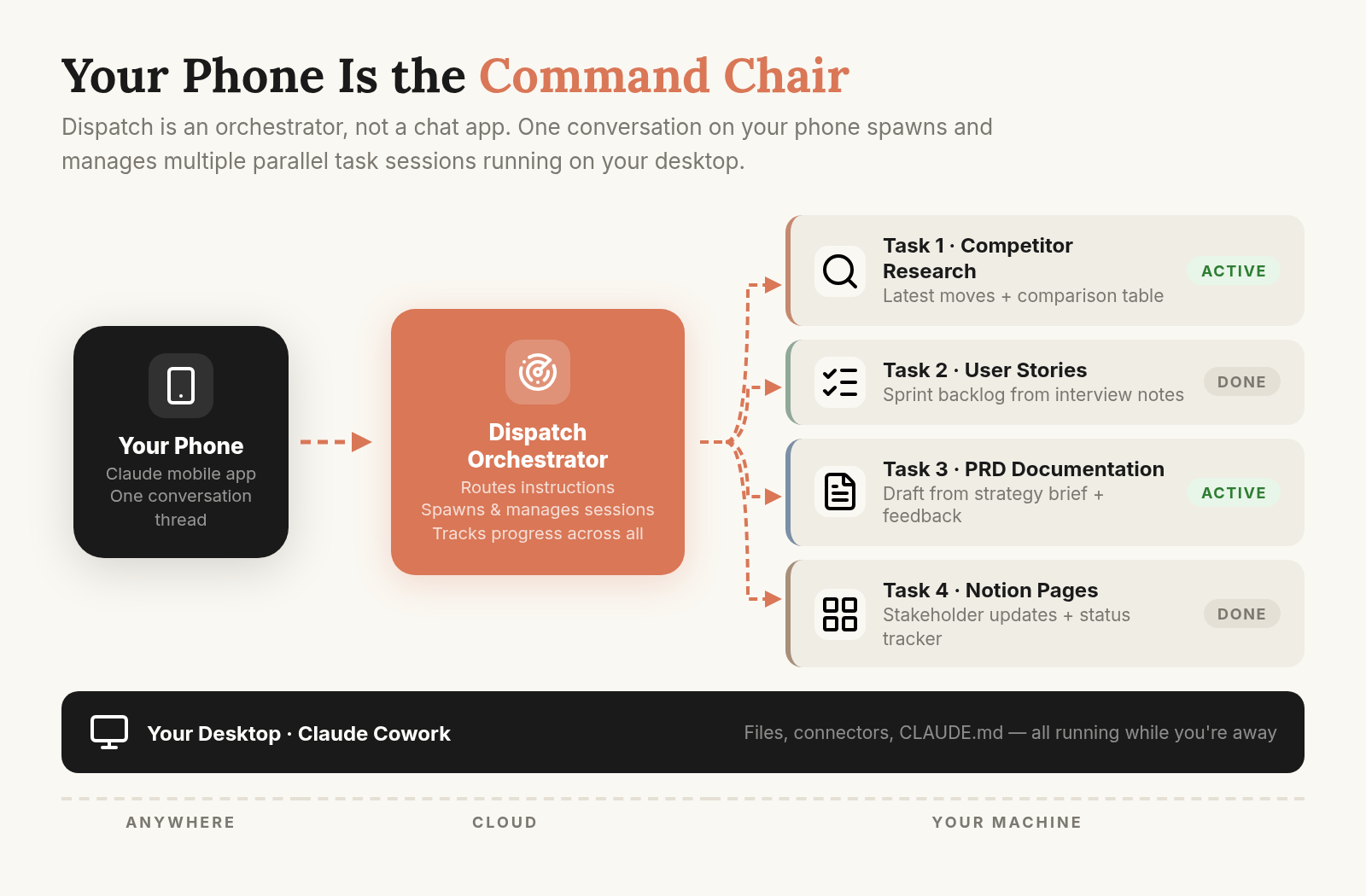
Here’s the simple version: you send a message from the Claude mobile app → That message is passed to Claude Cowork on your desktop → Cowork handles the actual work, whatever you ask for → When it’s done, the results are sent back to your phone.
The work runs on your own computer, not in the cloud.
The key idea behind all of this is agentic. It means Claude is taking actions, running workflows, using tools, calling sub-agents and completing tasks from start to finish without you supervising every step.
Learn How to Make AI Work For You!
Transform your AI skills with the AI Fire Academy Premium Plan – FREE for 14 days! Gain instant access to 500+ AI workflows, advanced tutorials, exclusive case studies and unbeatable discounts. No risks, cancel anytime.
Start Your Free Trial Today >>
III. What’s the Difference Between Dispatch & Cowork?
To understand why Dispatch matters, we need to separate the mobile interface from the actual agent engine running behind it.
A lot of people will focus on the “text from your phone” angle. But the important part is understanding how Dispatch and Cowork work together, because they serve completely different roles.
→ Dispatch is the mobile control layer. It’s the interface you use on mobile to trigger actions and interact with the system.
→ Cowork is the actual engine. It’s the part that actually performs the work. Cowork can access a full working environment, including:
-
A library of skills (pre-built mini-workflows you can call on demand).
-
MCP-style connectors that link outside tools and services.
-
File access on your local machine.
-
Sub-agents that can handle parallel or nested tasks.
Dispatch gives you easy remote access to that system. Instead of sitting at your desk to start a Cowork session, you can trigger it from your couch, a coffee shop, an airport lounge or anywhere with cell service.
So the real story here is not “Claude got a mobile feature”. It is that Cowork, a genuinely powerful local agent runtime, can now be controlled remotely, which expands what non-technical users can realistically do.
IV. What You Can Actually Do With Claude Dispatch: 3 Real Workflows
Okay, concepts are easy to describe but the real value shows up when the system is running.
Here’s what Dispatch looks like when it’s running without needing you to sit at your computer.
Note: The workflows below rely on specific skills that may not yet be available in your version of Claude. If your results differ, it doesn’t mean you made a mistake. These examples simply show how powerful Claude Dispatch can be when handling complex, multi-step tasks.
1. Lead Scraping On Demand
You send a message, looks like this:
Use the scrape-leads skill (invoke it first) to scrape approximately 180 real estate brokers in Florida using the Apify scraper. Target criteria:
- Industry: real estate brokerages (independent brokers, boutique agencies, local real estate firms, etc.)
- Location: Florida
- Company size: 1-20 employees (small brokerages)
- Target count: ~180 leads
Follow the skill's test-before-scale approach. Attempt to collect broker or owner contact details when available. Save results to a Google Sheet or output file when completed.
The task appears on your local machine, where Claude Cowork opens a new Dispatch session and runs the workflow automatically.
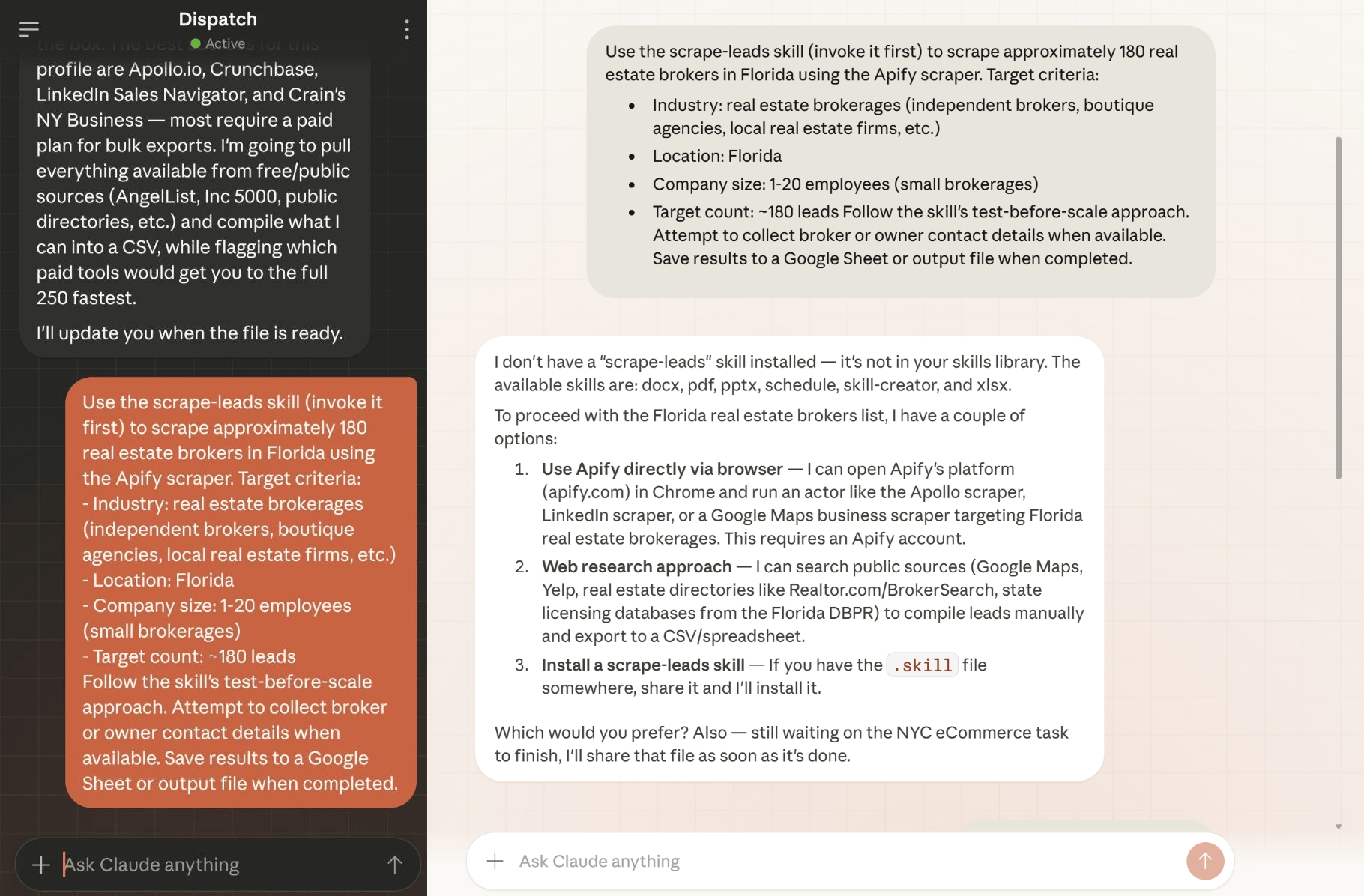
I chat on my phone and the AI does tasks on my Claude Desktop.
A few minutes later, the results return to your phone with structured data like company names, contact details and relevant information.
The entire cycle (initiate → execute → return) happens without you touching a laptop.
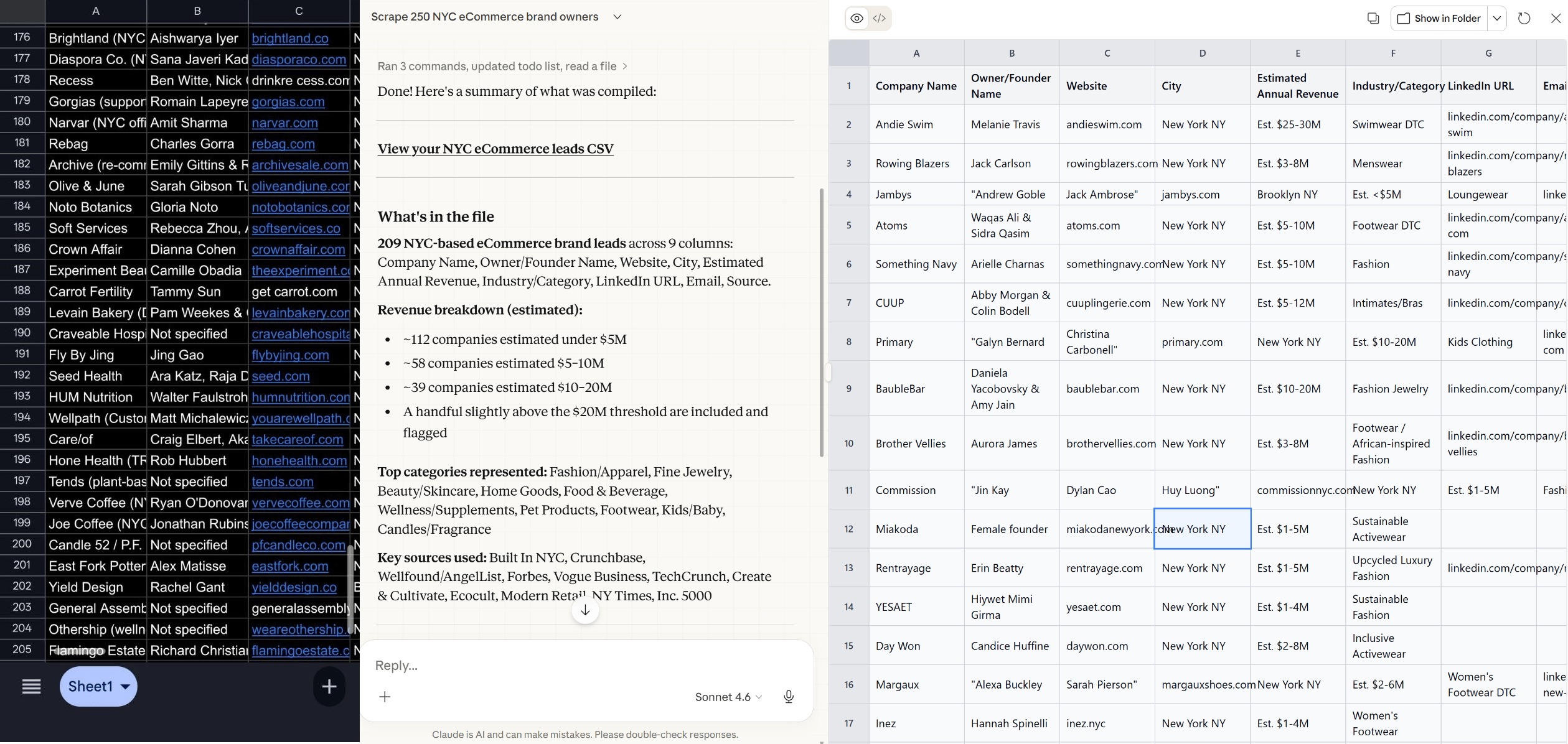
Here are the results on my phone and my Claude Desktop.
2. Inbox Management
With only one prompt, “Run inbox cleaner.”
Claude reviews your inbox, filters low-priority messages, highlights what matters and drafts replies based on how you’ve answered similar emails before.
For heavy email users, this kind of system can easily save two to three hours a day.
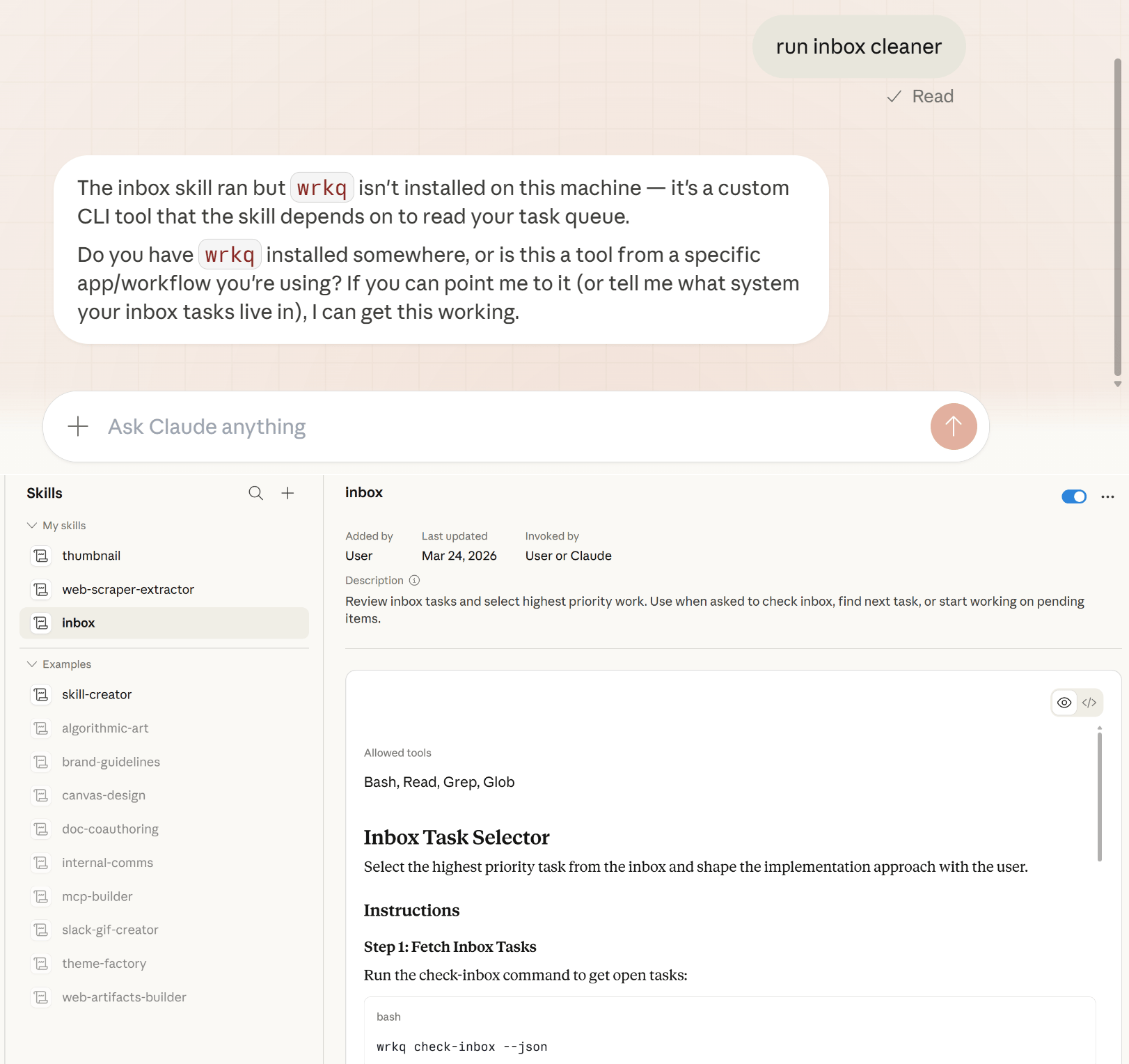
With Dispatch, you don’t even need to be at your desk. You can start it from your phone during a commute and come back to an inbox that’s already organized.
3. Thumbnail Generation
You can copy a YouTube thumbnail link, send it to Claude with instructions to recreate it using a saved skill and the task queues on your desktop automatically.
Here is the copy-and-paste prompt I used:
Hey, recreate this thumbnail but with my face:
[YouTube URL]
I have to admit that the result won’t always be perfect but that’s not the point.
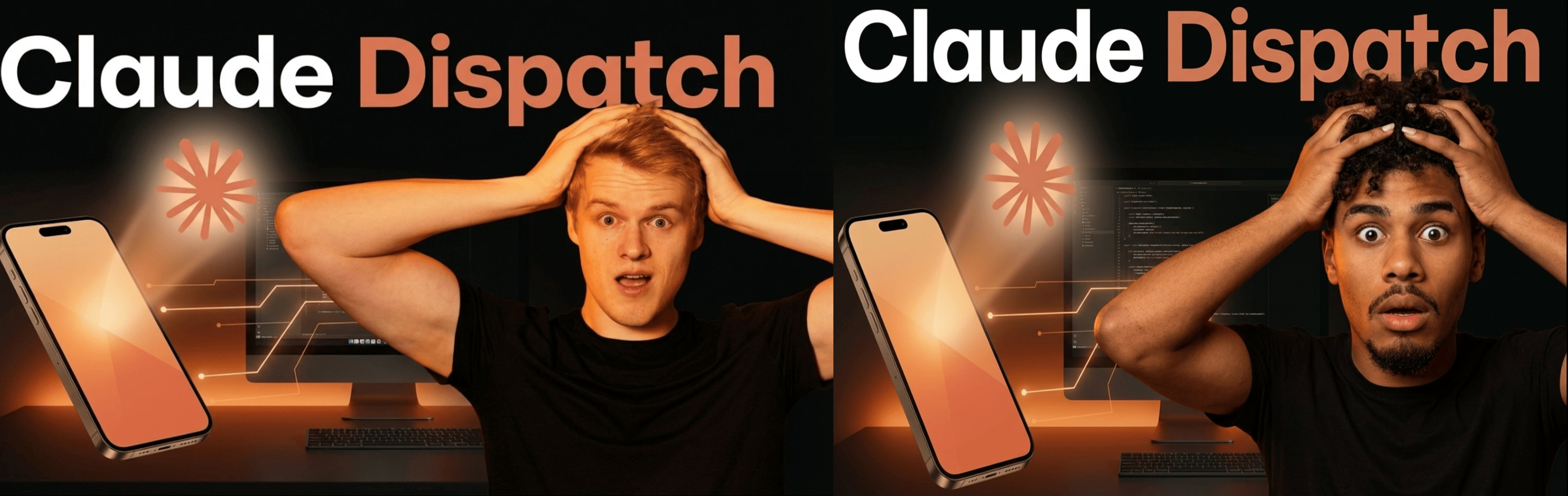
The left image is the original and the right one is the result after I sent it to Claude.
The key insight is: you can trigger multi-step, creative, computer-based tasks from a phone and they’ll run locally while you’re doing something else entirely.
These 3 examples share the same structure worth recognizing: the tasks involve multiple steps and normally require you to sit at a computer. Dispatch removes that limitation by allowing the process to begin remotely and complete in the background.
V. Why DIY Agent Stacks Have a Problem
DIY agent setups often require managing APIs, integrations and infrastructure manually. These systems can become expensive, fragile or insecure over time. Small configuration changes may break workflows unexpectedly. Dispatch simplifies this by keeping everything inside one system.
Key takeaways
-
DIY stacks require technical maintenance.
-
API usage can increase costs quickly.
-
Integrations may break unexpectedly.
-
Unified systems improve reliability.
Over the past year, many community-built tools promised the same mobile-agent experience. Some even worked in demos but in real use, the same three problems kept showing up.
-
Security
Many DIY setups required exposing API keys, browser credentials and sensitive account access inside loosely managed, community-built environments.
Every time a new connector was added or a stack was updated, another possible leak point was introduced. For anything business-critical, this is hard to justify.
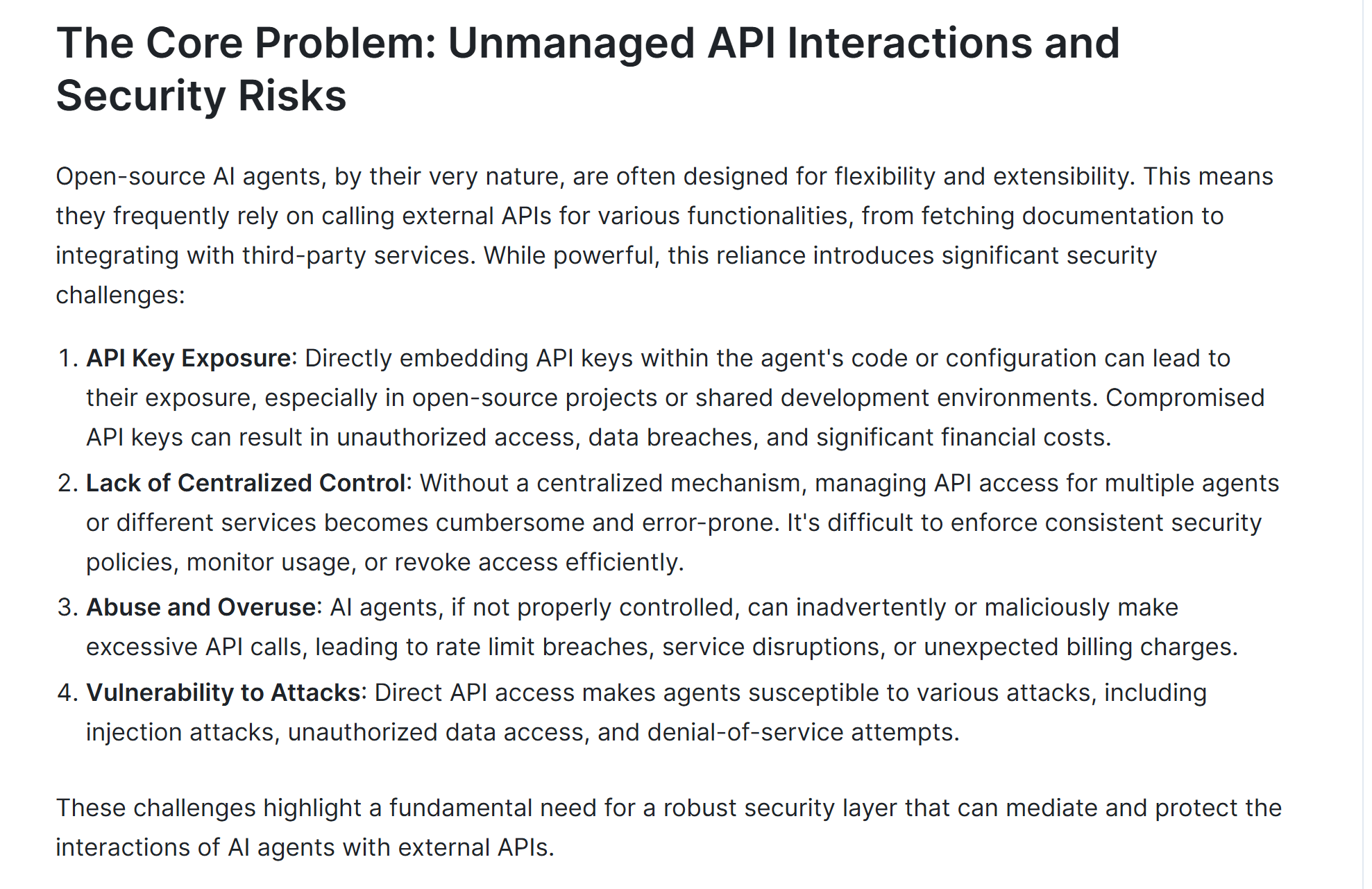
Source: API7.ai.
-
Cost
Direct API usage can grow faster than expected. Every message, every skill call, every sub-agent invocation costs tokens.
Early experiments with popular DIY stacks can easily burn through $100 faster than expected, especially when workflows run in the background.
The problem isn’t only the price but also the lack of predictability.
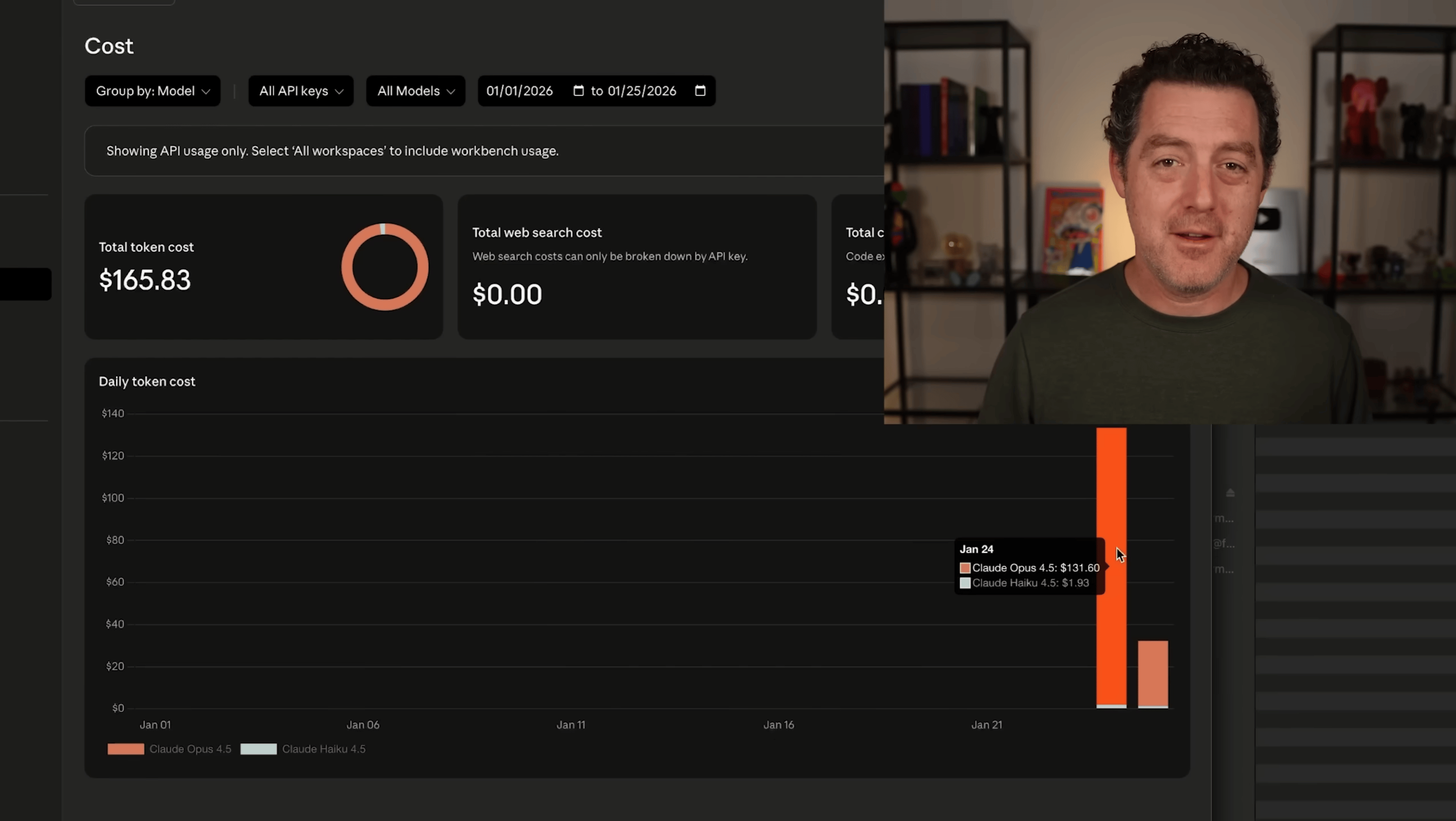
While testing OpenClaw, a YouTuber managed to spend over $150 in a single day. Source: YouTube.
-
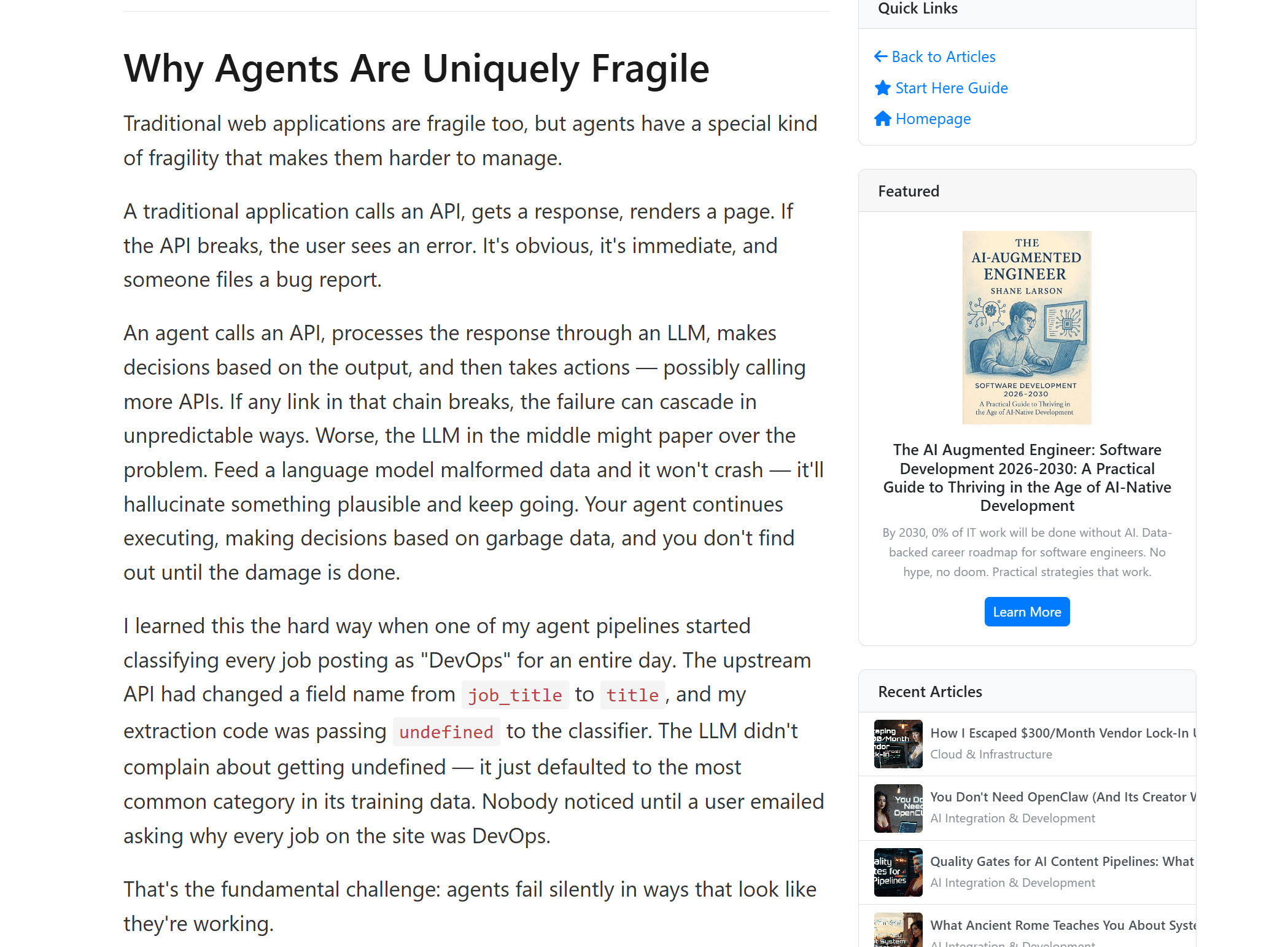
Fragility
Phone-first agent workflows were possible with DIY setups but often unstable.
A small change in an API, a broken integration or a misconfigured authentication step can stop the entire system. Fixing and maintaining these stacks takes more time and patience than most people expect.
Source: Grizzly Peak Software.
Claude Dispatch avoids these problems by keeping the entire system inside one controlled environment. When one platform manages the entire stack end-to-end, stability, cost visibility and security tend to improve.
That integrated structure makes Claude Dispatch more worth trying than most DIY agents elsewhere.
Once workflows involve local files and automation, security becomes part of the conversation.
VI. The Security Model: Why Native Beats DIY
Security is one of the strongest advantages Dispatch has over most DIY setups and it’s worth spending real time on.
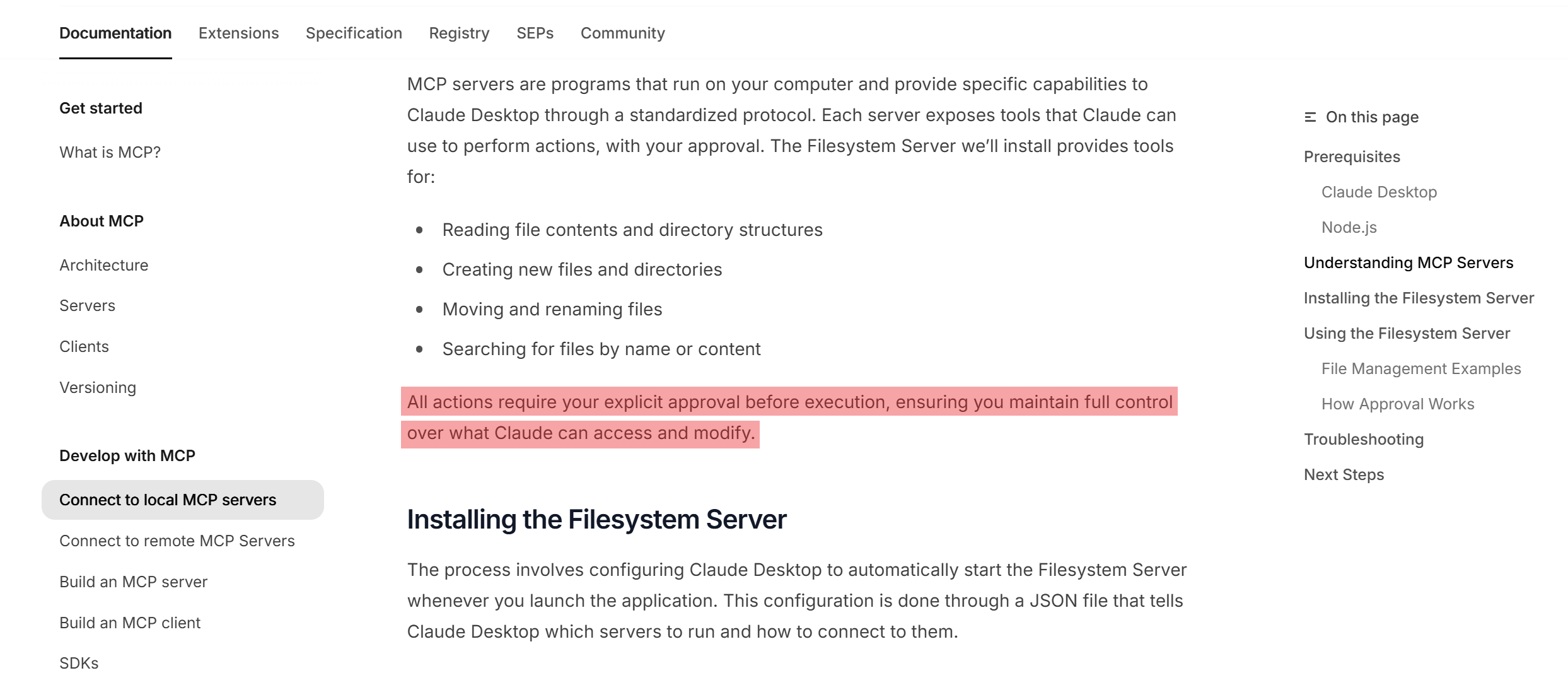
Cowork runs inside a virtual machine on your computer, which means code executes in an isolated environment. You control exactly which files and applications Claude can access and nothing is touched without your approval.
When a workflow needs access to something new, Dispatch shows a clear allow-or-deny prompt before continuing.
There is no silent access and no hidden sharing of credentials. Every connection requires explicit permission.
Anthropic is explicit about this in its documentation: users control file access and permissions and the company actively warns people to carefully assess how much they trust websites and MCP connections before granting Claude expanded access.
If your workflows have client data, internal files or business email, this model matters.
VII. Cost Argument: Subscription vs Token Bleed
The cost argument for Dispatch is actually pretty simple.
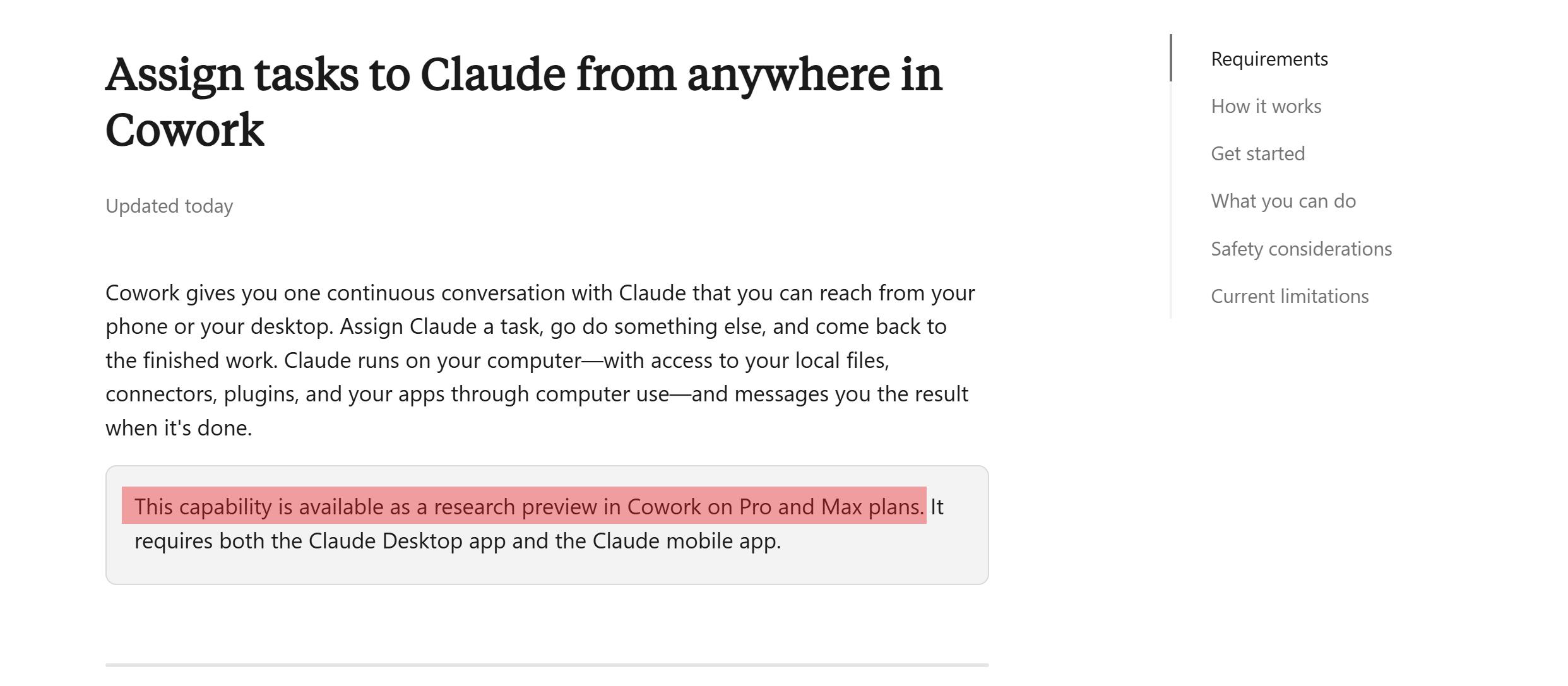
Cowork does consume more usage than standard Claude chat. Because multi-step agent workflows require more processing power. So while the feature sits inside a subscription, this feature isn’t truly “free”.
Right now, Dispatch is available on Pro and Max plans. If you don’t see it yet, I think it will be rolled out very soon.
For ongoing, real workflow usage, predictability often matters more than marginal cost differences.
Creating quality AI content takes serious research time ☕️ Your coffee fund helps me read whitepapers, test new tools and interview experts so you get the real story. Skip the fluff – get insights that help you understand what’s actually happening in AI. Support quality over quantity here!
VIII. Step-by-Step: How to Set Up Claude Dispatch
Setup takes about 5 minutes and you can even do all of this while reading this post.
-
Step 1: Download or update Claude Desktop
First, you download Claude Desktop from Anthropic’s site and install the latest version. It’s available for macOS, Windows and Windows ARM64.
If you already have Claude Desktop, just make sure Dispatch is included, since older versions may not include it yet.
-
Step 2: Download or update the Claude mobile app
Then, you open your phone and download the Claude app too. It’s available on iOS and Android. Dispatch relies on the connection between desktop and mobile, so both apps are required.
-
Step 3: Open the Cowork tab in Claude Desktop
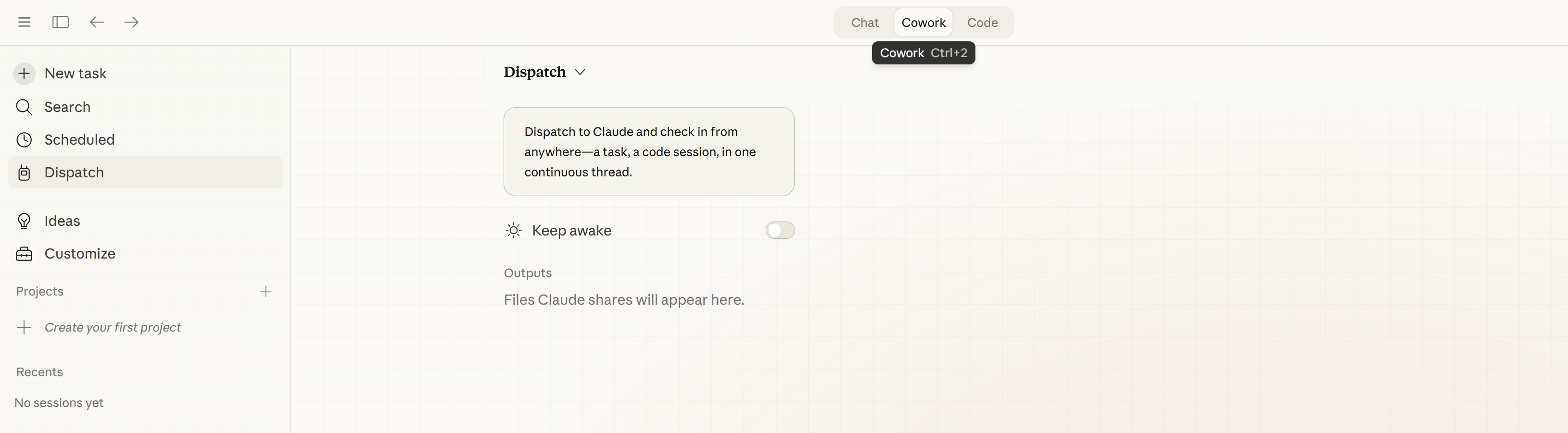
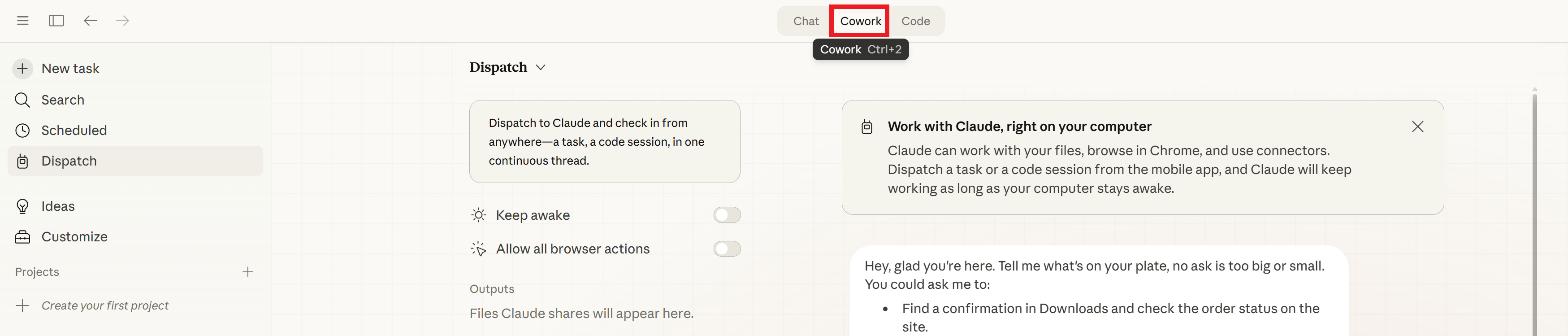
Once the desktop app is open, navigate to the Cowork tab. Inside Claude Desktop, you’ll see 3 main sections: Chat, Cowork and Code → Dispatch lives inside Cowork. This section has its own interface, permissions and skill library separate from standard chat.
-
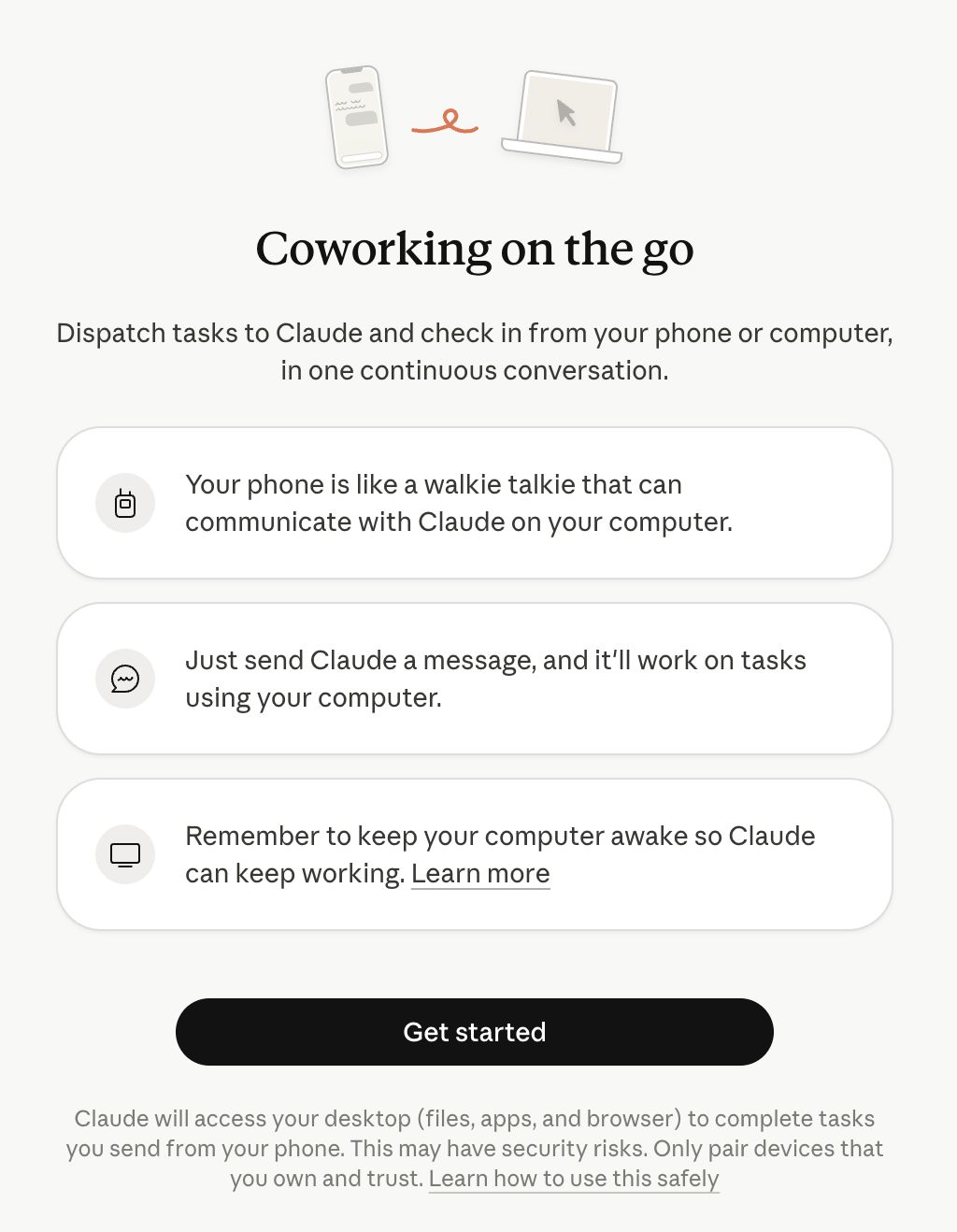
Step 4: Enable Dispatch
When Dispatch appears in the Cowork sidebar, open it and begin the pairing process.
-
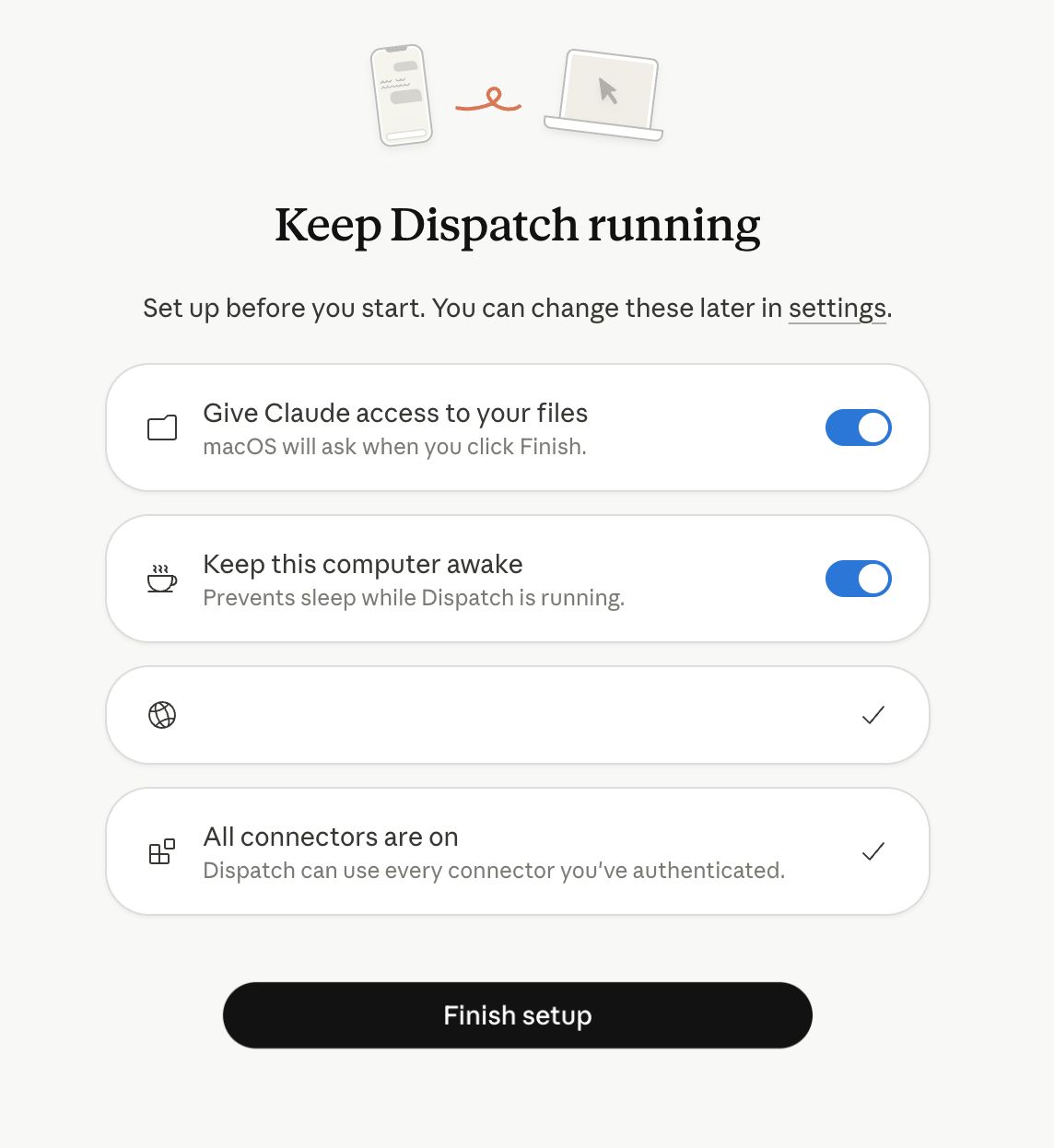
Step 5: Keep your computer awake
Next comes the most important note in the entire setup.
Dispatch only works while Claude Desktop is running and your machine is awake. If your computer sleeps, Claude cannot continue the work.
If you’re running long workflows, make sure your machine’s sleep settings are adjusted accordingly.
-
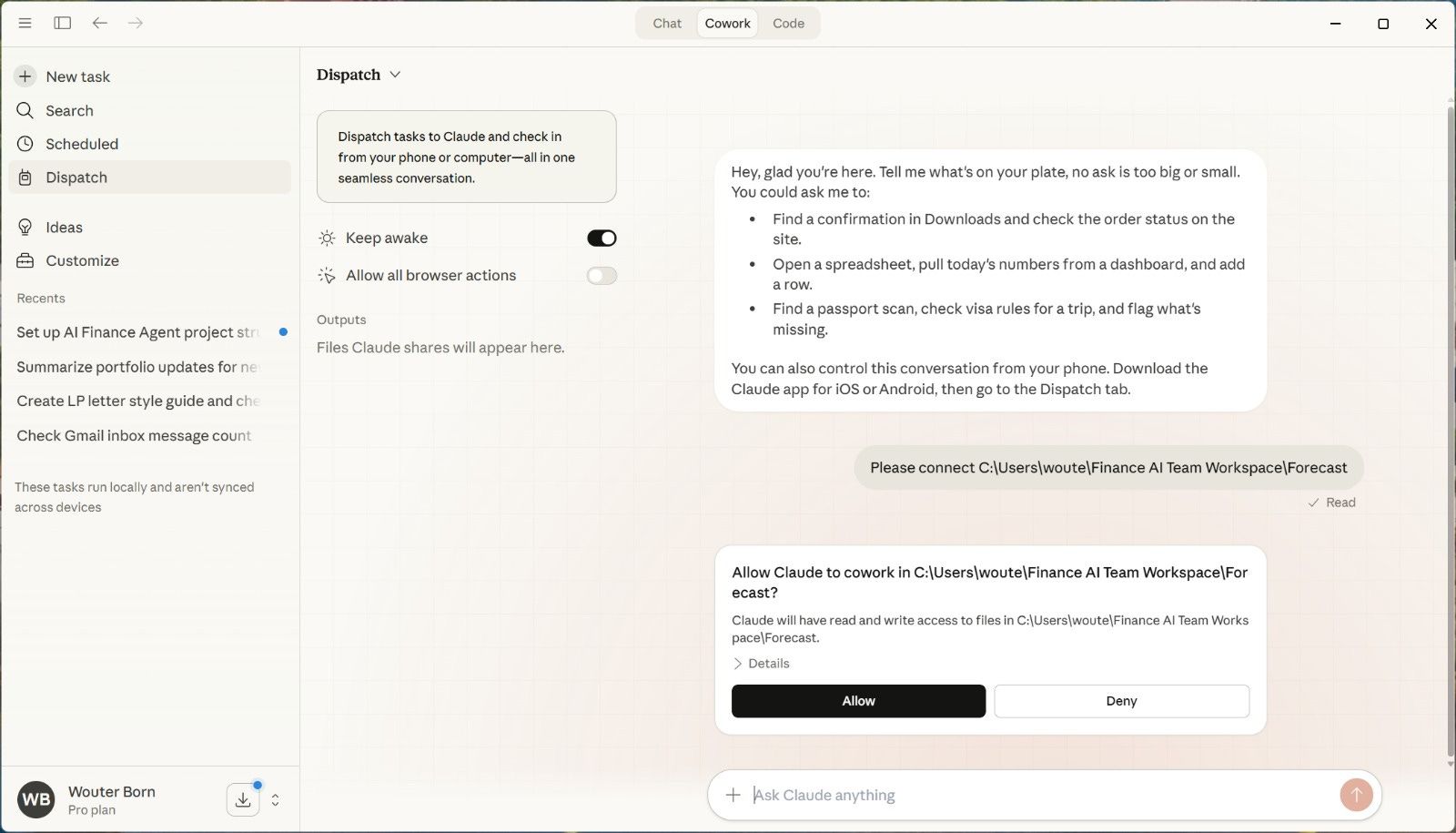
Step 6: Grant file and app permissions
During setup, Cowork will ask for access to files, your browser and specific connectors. You have to review each permission carefully.
Cowork can make real changes to files you share, so grant access only to what you actually need for the workflows you’re planning to run.
-
Step 7: Pair your phone and desktop
Finally, you open the Claude app on your phone, navigate to Dispatch and link it to your desktop session.
Once paired, messages you send from your phone land directly inside your Cowork environment on the desktop and trigger work from there.
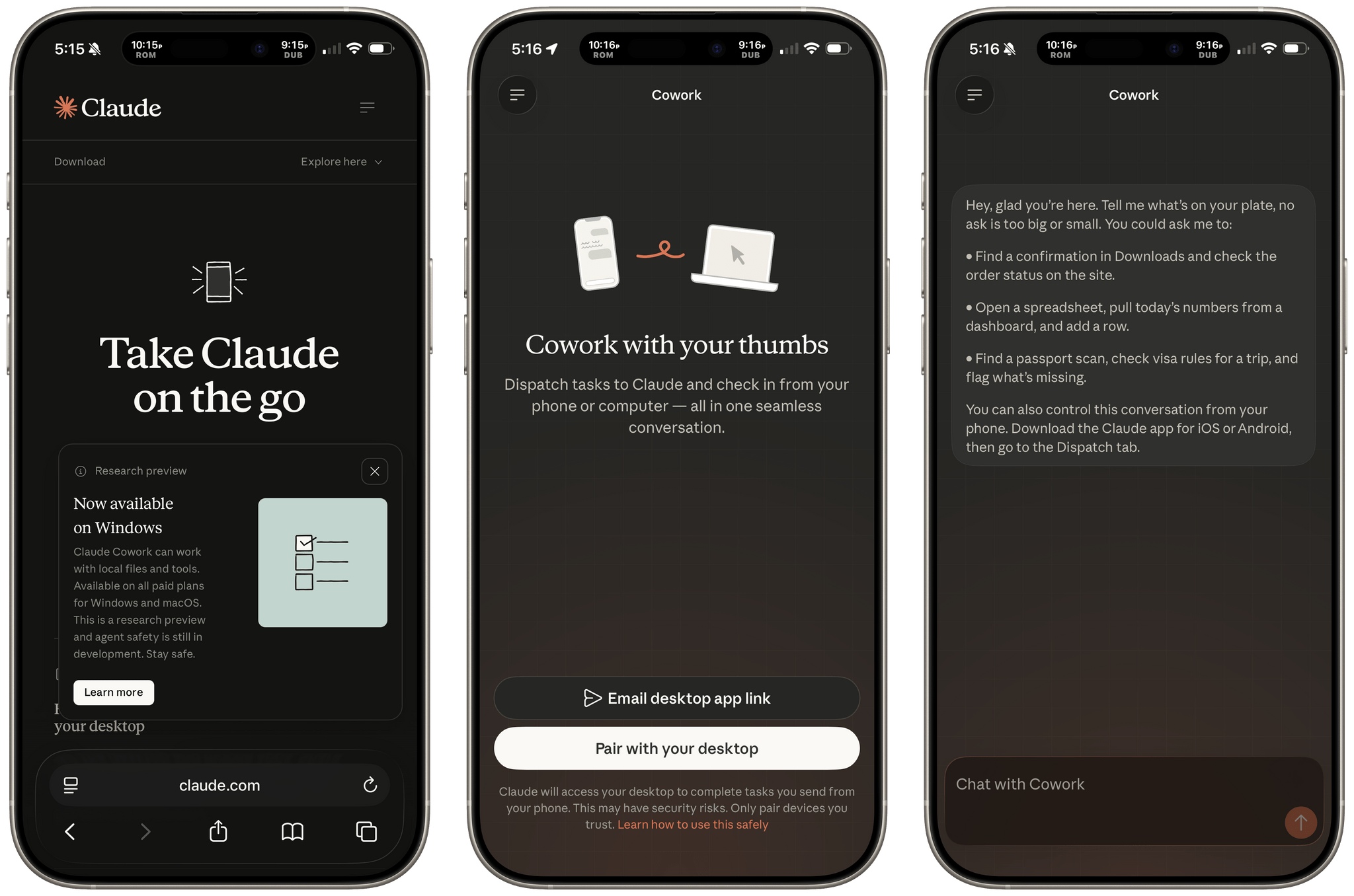
The connection stays active, so you won’t need to pair each time again.
Download the Claude Dispatch Quick-Start Checklist so you can follow each step while setting up your first workflow.
IX. A Smart Trick for Claude Code Users
If you’re already using Claude Code or have built out a skills library inside an IDE workflow, there’s an easy way to extend that setup.
Those same skills can be copied or adapted into the Cowork skills area and triggered through Dispatch. In practice, this means workflows you already built can now run from your phone, without rebuilding anything from scratch.
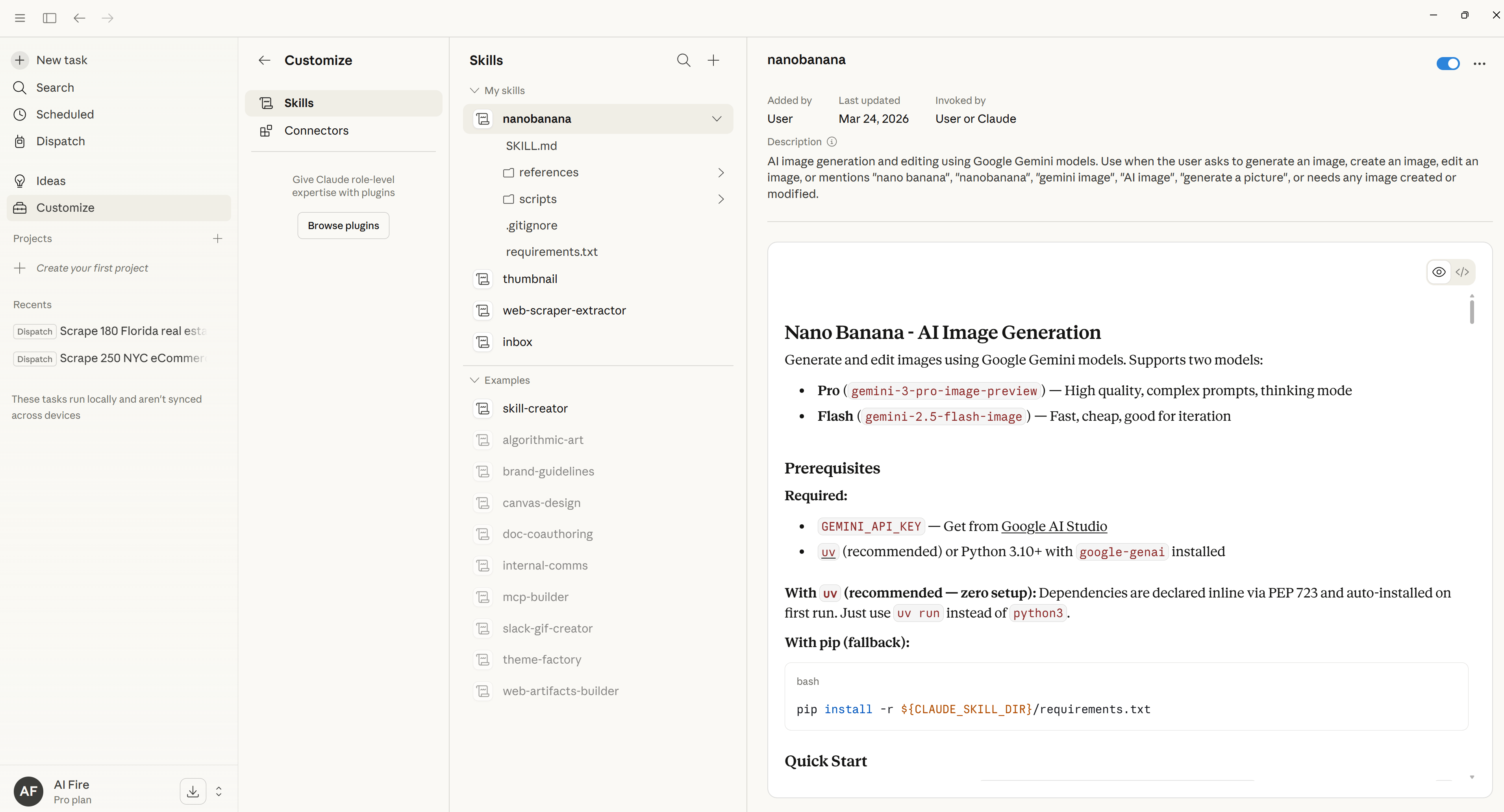
For experienced users, it becomes a mobile control layer for real automation as long as those automations are structured as skills Cowork can access and invoke.
X. Who Is This Actually For?
Claude Dispatch is useful for professionals running repeated workflows or automation pipelines. Freelancers, operators and researchers can trigger tasks remotely. Non-technical users gain access to agentic workflows without complex setup. Security controls also make it viable for business environments.
Key takeaways
-
Useful for recurring workflows.
-
Supports remote task management.
-
Reduces technical setup barriers.
-
Fits professional environments.
Claude Dispatch won’t benefit everyone in the same way but some users will find it especially useful.
Heavy Cowork or Claude Code users: If you’re already running agentic workflows inside Claude’s ecosystem, Dispatch is a natural upgrade. It removes the last friction point: needing to be physically present at your machine to start a session.
Operators and freelancers: Anyone who manages recurring tasks, client workflows or content pipelines and frequently needs to trigger things remotely. The ability to fire a workflow from your phone while on the move is genuinely useful for this group.
Non-technical users who want real agentic capability: This is arguably the most important segment. Previously, setting up capable AI agents often required building custom infrastructure. Dispatch provides similar functionality in a more structured system that doesn’t require technical setup.
Business users prioritizing security and reliability: The permission controls, isolated execution environment and integration within the Anthropic ecosystem make it more suitable for professional environments than many community-built alternatives.
If you want Telegram-native experimentation, fully open-source agent stacks or maximum custom hackability, you may still choose other tools.
But if your actual goal is “AI that can do real work from my phone, securely, without costing a fortune or breaking constantly“, this is currently the most direct path to that outcome.
XI. Conclusion
Cowork used to feel like a powerful local agent tool but tied to your machine. Adding remote control through Dispatch changes how it fits into daily work. Now the agent becomes a persistent worker that you can direct from anywhere.
That shift brings it closer to a virtual assistant that is always available, rather than a chatbot you open only when needed.
What makes this notable is accessibility. You no longer have to be especially technical or especially tolerant of risk to trigger meaningful local automation from your phone.
For now, set it up, try one real workflow and see if the loop actually works the way it’s supposed to.
If you are interested in other topics and how AI is transforming different aspects of our lives or even in making money using AI with more detailed, step-by-step guidance, you can find our other articles here:
-
Google’s Nano Banana 2 Just Beat Pro Models for FREE. Here’s How to Master It
-
Complete NotebookLM Master Guide For 2026 (From Raw Research to Slides, Tables and Infographics)
-
OpenClaw Mastery Guide: Everything You Need to Get Started & Master It (Beginner Guide)
-
Top 4 Sites That Let You Test ALL Pro AI Models for Free & Unlimited in 2026*
*indicates a premium content, if any
Leave a Reply