
A practical February 2026 toolkit for building software, automating workflows, and scaling solo without a team or upfront costs.. How To Make Money With Ai, Ai Tools, Ai Fire 101, Ai Workflows.
TL;DR BOX
In 2026, launching a business no longer requires a big team or technical background.
This guide breaks down 9 free AI tools people are actually using to build products, automate workflows and scale content, often in a single day.
From building apps with Lovable, to voice-driven prompting with Wispr Flow, to automation with n8n, the real shift is learning how to orchestrate systems instead of chatting with tools.
Key Points
-
Fact: n8n is an open-source automation engine that allows you to build complex “Agentic” workflows for free if you self-host, unlike competitors like Zapier.
-
Mistake: Assuming the first AI output is the final product. Success in 2026 depends on Prompt Iteration. You must treat the AI like an employee who needs specific instructions and corrections to get the best result.
-
Action: Start with a “Reddit Problem Search” (Section II) using ChatGPT to find a validated niche, then build the solution immediately in Lovable.
Critical Insight
The real advantage in 2026 isn’t just knowing which free AI tool exists; it’s knowing how to feed them context. By using NotebookLM, you can feed the AI your entire business history (PDFs, Docs, YouTube videos) once, so it can provide grounded, hyper-personalized strategy without repeated setup.
Table of Contents
I. Introduction: The Problem With Free AI Tool Lists
Do you notice how thousands of AI tools launch every week, hype themself endlessly, charge you anyway and still fail to deliver what they promise?
After months of testing hundreds of AI tools across real workflows, I finally found the ones that truly matter. I’m looking for tools that let you:
-
Build a business with zero money.
-
No technical background required.
-
Launch products in hours.
-
Have honest discussions of real limitations.
-
Clone yourself (yes, seriously).
This guide focuses on the 9 tools that passed the ultimate test: real people are using them to launch real products and make real money.
*One more thing before we get into it: AI won’t take your job but someone using AI probably will. This guide makes sure you’re on the winning side.
II. Tool #1: AI Chatbots (Your Starting Point)
You’ve heard of ChatGPT but depending on your task, it might actually be the wrong choice. You need to pick the right free AI tool for each specific job.
There are five major players and each has a specific “superpower”:
|
Tool |
Best At |
Use It When |
Trade-offs |
|---|---|---|---|
|
ChatGPT (OpenAI) |
Writing, brainstorming and general reasoning |
You want a reliable, all-purpose assistant for everyday tasks |
Less specialized than others |
|
Gemini (Google) |
Multimodal analysis (video, images, files, audio) |
You want insights from YouTube videos, documents or media without consuming them manually |
Not the best for deep reasoning |
|
Claude (Anthropic) |
Complex reasoning, software development |
The task is technical, analytical or logic-heavy |
Slower than speed-focused models |
|
Perplexity |
Real-time searching, fact-finding, and sourcing |
You need up-to-date information with clickable citations to verify facts |
Less creative for long-form writing compared to ChatGPT; can sometimes misinterpret complex sources |
|
Grok (X/Twitter) |
Unfiltered opinions, controversial topics |
You want raw perspectives, sentiment or edge-case discussions |
Messy, less reliable, fewer safeguards |
Start With a Real Problem
Most people open a chatbot, ask a few fun questions, then stop and that’s where value dies. Chatbots aren’t born to be fun because if they were, the RAM price wouldn’t be that high.

How AI Demand is Raising DRAM Prices. Source: IntuitionLabs.
You only get value when you point the AI at a real, specific problem. Here’s a simple, proven workflow:
-
Open ChatGPT.
-
Ask: “Search Reddit for the most common problems first-time business founders face.”
-
Read the responses carefully.
-
Identify patterns.
-
Pick one problem.
-
Build a solution using other free AI tools.
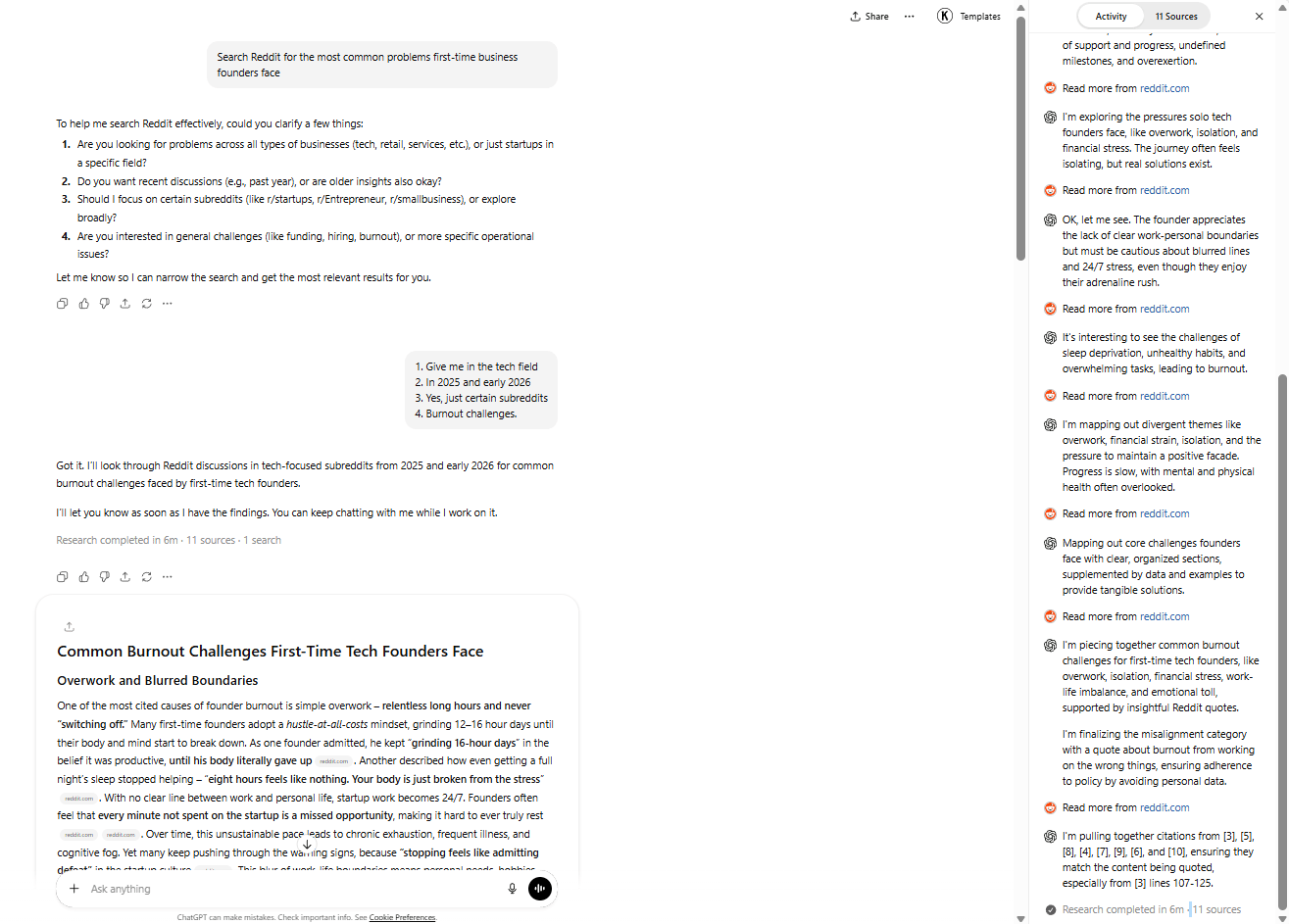
When this workflow is tested, one problem consistently rises to the top: First-time founders spend months building something nobody wants. That insight alone is worth more than hours of random prompting.
Then, your next step is building something that validates ideas before people waste months on them.
Start with this 5-minute AI starter stack to build one simple system that solves a real problem. It gives you a clear step-by-step path to find a real problem, build a basic solution and ship it fast without overthinking.
Learn How to Make AI Work For You!
Transform your AI skills with the AI Fire Academy Premium Plan – FREE for 14 days! Gain instant access to 500+ AI workflows, advanced tutorials, exclusive case studies and unbeatable discounts. No risks, cancel anytime.
Start Your Free Trial Today >>
III. Tool #2: Lovable (Build Software Without Coding)
Not long ago, building software meant two bad options: learn to code for months or pay developers a small fortune. Then, Lovable removed both of them.
You can build functional web apps using plain English prompts, even with zero technical experience. The free AI tool tier allows for 5 daily credits, enough to spin up a working MVP skeleton in one afternoon.
1. What Gets Built (Real Example)
Nothing explains this better than a simple example. Let’s create a business idea validator with me.
So, to use this tool, all you need is to describe it as much as possible. Here’s a copy-paste prompt you can use:
Hey, can you create a tool that lets me input a business concept, then evaluates that idea and assigns an overall grade from A to F based on its strength?

Please divide the analysis into clear sections and provide an individual A-F score for each section as well.
Lovable immediately starts generating the interface, logic and scoring system in real time and your job is to watch the product take shape instead of staring at a blank screen.

The One Love Foundation, a national non-profit focused on ending relationship abuse through early education, used Lovable to quickly launch a fundraising website, even without a technical team. The result was immediate.
→ They raised $150,000, beating their original goal by 50%, attracted 200+ monthly donors and significantly increased awareness of their educational content. It proved that with the right tool, non-technical teams can create real impact fast.
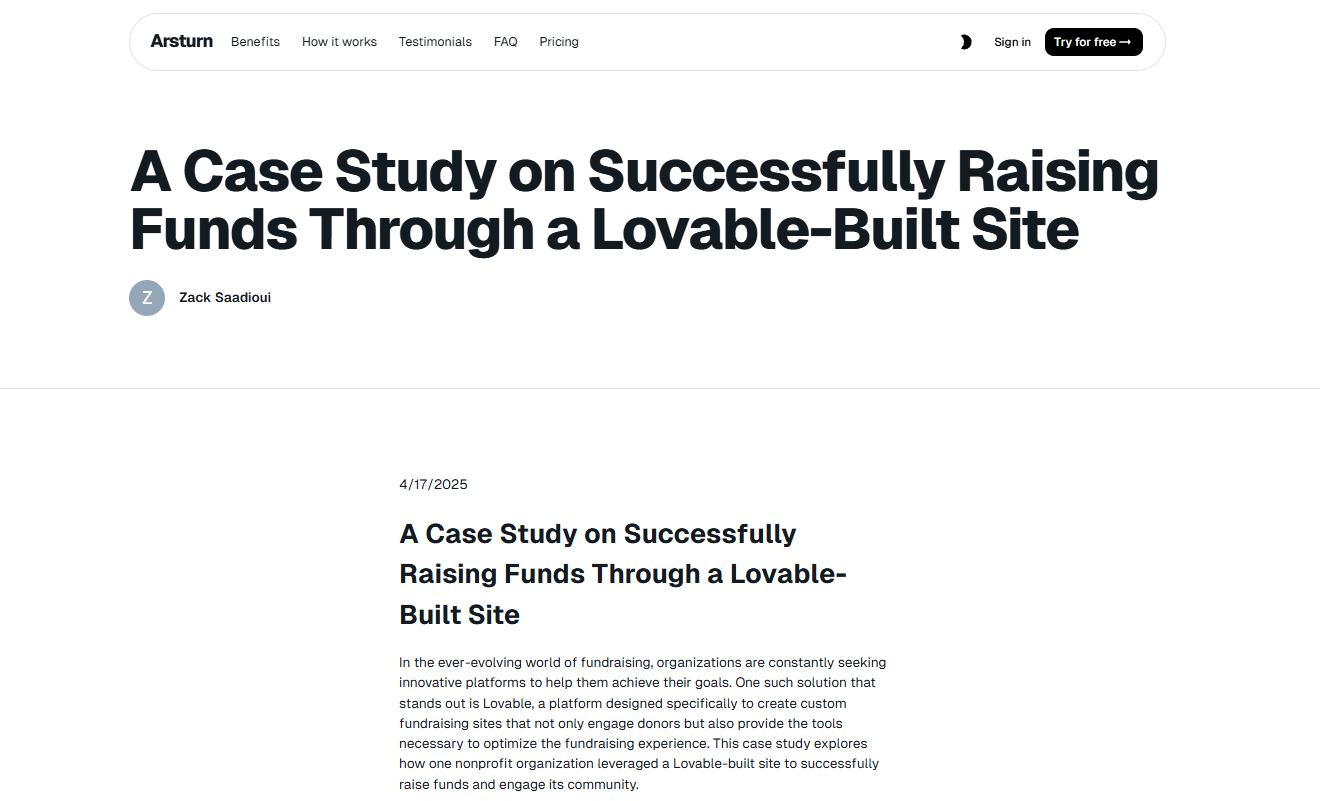
Source: Arsturn.
2. The Reality Check Nobody Mentions
After testing over a thousand prompts, I finally realized: One prompt won’t give you a perfect app and that’s why you’ll need to iterate:
-
The first version will have errors.
-
Prompts need refinement.
-
Testing reveals issues.
-
Fixes require more prompts.

I know this loop takes some time but compared to traditional development, it’s not even close. It still beats them by orders of magnitude. Also, people are making thousands of dollars monthly with products built this way entirely.
3. Treat AI Like an Employee
You have to know a simple rule: Garbage in, garbage out. That means when you give vague input, your result is also vague. Here are examples:
-
Bad prompt: “Make it better”.
-
Good prompt: “Change the rating system so A is worst and F is best. Add a confidence score for each section. Use a clean, modern design with blue as the primary color”.

When you say exactly how the scoring should work, how the UI should look and what needs to change, the output improves immediately. Once you understand this, building software stops feeling intimidating and starts feeling mechanical.
IV. Tool #3: Wispr Flow (Voice-to-Text That Finally Works)
Most people type around 40-50 words per minute but when you speak, you hit about 130-150 words per minute. That means you can create content 3-4x faster by talking instead of typing.

Source: Predictive Success & Typing Master.
The problem is that most voice-to-text tools fail in practice.
They transcribe everything exactly as you say it. Every “um,” every pause and every half-formed thought ends up in the text, which makes the output messy and forces you to spend more time just to clean it up.
1. How Wispr Flow Is Different
This is where Wispr Flow actually becomes useful. It understands how people speak and turns it into clean, usable text:
-
Adds punctuation and paragraph breaks.
-
Removes filler words automatically.
-
Turns spoken structure into numbered lists.
-
Inserts quotes when it makes sense.

The result is clean, professional text that usually doesn’t need editing.
2. The Workflow
If you follow my rule, the workflow is simple:
-
You install Wispr Flow.
-
Speak naturally into any app (Gmail, Slack, even Lovable).
-
Watch it format words in real-time.
-
Edit if needed (usually unnecessary).
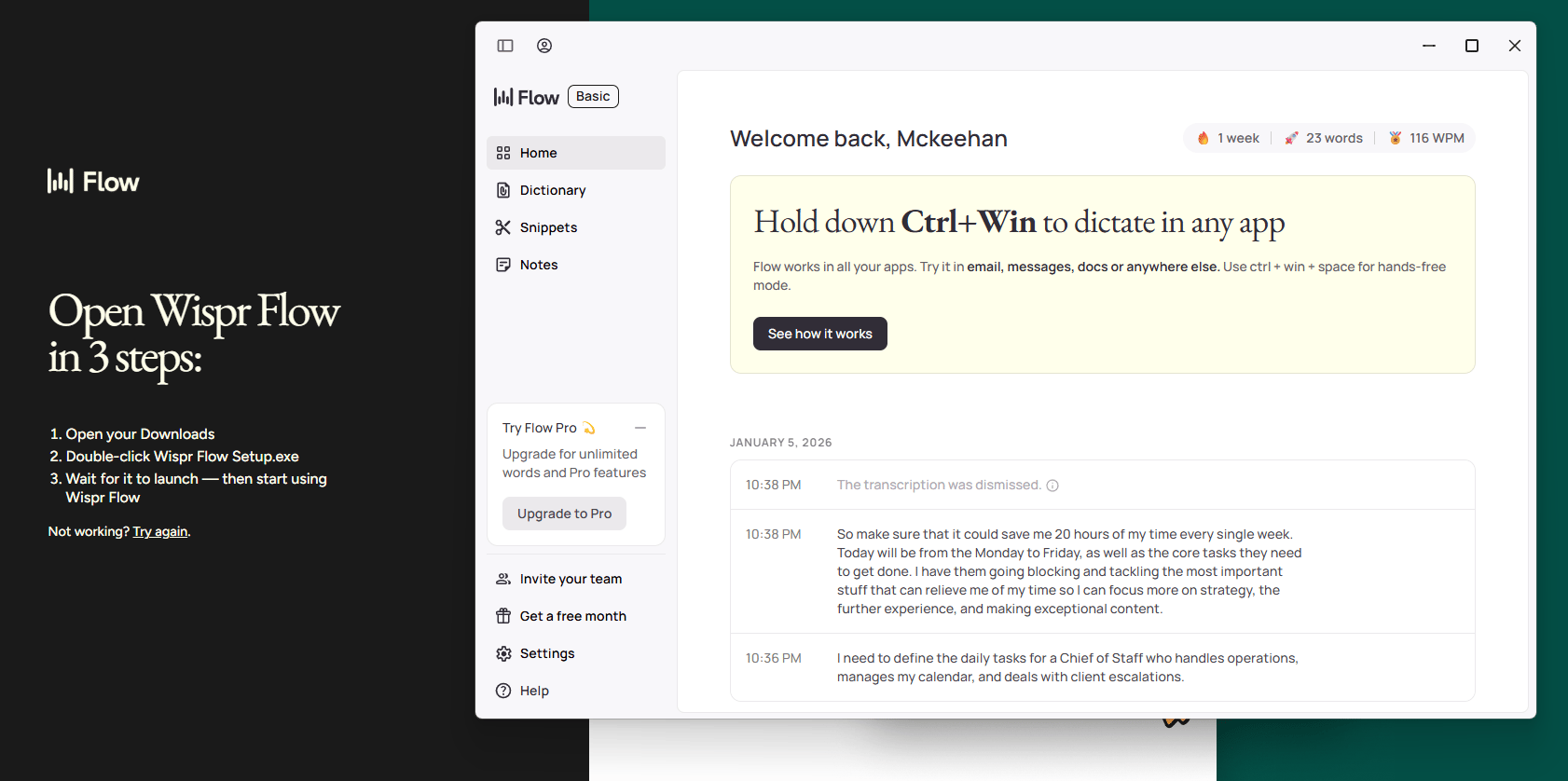
*One extra tip: if you combine Wispr Flow with Lovable, you can build products much faster by speaking your prompts instead of typing them.
V. Tool #4: 21st.dev (Make AI Look Less Generic)
We all know that most AI-generated websites look the same.
People can spot AI design instantly. The templates feel familiar, the layouts are predictable and the whole thing gives off a quiet “this was rushed” vibe. Even when the product is solid, weak design can instantly make it feel cheap.
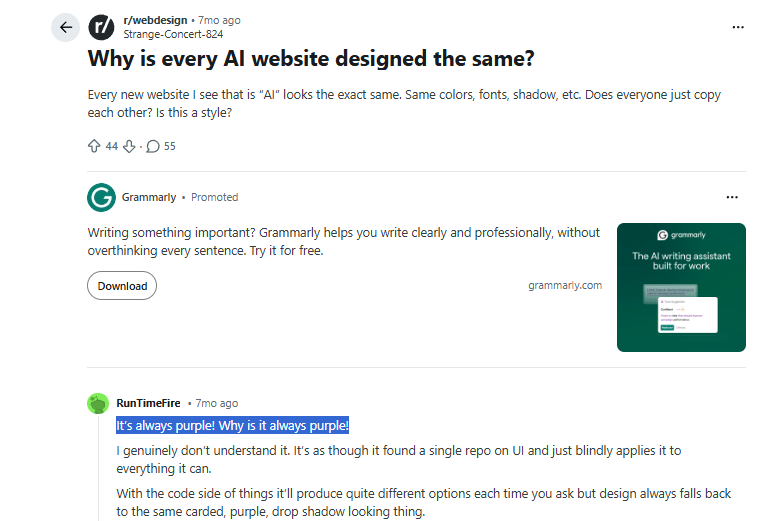
Source: Reddit.
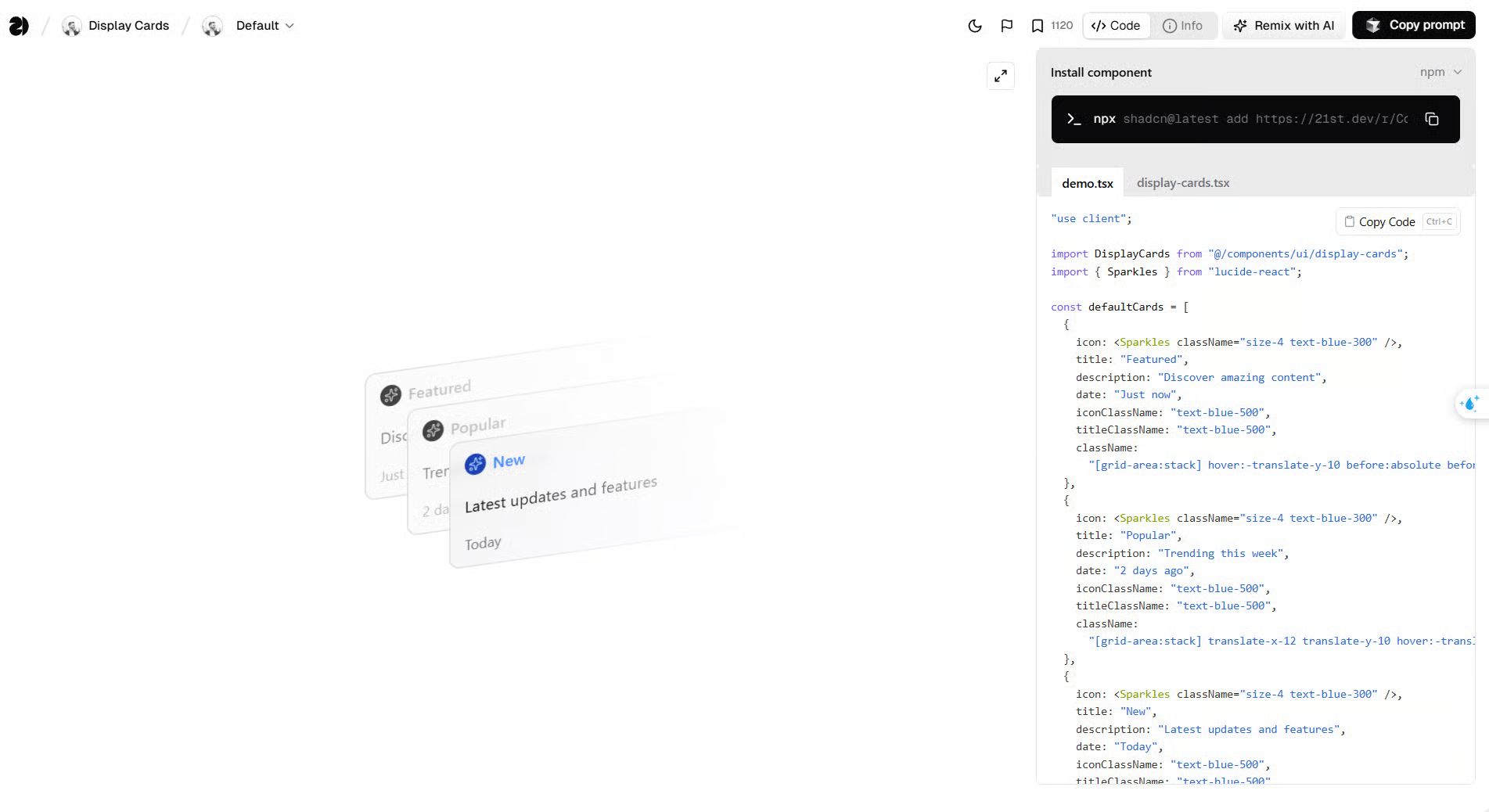
21st.dev solves this problem. It’s a library of high-quality design components that you can copy directly into Lovable or any other web builder.
Here’s how this looks in practice: You want an animated robot on your landing page but when you describe it manually in Lovable, it usually fails. Instead, you do this:
-
Find it on 21st.dev.
-
Copy the prompt.
-
Paste into Lovable.
-
Done.
You’ll get a polished result without needing real design skills.


1. Why Design Credibility Matters
This is important because design quality directly affects perceived value.
Two identical products with the same features can perform very differently just based on how they look. People judge a product by its look first.
This is called the “Halo Effect“. If your design looks professional, people will trust your business more.
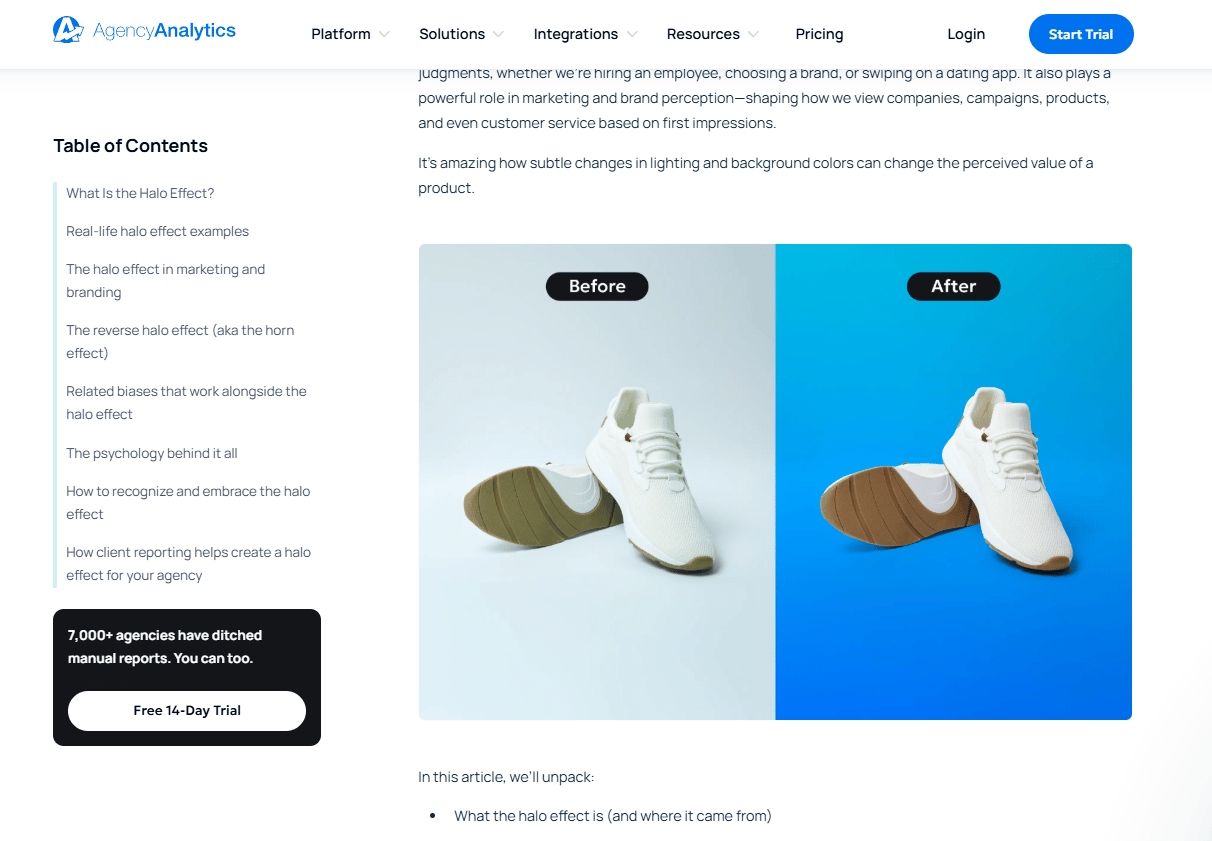
How the Halo Effect shapes brand perception. Source: AgencyAnalytics.
2. Where Humans Still Win
We all admit that AI is powerful but it’s not the key to everything.
When it comes to branding (logos, color schemes, typography), human designers still do a better job. So, the best step up is the hybrid one like this:
-
You use AI (next tool) to generate logo concepts and pick the strongest ones.
-
Then, you send those to a designer on Fiverr and have them refine and professionalize the final version.
-
Then plug that brand back into your AI-built product.

The cost is usually around $50-200 for a full brand identity but the result looks like something you’d expect from a $10,000 agency project.
VI. Tool #5: Nano Banana (Best Free AI Tool For Image Generation Right Now)
Google’s latest image model, Nano Banana is currently the best free AI tool for high-fidelity visuals I’ve seen. The results are noticeably better than most alternatives.
1. What Actually Gets Generated
What you get from Nano Banana depends almost entirely on how you prompt it. For example, you paste this prompt to Gemini:
Create a logo for "AI Fire", an AI business that inspires people to pursue their dreams. 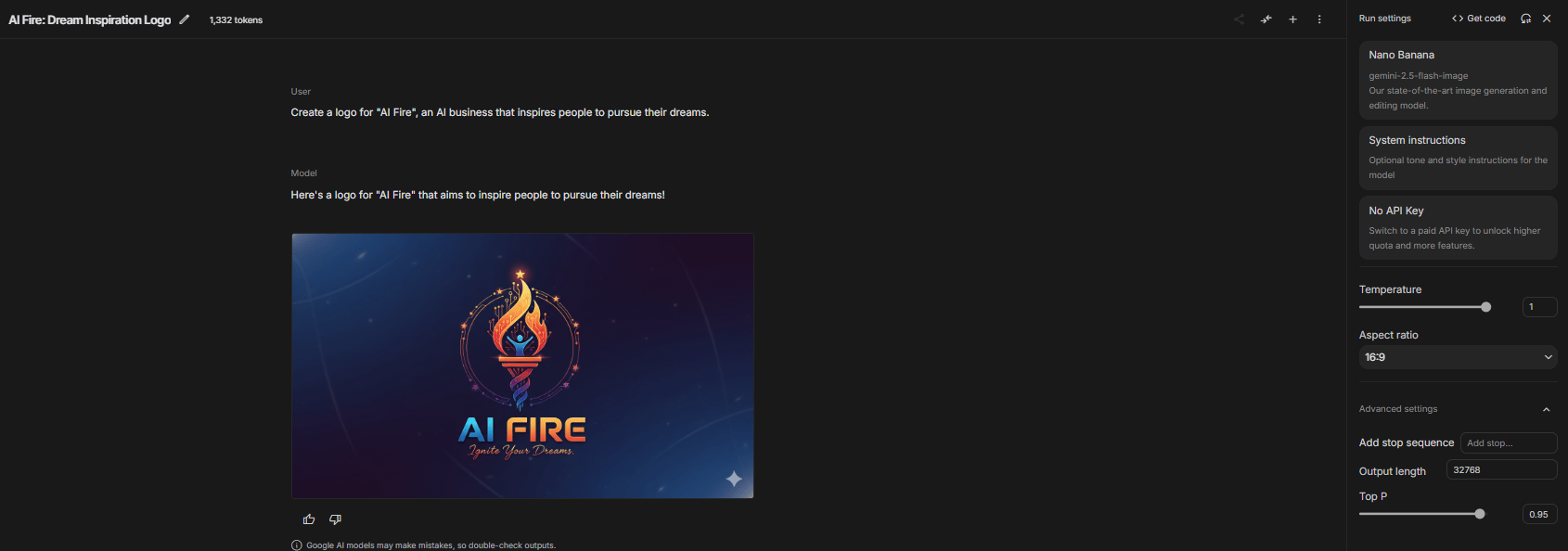
If the first result is bad, don’t be sad. That’s normal. Once you refine the prompt with more specific details (let’s add this instruction “Make it simplistic and clean, similar to Apple’s logo style.”).
After hitting Enter, the second result improves dramatically. The difference between the first and second attempts is often night and day.

This is because prompting determines everything in AI image generation. The process is naturally iterative. The real workflow looks like this:
-
Start with a basic prompt.
-
Review the result (usually disappointed).
-
Add specific guidance.
-
Generate again.
You repeat this loop until the image matches what you had in mind. Expecting the first result to be perfect is the wrong mental model.
2. It’s Not Just for Logos
Nano Banana also goes far beyond logos. You can use Nano Banana to create:
-
Product mockups (logos on t-shirts, mugs, packaging).
-
Marketing materials (social media graphics, ads).
-
Viral content (yes, putting public figures in your brand shirt actually works).
-
Website visuals (hero images, backgrounds, illustrations).

If images matter to your business, this tool covers nearly everything you need.
VII. Tools #6 & #7: HeyGen + ElevenLabs (Clone Yourself)
Some creators are using AI clones to take weeks off… while their accounts keep posting. Most viewers don’t notice anything different and that’s because the clones look and sound real.
Cloning yourself is simpler than it sounds. Below is a high-level overview of how creators are doing this responsibly.
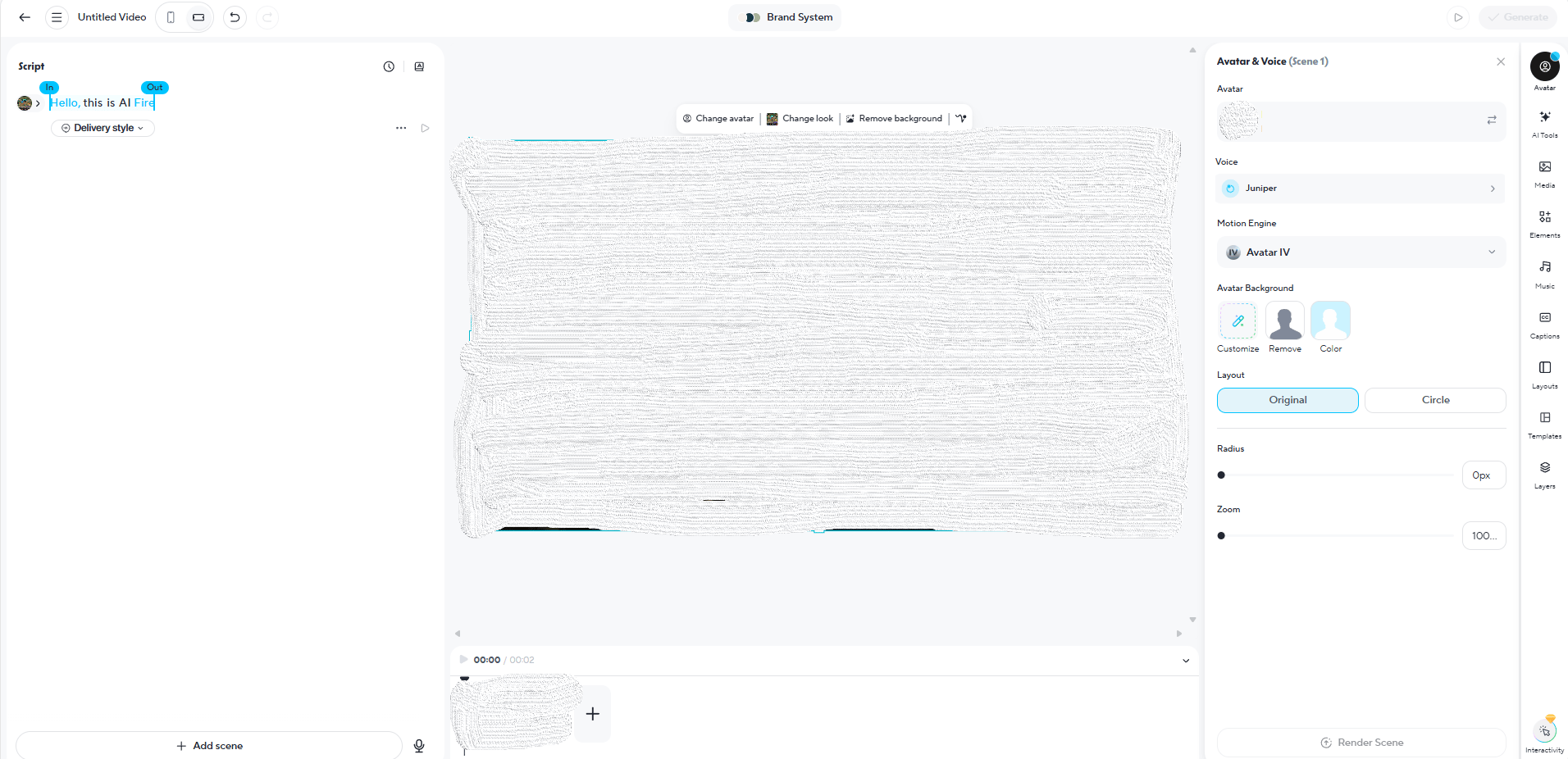
1. Step 1: Record Your Avatar (HeyGen)
HeyGen is an AI-powered video generator that lets you create professional-quality videos with lifelike digital avatars, removing the need for cameras, actors or a physical studio.
-
You go to HeyGen → Avatars → Clone a real person.

-
Click “Record Now” and record yourself for about two minutes.
-
You just look at the camera and speak naturally. It doesn’t matter what you say.
-
Then, you upload the footage.

Once it’s done, HeyGen processes it in a few minutes and builds a realistic visual version of you.
2. Step 2: Generate Scripts
Now, your avatar is ready, generating content is straightforward:
-
You type any script you want your clone to say.
-
Click “Generate”
-
Wait 30-60 seconds
The output is a video of “you” delivering that script with natural facial expressions and gestures.
3. Step 3: Clone Your Voice (ElevenLabs)
At this point, the clone looks like you but to make it fully convincing, you add your real voice. This is where ElevenLabs comes in.
ElevenLabs is a leading AI audio platform specializing in hyper-realistic speech synthesis and voice cloning. The flow is simple:
-
You record two to three minutes of clean audio.
-
Upload it to ElevenLabs.
-
It creates a voice model that matches how you actually sound.
-
You then use that voice inside HeyGen.

Now your clone looks AND sounds exactly like you.
4. Real-World Applications
This opens up a lot of practical use cases. You can create ad variations without reshooting videos, post content consistently even while you’re on vacation, test different scripts instantly and scale video output without burning yourself out.
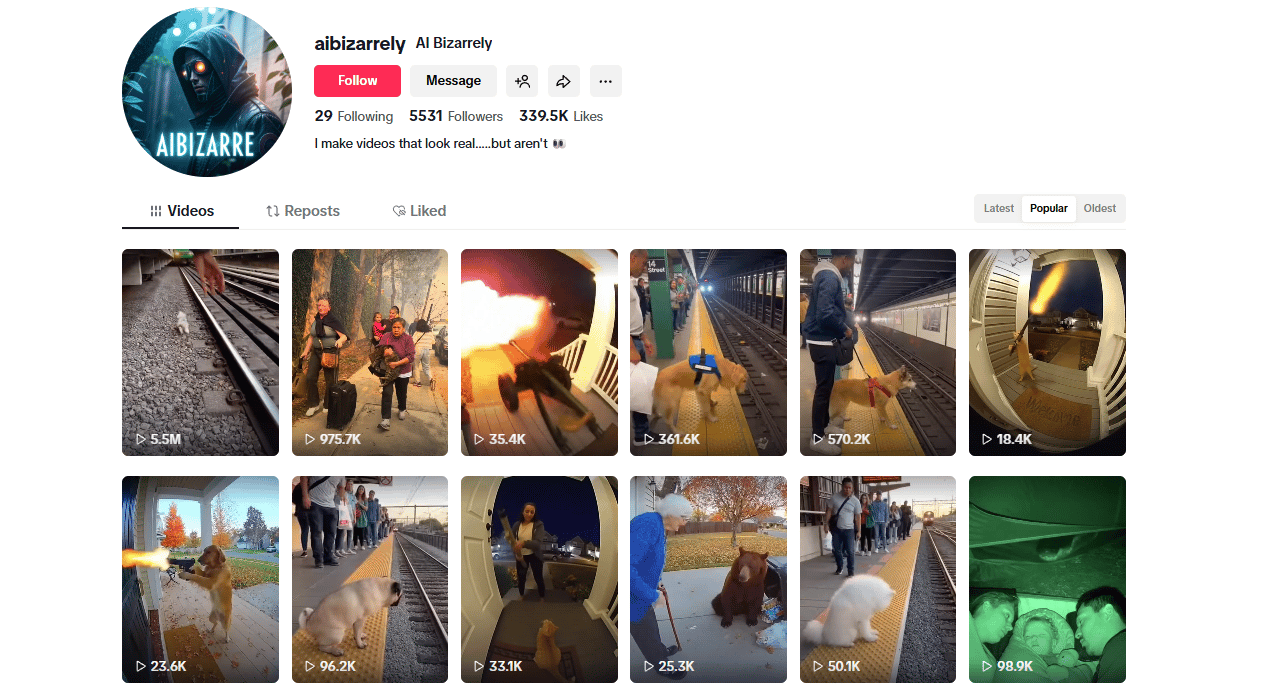
Hundreds of TikTok ads with millions of views are already fully AI-generated. Most people watching them have no idea.
VIII. Tool #8: n8n (The Automation Engine)
n8n is the most technical tool on this list and it’s also the most powerful. It’s not something you casually click around in but once you understand it, it can replace entire manual workflows.
1. What It Does
At its core, n8n is an open-source workflow automation platform that connects different apps and services to automate repetitive tasks.
Here’s a simplified example of how an n8n workflow might look:

-
You open the chat and type a message.
-
The Chat Trigger sends your message to the AI Agent.
-
The AI Agent reads your message and decides what to do.
-
If needed → the AI Agent uses a tool (Weather or News).
-
The tool fetches real data (forecast or headlines).
-
The AI Agent combines the results and writes a reply.
-
The response appears back in the chat.

You just chat and the AI thinks, uses tools and responds automatically.
AI Fire has a library of n8n guides. Go to the community, search for n8n or any keyword you need, and you’ll find them.
2. The Business Model (And Why It Matters)
To really master automation, you need to understand how n8n is built and how n8n stays flexible while others don’t. It follows a business model that gives you control over your entire workflow.
Instead of locking you in a stable subscription, you have 2 ways to use n8n:
-
Open source → free AI tool if you self-host.
-
Cloud hosting → about $10-$20/month if you want convenience.

Because the code is open source, your data stays relatively private and if you care enough, you can audit exactly how it works. That’s very different from most black-box automation tools.
3. Real-World Impact
The real value of n8n shows up after you’ve already built something.
Once you have a product or system (like something created with Lovable), you need distribution.
n8n handles that layer by automating how your product gets seen:
-
Auto-post to multiple platforms.
-
Generate content variations.
-
Schedule strategically.
-
Respond to engagement.
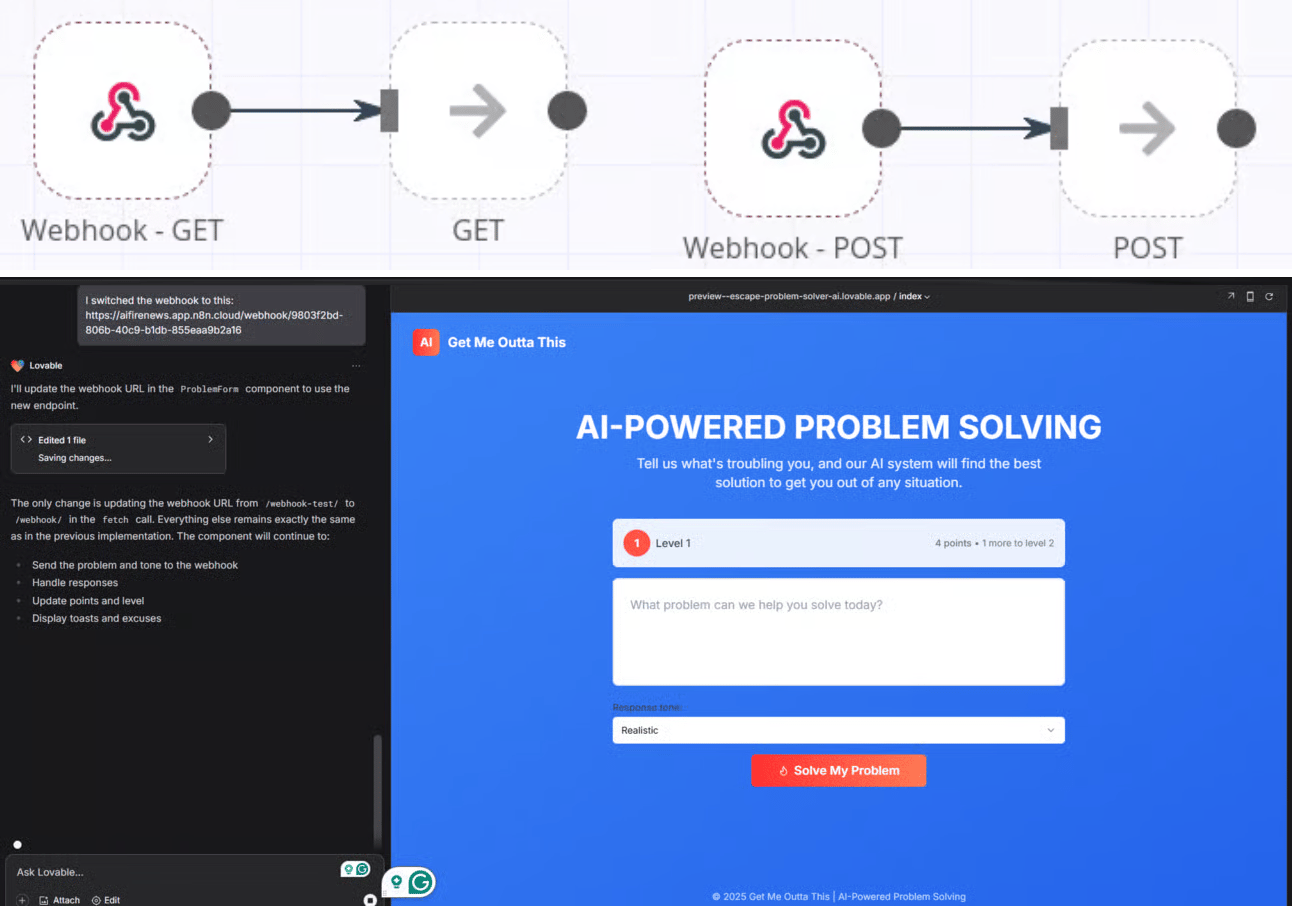
This is what an AI-powered web app built with Lovable and n8n looks like in practice.
The end result is simple but powerful: your product markets itself while you sleep.
IX. Tool #9: Granola (Meeting Notes That Write Themselves)
When you’re launching a product, meetings happen constantly: investors, partners, customers, teammates. Important decisions get made verbally and unless someone is taking extremely detailed notes, things get lost.
Granola solves this by automatically transcribing and summarizing meetings in the background. It does this quietly, without interrupting the call or announcing itself to everyone in the meeting.

1. What Makes Granola Different
What makes Granola different is how it works compared to most transcription tools. Tools like Otter or Fireflies join your Zoom call as a visible bot, which often leads to awkward moments when everyone sees a “notetaker has joined the meeting” message.
Granola doesn’t join the call at all. It runs locally on your computer and does all of these:
-
Records the audio after you manually trigger it to start.
-
Transcribes the audio in real time.
-
Summarizes with on-device AI.
-
Keeps all data on your machine.
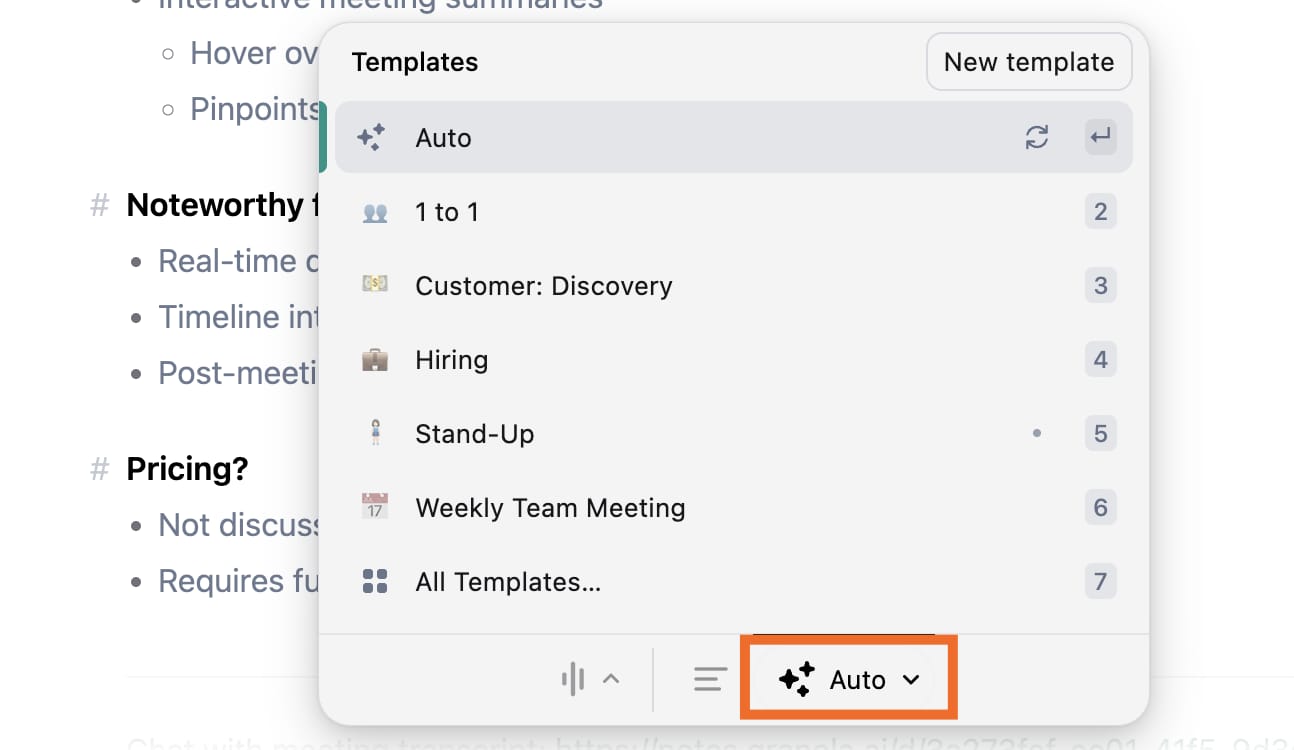
As a result, no one else sees a bot join the call and your data doesn’t get sent off to third-party servers.
2. A Quick Privacy Note
You should always tell people you’re recording a meeting, both for legal reasons and basic trust. The real advantage of Granola is control:
-
There’s no awkward bot announcement.
-
Your data never leaves your computer.
-
No third-party servers store conversations.
The result is simple: clean meeting notes, zero disruption and far fewer details slipping through the cracks.
Creating quality AI content takes serious research time ☕️ Your coffee fund helps me read whitepapers, test new tools and interview experts so you get the real story. Skip the fluff – get insights that help you understand what’s actually happening in AI. Support quality over quantity here!
X. Tool #10 (Bonus): NotebookLM
Most chatbot conversations start from zero. Every time you open a new chat, you have to explain your business again (what you do, who you serve, how you make money and where you are right now).
That repetition is slow and frustrating.
NotebookLM fixes this by letting the AI learn your business once and remember it. You upload your existing materials:
-
PDFs.
-
Google Docs.
-
Google Slides.
-
Website links.
-
Meeting notes.
NotebookLM reads everything and remembers it. From that point on, the AI understands your business context without you needing to explain it again.

1. Why This Changes Everything
This changes how you work with AI in a very practical way:
-
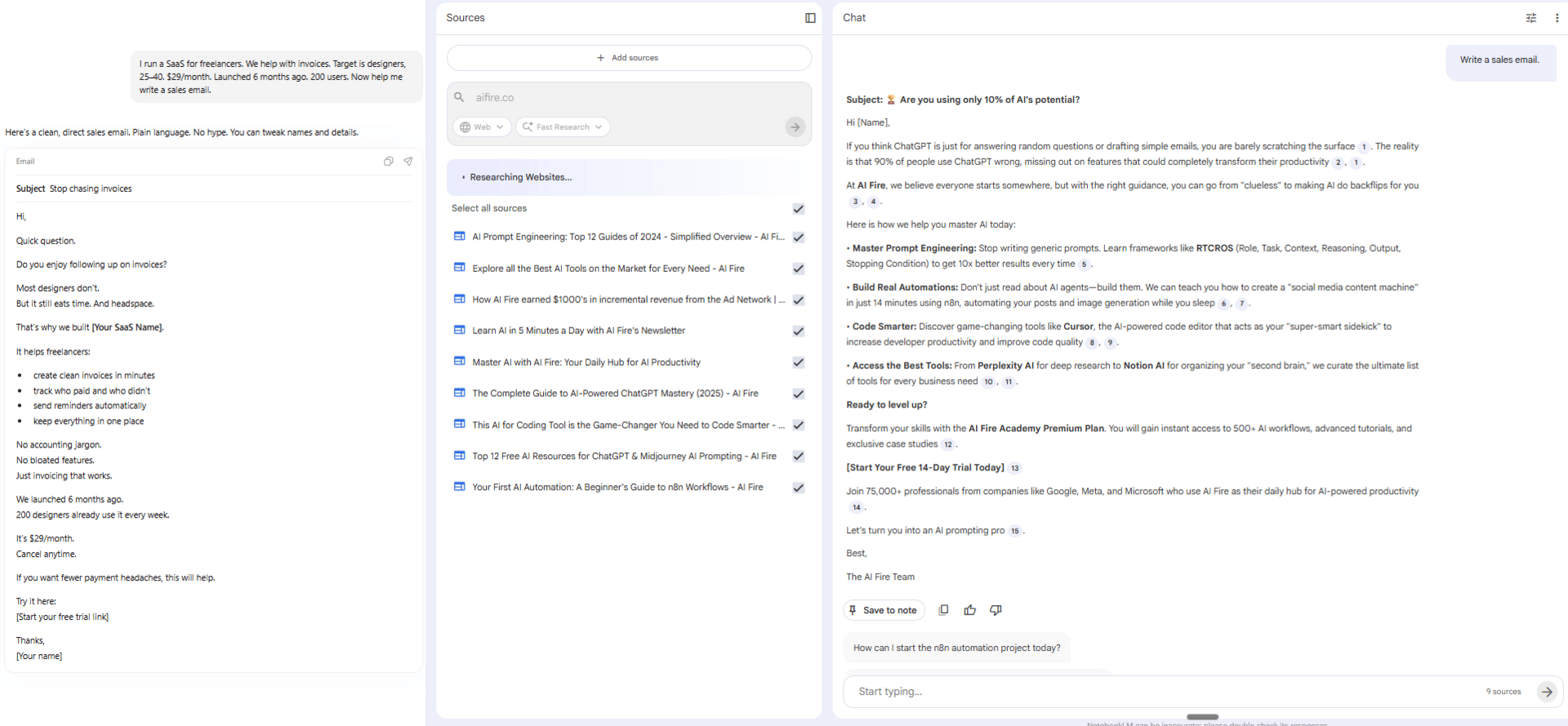
Before NotebookLM, even a simple request required a long setup, like this:
I run a SaaS for freelancers. We help with invoices. Target is designers, 25-40. $29/month. Launched 6 months ago. 200 users. Now help me write a sales email.With NotebookLM, you can simply say:
Write a sales email.Then, the AI already knows the full background, so you get straight to the output.
2. Bonus Feature: Audio Overviews
This is also a bonus feature that’s surprisingly useful.
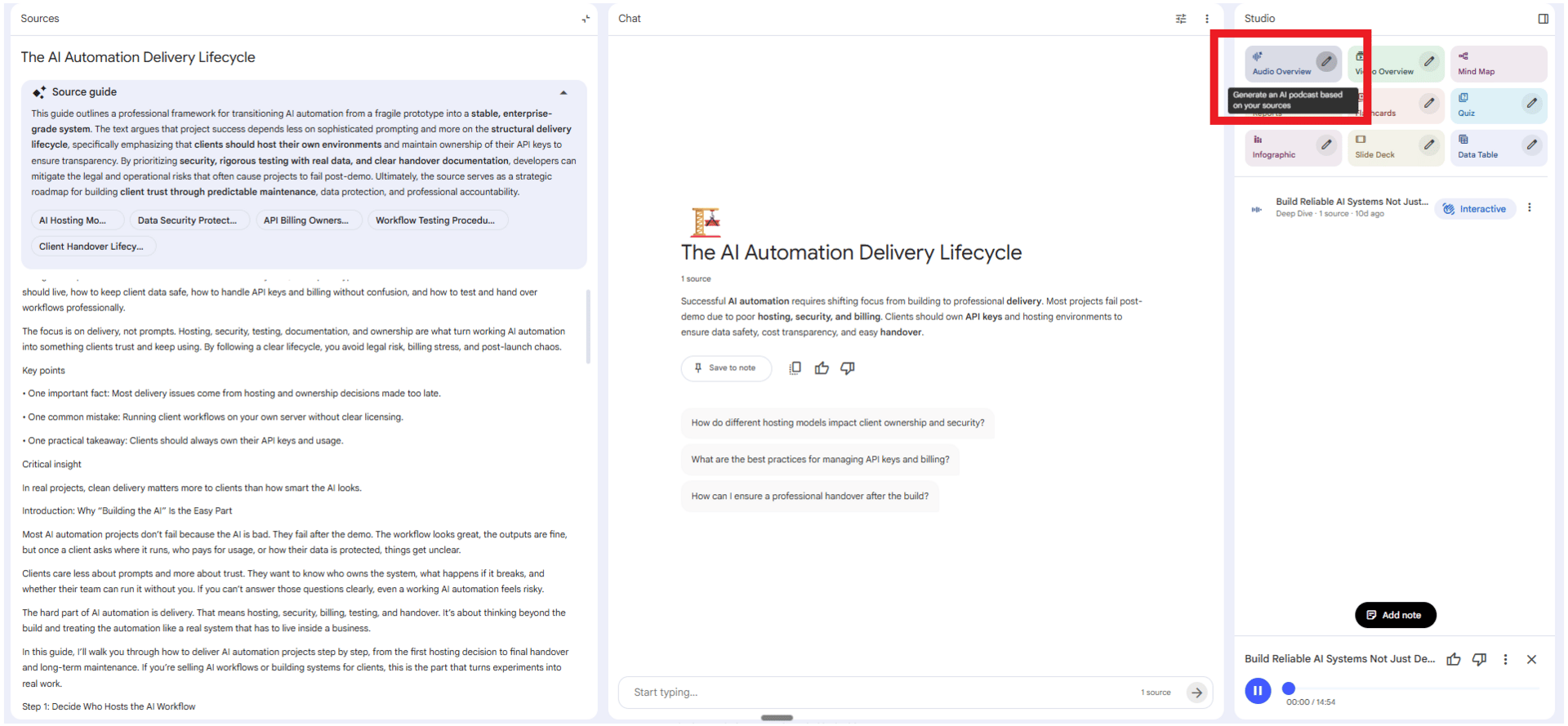
NotebookLM can turn your documents into a podcast-style conversation between two AI voices discussing your content. This makes it easy to consume long research or internal documents as audio.
A common use case is listening to summaries while commuting instead of reading long files on a screen.
XII. Why Are Business Models and Privacy Connected?
Privacy Warning: If a tool is free, it might be using your data to make money. Always check the privacy settings before uploading sensitive info.
Key takeaways
-
Google tools trade data.
-
Open source offers control.
-
Local tools protect privacy.
-
Read privacy policies carefully.
When you don’t pay, data is often part of the business model. Understanding how these tools make money tells you a lot about what you’re really signing up for.
Business models and privacy are closely linked and ignoring that connection is where many people get burned.
|
Tool |
Business Model |
Privacy Level |
|---|---|---|
|
ChatGPT |
Subscription + API fees |
Moderate (data used for training unless opted out) |
|
Gemini |
Google ecosystem |
Lower (Google has data access) |
|
Claude |
Subscription |
Higher (strong privacy focus) |
|
Lovable |
Subscription |
Moderate |
|
Wispr Flow |
Subscription |
Higher (local processing) |
|
21st.dev |
Free + Premium |
High (just design templates) |
|
Nano Banana |
Part of Gemini |
Lower (Google ecosystem) |
|
HeyGen |
Subscription |
Moderate |
|
ElevenLabs |
Subscription + API |
Moderate |
|
n8n |
Open source + hosting |
Highest (self-host option) |
|
Granola |
Subscription |
Highest (local processing) |
|
NotebookLM |
Free (Google) |
Lower (Google ecosystem) |
The key warning here is: be careful what you share with AI tools. Your data is being processed behind the scenes and if a company can profit from that knowledge, it often will.
Always take two minutes to scan the privacy policy, especially if you’re uploading sensitive business data.
XIII. Final Thoughts: Build Something That Creates Value
One last thing you need to know is that tools by themselves don’t create value but you do.
Anyone can start a business with AI today but you must focus on solving real problems for real people to succeed.
You should use these 9 tools to solve real problems, help real people and build something useful. You shouldn’t use them to pump out spam, fake products or more noise.
You’ve now seen how these tools work in real scenarios. The question is simple: what are you going to build?
Use ChatGPT to find a validated problem on Reddit today and use this free AI tool stack to launch your solution by the weekend.
If you are interested in other topics and how AI is transforming different aspects of our lives or even in making money using AI with more detailed, step-by-step guidance, you can find our other articles here:
-
Full 2026 AI Coding Stack Review & Ranking: Best Chatbots & Autonomous Agents
-
3 Easiest & Free Methods to Turn Raw Videos Into Viral & Shareable Shorts with Al
-
9 Gemini 3 Pro Hacks to Help You Easily Become a Pro in Minutes (l Promise)
-
Turn Your Old Resume Into an AI That Screens Jobs & Talks to Employers for You*
*indicates a premium content, if any
Leave a Reply