
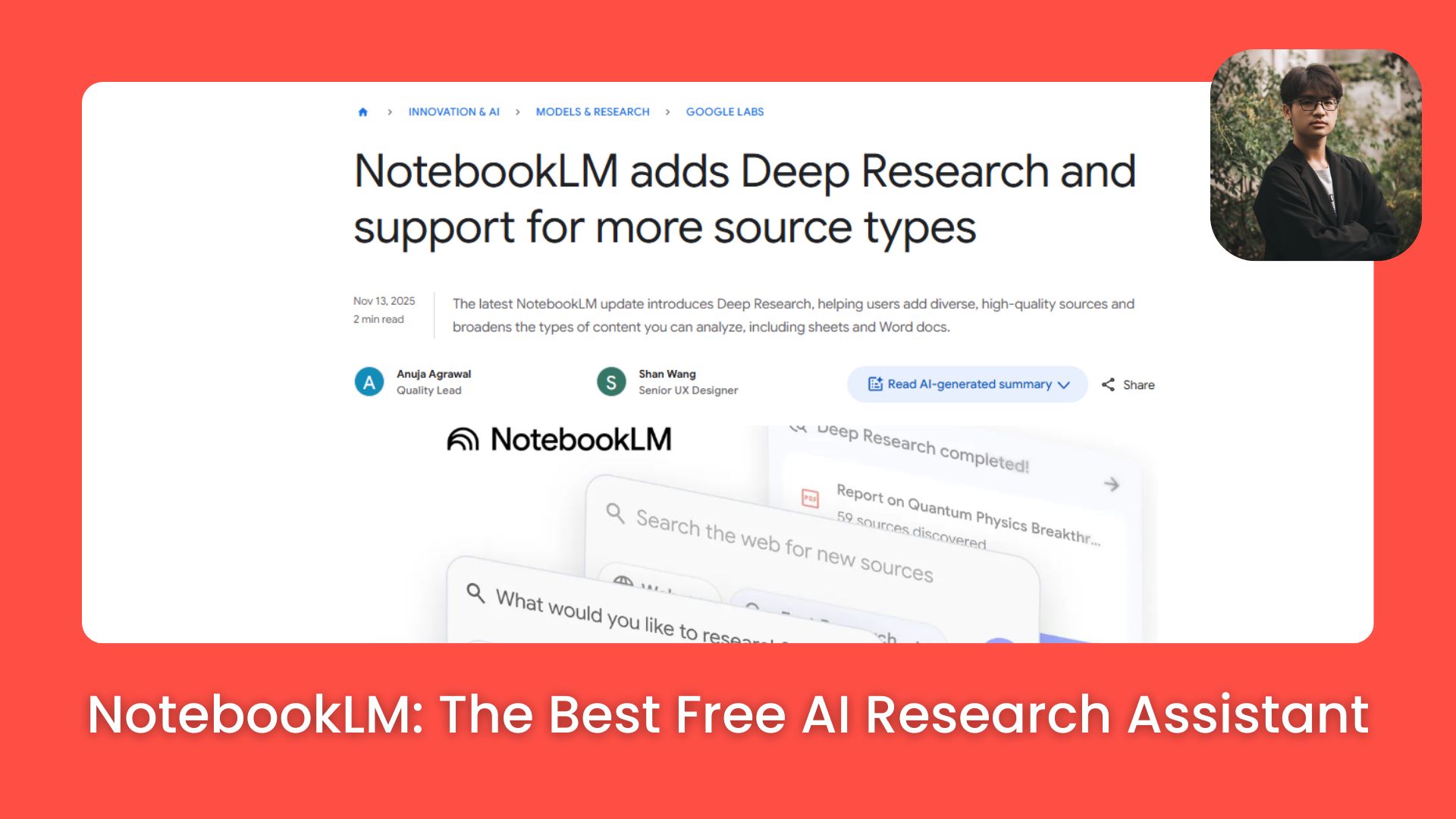
This isn’t another chatbot. I tested it again and found 7 real workflows that turn raw research into slides, audio and tables in minutes.. Ai Tools, Ai Fire 101, Ai Workflows.
TL;DR BOX
NotebookLM has quietly evolved from a simple research assistant tool into a full content production system in 2026. While generic chatbots like ChatGPT offer breadth, NotebookLM provides depth and grounding, ensuring AI outputs stay locked to your actual sources.
Key updates include the ability to turn research into professional slide decks, branded infographics and structured data tables with a single click. The “Audio Overview” feature has been upgraded with interactive audio, allowing you to interrupt and question the AI hosts in real time. Crucially, a new Gemini integration lets you push grounded NotebookLM context directly into standard Gemini threads to transform research into creative assets like blog posts or scripts.
Key points
-
Fact: NotebookLM now supports up to 50 sources per notebook, including PDFs, website URLs and direct YouTube video transcripts.
-
Mistake: Using NotebookLM for general queries. It is designed to be a project-specific research assistant; if a fact isn’t in your sources, the AI is instructed not to invent it.
-
Action: Use the “+ Data Table” feature in the Studio panel to instantly extract pricing and feature sets from messy competitor research into an exportable CSV.
Critical insight
The defining advantage in 2026 is synthesis. You no longer “collect” information; you use NotebookLM as a research assistant to compress and convert raw data into finished artifacts (slides, podcasts and tables) in under 10 minutes.
Table of Contents
I. Introduction
I need to confess that I was wrong about NotebookLM.
When Google first launched it as “Project Tailwind” back in 2023, I thought it was just another AI research tool. Neat but nothing revolutionary. A place to dump your PDFs and ask questions.
Now, in January 2026, NotebookLM has evolved into something completely different and honestly, it’s becoming the most essential research assistant in my AI workflow.
We’re not talking about simple Q&A anymore. We are talking about:
-
Research → Professional Slide Decks (in minutes).
-
PDFs → Podcast Episodes (yes, seriously).
-
Competitor Data → Exportable Data Tables.
And the thing I love most: it’s completely free. Now, let’s break down the 7 use cases that changed everything.
II. What Happened to NotebookLM?
Most people still judge it by the 2023 version. Before we get into the use cases, let’s talk about what changed. It evolved from grounded Q&A into a Studio for multiple content formats.
Key takeaways
-
Old NotebookLM: ask questions, get grounded answers
-
New NotebookLM: decks, audio, tables and more
-
Features appeared gradually, not in one big launch
-
The Studio area is now the core workflow hub
NotebookLM (2023-2024) used to be simple. You uploaded documents, asked questions and got answers based on your sources. It worked and saved your time but it stopped there.

If you ask me if it’s useful? Yeah, sure but is it something revolutionary? Nah, it’s not that great.
Learn How to Make AI Work For You!
Transform your AI skills with the AI Fire Academy Premium Plan – FREE for 14 days! Gain instant access to 500+ AI workflows, advanced tutorials, exclusive case studies and unbeatable discounts. No risks, cancel anytime.
Start Your Free Trial Today >>
Now it does much more. NotebookLM still grounds answers in your files but it also turns those sources into finished outputs:
-
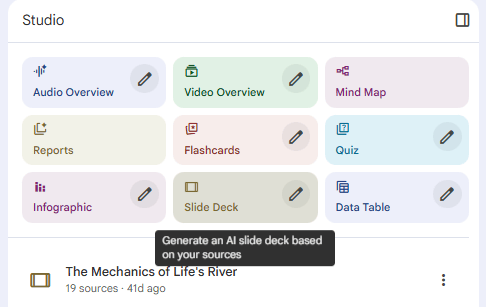
Audio Overview: AI-generated podcasts from your sources.
-
Slide Decks: Auto-generated presentations.
-
Infographics: Branded, exportable visuals.
-
Data Tables: Structured data extraction.
-
Video Overview: Coming soon.
-
Gemini Integration: Push content to Gemini for further work.
-
Interactive Audio: Interrupt the AI podcast to ask questions.
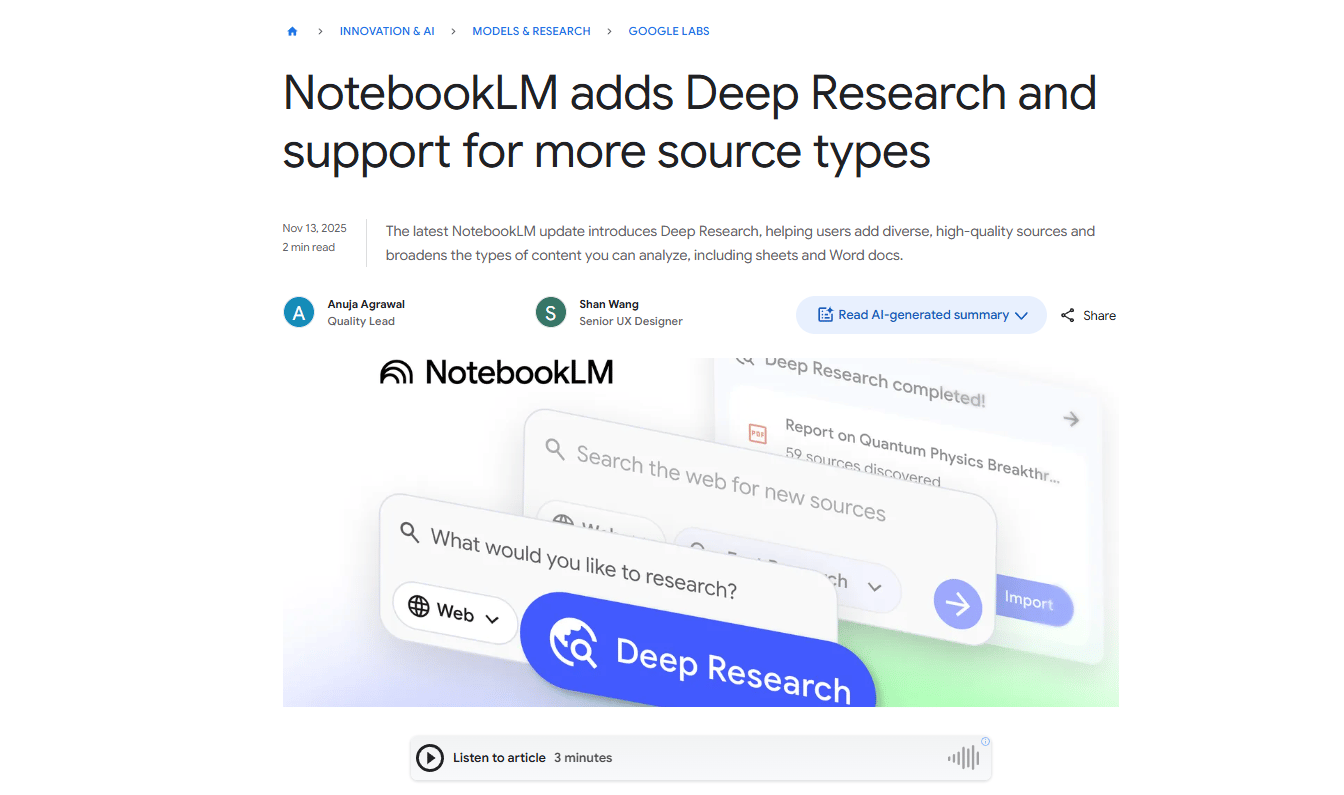
This shift turns NotebookLM from a simple research assistant into a complete content production system. This difference matters because you stop gathering information and start creating finished outputs.
Most people missed this shift because Google didn’t make a big announcement. The features quietly appeared.
Now the real question becomes what you can actually build with it.
III. Use Case #1: Deep Research → Presentation-Ready Slides
You likely know the pain of “Slide Fatigue”. You have the research but organizing it into logical sections and designing the layout takes an entire afternoon.
NotebookLM flips that workflow.
Instead of starting with slides, you start with sources. You upload your materials, click Generate Slide Deck and get a complete presentation in minutes. What used to take 6-10 hours now now takes about five minutes, plus light edits.
How It Actually Works
Imagine you are doing a competitive analysis. This is all you need to do in NotebookLM:
-
Upload Sources: Drag and drop up to 50 sources (PDFs, URLs, YouTube videos).
-
Generate Deck: Click the “+” button and select “Slide Deck”.
-
Customize (optional): Export to Google Slides and add your branding.

Result: NotebookLM created a 22-slide deck with a title, table of contents and conclusion in under 3 minutes. Doing this by hand would usually take over 8 hours.
Instead of summarizing sources, NotebookLM connects them. It finds patterns, gaps and overlaps you’d likely miss skimming documents one by one.
You can even guide the output. Tell it the angle you want (market gaps, growth opportunities, executive recommendations) and it builds the deck around that focus.
That’s the shift. You stop building presentations and start directing them.
IV. Use Case #2: Create a Custom AI Expert
Generic chatbots like ChatGPT or Gemini fall apart when the work gets specific. You ask about your project and get vague advice, missing context or answers that sound confident but aren’t grounded in reality. You end up re-explaining everything every time.
NotebookLM fixes that by turning into a project-specific research assistant. Instead of answering from the internet, it answers only from your materials.
How It Works
You create a single project notebook and upload everything that matters:
-
Project documents.
-
Research and reference material.
-
Meeting notes and drafts.
-
Industry resources.

From that point on, NotebookLM stops guessing. It only responds based on what you’ve given it.
Where This Changes Everything
-
Product launches become clearer. Upload specs, market research, competitor analysis and customer interviews. Ask what objections prospects will have and get answers backed by real data, not assumptions.
-
Content creation gets consistent: Upload brand guidelines, past posts, audience research and SEO data. Ask for new ideas and the output matches your voice instead of sounding generic.
-
Training and onboarding get faster: Upload handbooks, processes and FAQs. Ask how edge cases are handled and the AI gives your actual policy with the correct steps.
This is where NotebookLM stops feeling like a search tool and starts acting like an expert that actually understands your project.
V. Use Case #3: Design for Non-Designers (Infographics)
Information is only valuable if people actually read it. In 2026, “walls of text” are ignored. You need visuals.
Most AI design tools start with a blank canvas. You describe what you want and the result usually feels generic.
NotebookLM takes a different path. It starts with your actual content (research, data or documentation) and turns it into a visual summary that makes sense.
How the Workflow Works
-
You begin by uploading the material you want to visualize.
-
Click the “+ Infographic” button in the Studio Panel to turn your data into a professional visual summary. The layout is clean and professional, designed to highlight structure and key points rather than decoration.
-
From there, you add branding: your logo, brand colors, icons and spacing. This is the step that turns a generic graphic into something that feels like it belongs to you.

Finally, you export. PNG or SVG files work across presentations, social posts, reports and internal docs. Honestly, there are still limitations you have to accept, like:
-
Not as customizable as Canva Pro or Adobe.
-
Limited template options (for now).
-
Text-heavy infographics (doesn’t create complex data visualizations).
-
NotebookLM Plus required for watermark-free exports ($20/month).
But speed is the point. You can generate a solid first draft in 30 seconds that would take 2-3 hours in Canva. Then refine from there.

The value of this research assistant comes from starting with smart organization of your information, not from fancy design features.
VI. Use Case #4: Podcast-Style Learning (Audio Overview)
This is the feature that made NotebookLM famous but it just got a massive upgrade: Interactivity.
NotebookLM doesn’t read your documents out loud. It turns them into a conversation.
Two AI hosts discuss your material like real people. They question each other, connect ideas and explain things in plain language. It feels natural. Sometimes even funny.
How the Audio Overview Works
The setup is simple:
-
Upload your sources (books, articles, research papers, meeting notes).
-
Click Generate Audio Overview.
-
Wait a few minutes.
-
Get a 10-30 minute podcast-style episode.

That’s where the shift happens.
Where This Actually Changes Things
You start learning while doing other things. Research papers become something you listen to in the car. Meeting notes turn into audio recaps during a walk. Course material fits into daily life instead of competing with it.
Dense content becomes easier to approach. Academic papers feel approachable. Legal docs make sense. Technical documentation stops feeling painful.
It also helps teams align faster. Meetings turn into recap episodes. Product specs become overview audio for stakeholders. Customer research becomes something people actually consume.
The New Killer Feature: Interactive Audio
By late 2025, this went one step further. You can now interrupt the AI hosts while they are talking to ask specific questions about your data.

A host mentions a stat. Then, you pause and ask how it was measured. After that, the other host jumps in and explains the methodology using the source material.
It feels like a live podcast that stops to answer you, except it’s all AI, on demand.
To be honest: This entire feature doesn’t replace reading. But for first exposure, review or content you’d never get to otherwise, it changes how information fits into your day.
VII. Use Case #5: Build Complete Training Packages
Traditional training takes far longer than it should. You collect materials organize them, write content, build slides, quizzes and handouts. Before anyone notices, 30-40 hours are gone on a single training package.
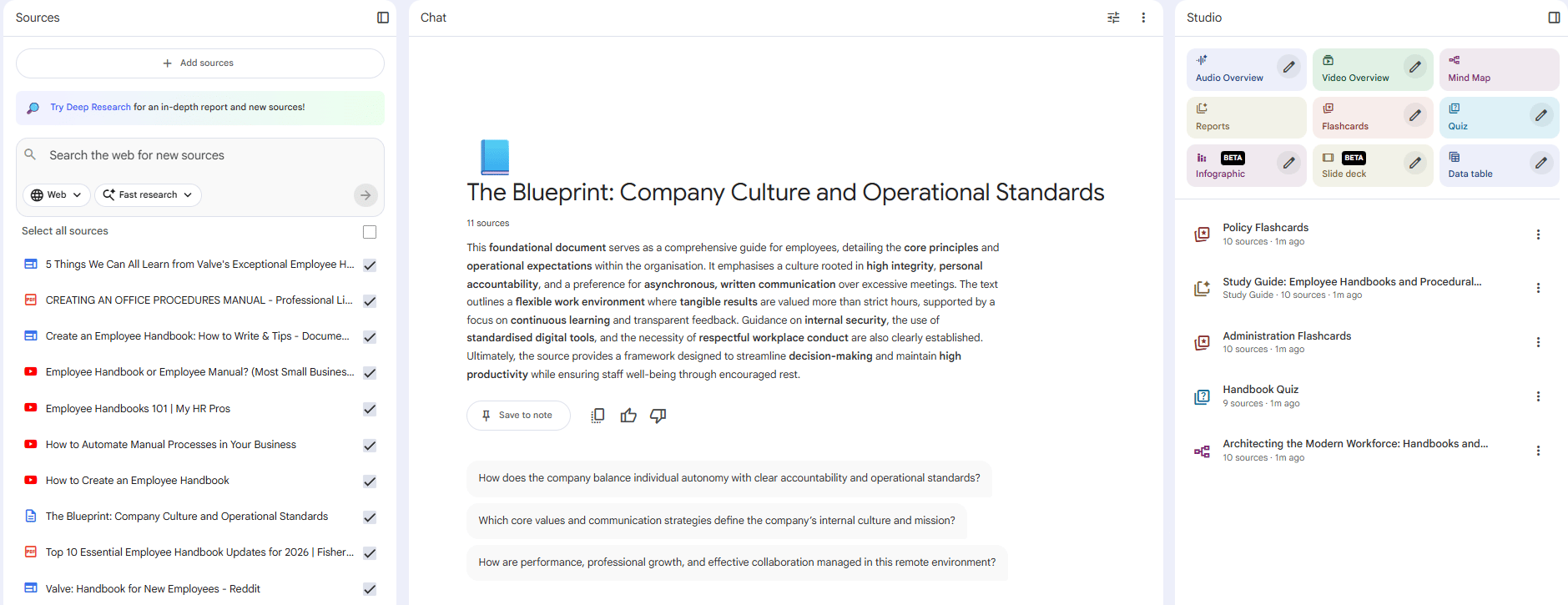
NotebookLM changes that workflow. You start by creating a notebook for one training topic. Then you upload everything that already exists: policies, process docs, videos, FAQs, recordings, presentations. All the raw material lives in one place.
From there, you generate outputs instead of creating them manually:
-
Slides for live sessions.
-
Study guides for learners.
-
Audio overviews for self-paced training.
-
FAQs pulled directly from real scenarios.
-
Assessment questions based on actual content.
What used to take days now takes a few focused hours.
A Real Example: Customer Service Training
If you upload your company handbook and a few process videos, the AI can generate:
-
A Study Guide: Summarizing the “Must-Know” rules.
-
A Quiz: Testing the employee on the material.
-
An FAQ: Answering common questions in the company’s voice.
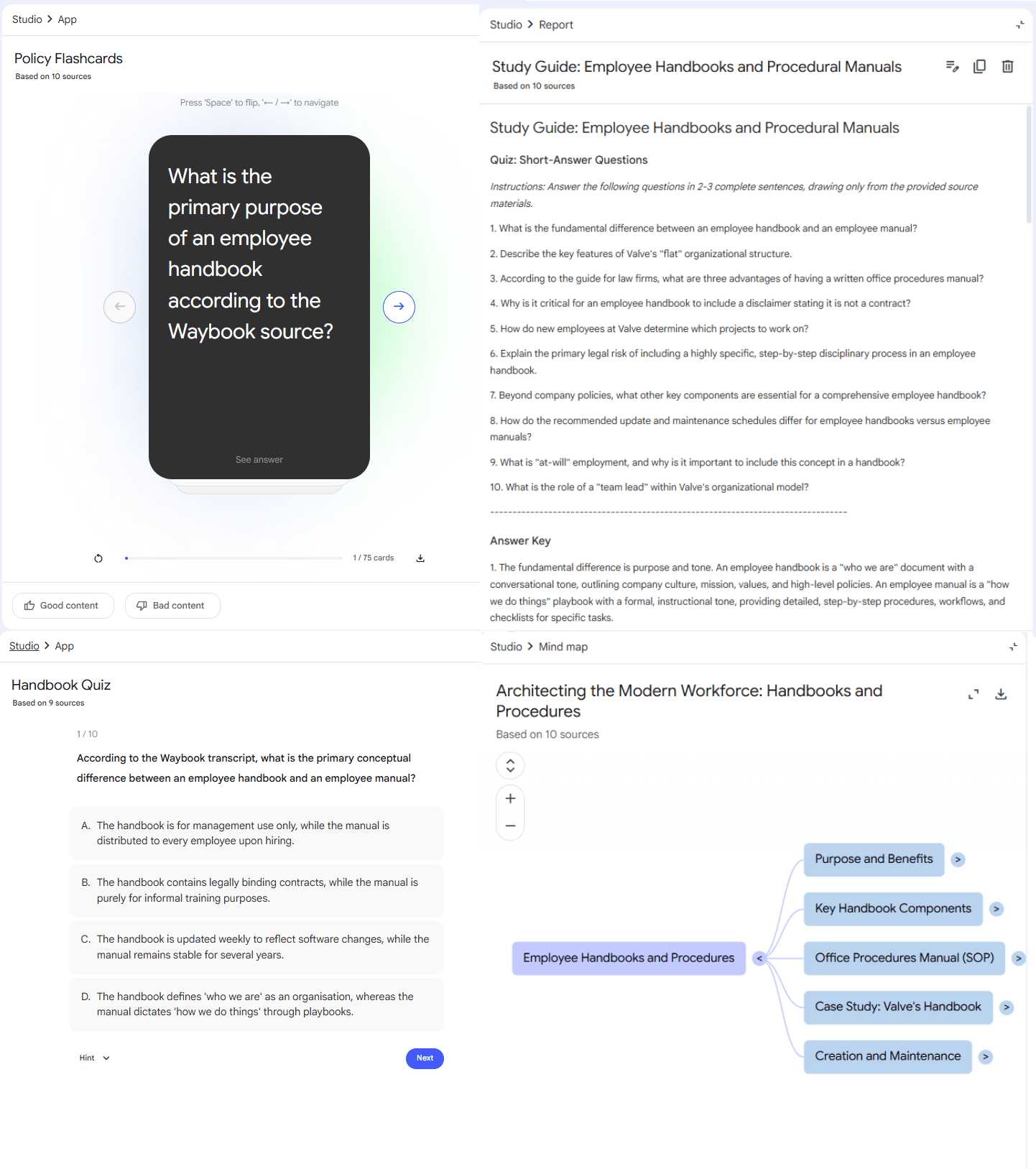
Everything stays grounded in official materials.
Why This Works
-
Single source of truth: everything ties back to official materials.
-
Multiple formats: slides, audio, text from the same knowledge base.
-
Easy updates: add new docs, regenerate, done.
-
Consistent messaging: no contradictions between assets.
-
Scalable: any topic, any team, in hours instead of weeks.
One practical tip: you can create separate notebooks for each training module and share access with the right teams. Over time, it becomes a living knowledge base that generates training on demand.

That’s the shift: training stops being a project and becomes a repeatable system.
Once you understand that NotebookLM outputs aren’t limited to text, the real power shows up in how many formats it can generate from the same sources.
VIII. Use Case #6: Turn Competitor Data Into Tables
Competitive research is messy by default. Information is scattered across websites, pricing pages, reviews, LinkedIn posts and press releases. None of it is structured. Doing it manually means hours of reading, copying, pasting organizing and double-checking.
That’s a full day of work.
Now, let’s see how NotebookLM fixes that.
How It Works
You start by uploading everything related to your competitors. Websites, PDFs, review articles, YouTube demos, press mentions or anything relevant. The format doesn’t matter.
Next, you click the “+ Data Table.” button to generate a data table. It extracts key details from all sources and organizes them into columns automatically.
Once the table looks right, you export it as a CSV and open it in Sheets or Excel. From there, you sort, filter, add formatting and analyze like normal.

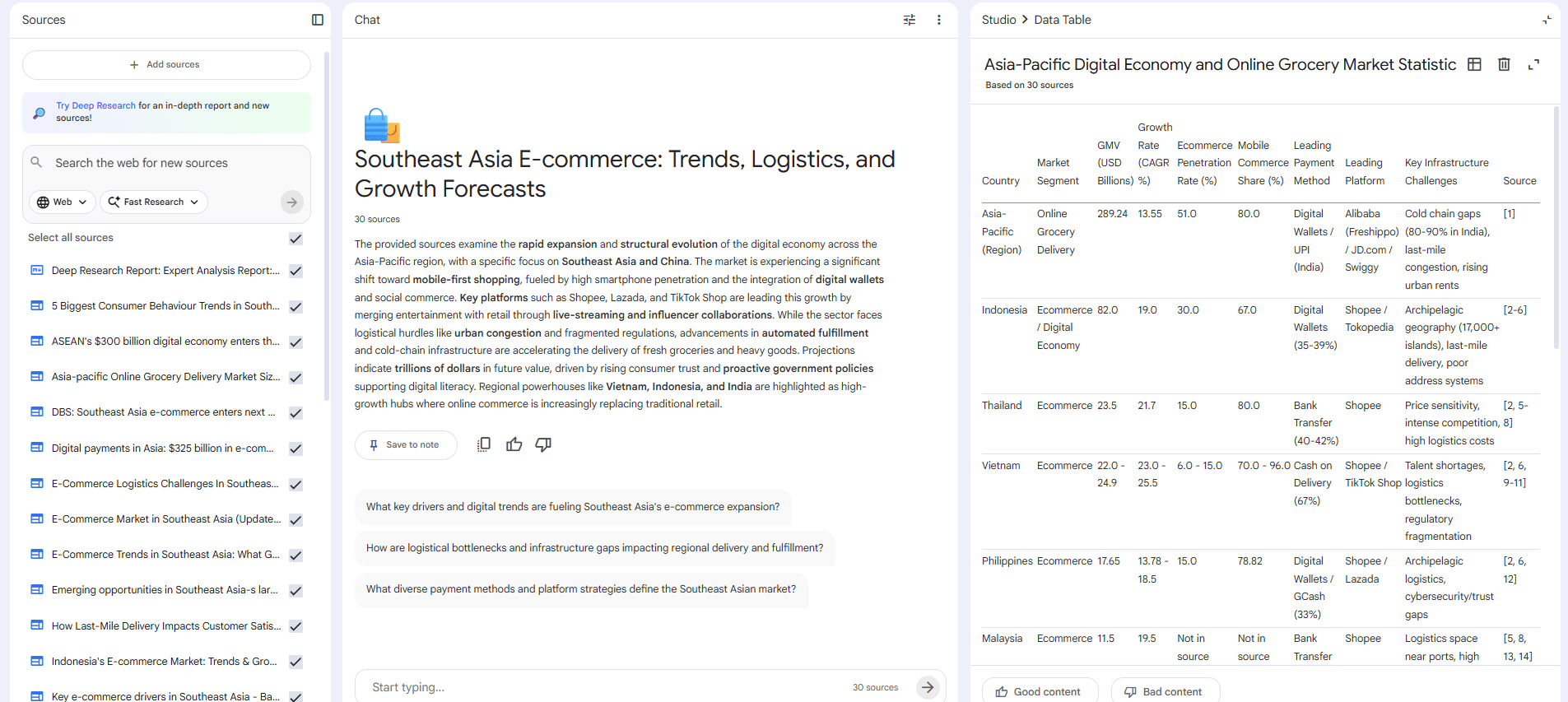
What Kind of Tables Can You Create?
Competitive Feature Comparison:
|
Company |
Feature A |
Feature B |
Feature C |
Price |
Target Market |
|---|---|---|---|---|---|
|
Data automatically extracted from sources… |
|
|
|
|
|
Funding & Company Info:
|
Company |
Latest Round |
Total Raised |
Valuation |
Investors |
Employee Count |
|---|---|---|---|---|---|
|
Data automatically populated… |
|
|
|
|
|
Product Offerings:
|
Company |
Product 1 |
Product 2 |
Pricing Model |
Key Differentiator |
|---|---|---|---|---|
|
Structured from messy sources… |
|
|
|
|
I have to say that this feature is not perfect. You still review and clean the data. It works best with consistent sources and struggles with complex numerical analysis.
It only uses what you provide but even at 80% accuracy, it eliminates the most painful part of competitive research: manual data extraction.
That’s the win.
IX. Use Case #7: NotebookLM x Gemini (The Power Combo)
The final piece of the 2026 workflow is the integration between research and execution. Gemini and NotebookLM are both strong but on their own, each one is incomplete.
On its own, Gemini is fast and creative. It’s great for writing, coding, brainstorming and quick tasks. The problem is context. Without access to your documents, outputs stay generic.
NotebookLM has the opposite strength. It analyzes your actual files, synthesizes sources and stays accurate. But it plays it safe and won’t creatively extend beyond what’s in front of it.
That’s why this combo is powerful.
The Integration: Where It Clicks
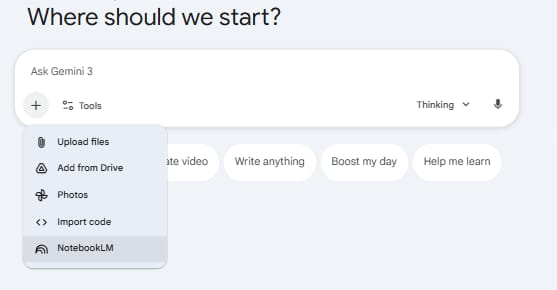
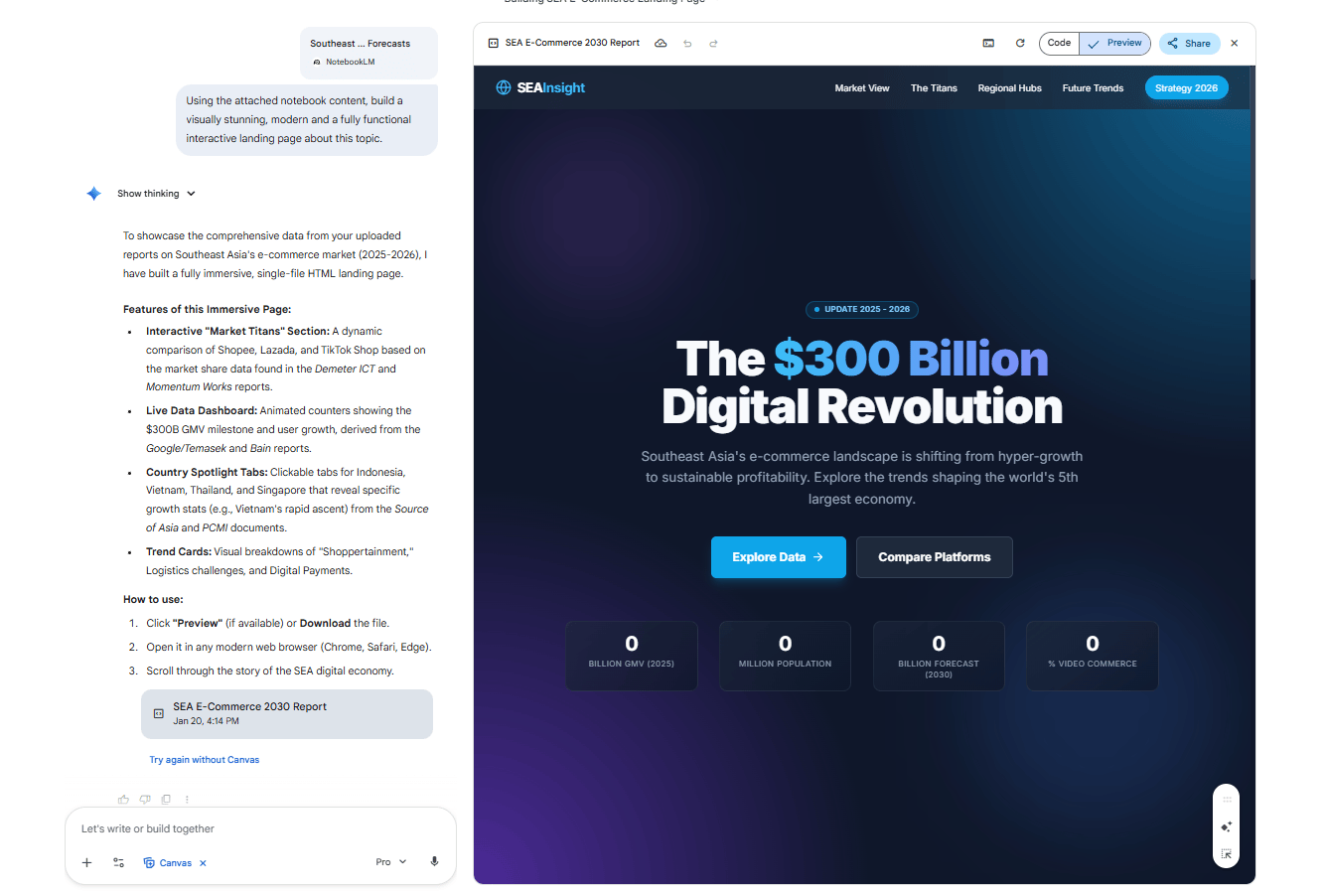
Like I said earlier, Google connected the two. You can now push NotebookLM content directly into Gemini with full context intact.
Here’s how the flow works:
-
You do the research inside NotebookLM.
-
You generate a summary, deck or structured output.
-
You click “Open in Gemini”.
-
Gemini receives all the source context.
-
You ask Gemini to transform, extend or reformat it.
Usually, accuracy without creativity is limiting but creativity without grounding is risky. Now, you get both.
The Advanced Move: Build a Content Factory
You create a NotebookLM workspace with all your brand or product knowledge. That becomes your source of truth.
From there, you push content into Gemini to generate blogs, social posts, emails, sales materials, scripts and outlines.
Result: Consistent messaging across all channels, all grounded in the same source material. That’s when AI stops being a helper and starts acting like a real system.
Creating quality AI content takes serious research time ☕️ Your coffee fund helps me read whitepapers, test new tools and interview experts so you get the real story. Skip the fluff – get insights that help you understand what’s actually happening in AI. Support quality over quantity here!
X. The Hidden Truth: Why Nobody Is Using This Yet
If NotebookLM is this powerful, why isn’t it talked about by as many people as Gemini? After researching, I found out 3 reasons for that.
Reason #1: Google Is Terrible at Marketing
NotebookLM updates drop with zero fanfare. They don’t have a big product launch, influencer campaign or even hype cycle.
All Google does is release features and most people don’t even know these capabilities exist.
And that’s our job (AI Fire). We’re giving you all the news and updates,… in AI for you every single day.

Reason #2: It Requires Upfront Work
Unlike ChatGPT (type question, get answer), NotebookLM requires you to:
-
Upload sources.
-
Organize notebooks.
-
Understand what sources work best.
-
Learn the different output types.
But this is the way that helps you avoid AI hallucinations. When you prepare a good input, the result can’t be bad, right?
Reason #3: The Use Cases Aren’t Obvious
“AI research assistant” sounds boring but when you realize it’s actually a:
-
Presentation generator.
-
Training package builder.
-
Content creation system.
-
Podcast creator.
-
Data extraction tool.
Suddenly it becomes indispensable.
XI. Should You Actually Use NotebookLM?
Imagine choosing a tool not because it’s popular but because it fits how you actually work. NotebookLM isn’t for everyone and that’s exactly why it’s useful. Use it for deep, source-based work and skip it for quick web-style answers.
Key takeaways
-
Best for heavy documents, synthesis and stakeholder outputs
-
Useful for training, research and competitive analysis
-
Not ideal when you need real-time web browsing
-
Outputs may still need human polish, especially visuals
NotebookLM is for depth and accuracy, not speed. You’ll get real value from it if you:
-
Work with large sets of documents on a regular basis
-
Turn research into content, insights or decisions
-
Prepare summaries or findings for stakeholders
-
Build training or educational materials
-
Do competitive or market analysis
-
Want AI answers grounded in real sources, not guesses
-
Need to synthesize information across many files
In these cases, NotebookLM acts less like a chatbot and more like a project expert that understands your material.

You can skip it if you:
-
Mostly need fast, one-off answers (ChatGPT is faster)
-
Don’t have documents or source material to upload
-
Rely on real-time web search
-
Expect perfectly polished design output without manual refinement
In short: NotebookLM is the best tool for accuracy and deep research. Use ChatGPT if you just need a fast, simple answer.
XII. Final Thoughts
NotebookLM isn’t trying to replace ChatGPT. It solves a different problem: Synthesis.
Most AI tools help you create but NotebookLM helps you understand and transform what you already have.
It is becoming essential because knowledge work is shifting from creation to curation. The information exists. The question is: Can you make sense of it fast enough to act?
That’s what NotebookLM does better than any other research assistant I’ve used.
Before you open NotebookLM and start clicking around, run through this checklist once.
📓 NotebookLM Mini Checklist (Before You Start)
-
Create one notebook per project. Don’t mix topics.
-
Upload only high-quality sources. Garbage in = garbage out.
-
Use PDFs, docs and YouTube transcripts first. They work best.
-
Name your sources clearly so you know what’s what later.
-
Start with structure, not questions. Think outputs first.
-
Use Slide Deck for synthesis, not summaries.
-
Use Data Tables for competitor pricing and features.
-
Use Audio Overview for review, not first-time learning.
-
Push results to Gemini when you need creativity.
-
Always review and polish before sharing externally.
If you are interested in other topics and how AI is transforming different aspects of our lives or even in making money using AI with more detailed, step-by-step guidance, you can find our other articles here:
-
95% Tools Are Trash? I Ranked 24 Best AIs to Get Final Money-Making Al Stack!
-
How to Build an Automated Financial Assistant Using AI: A Step-by-Step Guide*
-
I Used to Struggle With Web Scraping… Until I Found This Game-Change
-
Google’s New “Personal Intelligence” Makes Gemini Feel Personal (Here’s How It Works)
-
Stop Feeding Your AI Expired GARBAGE
*indicates a premium content, if any
Leave a Reply