
Most people quit after tutorials. Here’s the exact path to build a real workflow portfolio in 2026. Follow this and you’ll have your first real workflow today not another demo you forget.. How To Make Money With Ai, Ai Fire 101, Ai Automations, Ai Workflows.
TL;DR BOX
Learning n8n is step one. If you don’t build real systems right after, you fall into tutorial hell and forget everything. This guide outlines five high-impact moves to secure your knowledge and build authority: Automate your own pain to master real-world error handling, build a searchable n8n workflow library in Notion or GitHub for reuse, join communities but don’t lurk. Help people. Then build one full “client-scale” project that proves you can ship.
Key points
-
Fact: Environment variables (e.g.,
{{ $env.API_KEY }}) are essential for security. Hardcoding keys into nodes exposes sensitive data when sharing or exporting n8n workflows. -
Mistake: Attempting to build complex client systems before automating your own tasks. You need to live in your automations to understand where they break in practice.
-
Action: Pick one task you hated doing this week (scoring over 30 on the “Pain Score” test) and build an n8n workflow for it before the end of the day.
Critical insight
The pro move is reusability + resilience. If you build modular pieces (like error logging) you’re building a factory, not a pile of scripts.
Table of Contents
I. Introduction: The ‘Tutorial Hell’ Trap
Alright, real talk: You just learned n8n through hundreds of guides and videos right? Congrats! Now what?
Most people celebrate by building a workflow that posts “Good morning” to Slack every day. It feels cool… and it changes nothing.
Here is the thing nobody tells you: Learning n8n is easy, yes, SUPER EASY. But using it to save time, make money or build a business? That’s where most people fail.
You have spent hours learning how nodes connect. But if you don’t do these 5 things immediately, all that learning is going straight into the trash.
This guide is your blueprint for actually getting value from your new skills. Let’s get into it.
II. Why Most People Fail (The ‘Drill’ Metaphor)
Before jumping into the 5 things, you need to understand why most people fail to get value from n8n.
Most people learn the basics, then build a useless demo workflow. It feels like progress but nothing changes in their life or work. The gap isn’t skill. It’s choosing the right first projects and using the tool every week.
Key takeaways
-
Demo automations don’t save time or make money.
-
Learning how to use the tool is easier than using it to get real results.
-
The fix is a 5-step action plan right after learning.
-
Your first win should remove real friction this week.
If you don’t apply it immediately, the skill decays fast.
You’ve probably seen this cycle before: You learn n8n from tutorials → you build a couple practice workflows → you feel “good at automation”… but nothing in your life improves → you stop using n8n → a few months later you forget most of it.
I’m not judging you, learning that way is normal, the problem is you don’t turn it into outcomes.
n8n is a tool. Think of a drill sitting in a toolbox, it doesn’t create value by being understood. It creates value when it’s used to build something useful. If you don’t use n8n on real tasks fast, the skill expires. I’ve seen it happen over and over.
III. Thing #1: Automate Your OWN Pain (The Selfish Rule)
This is where everyone messes up.
Most beginners finish a course and immediately try to launch an agency or a SaaS product. This is a big mistake.
Before you automate anything for anyone else, automate something YOU hate doing.
1. Why This Matters
You already know the pain because you live it. You don’t need to guess what breaks or why it’s annoying.
You’ll actually use what you build. If it saves you time, money or sanity, you’ll maintain it and improve it. Projects that solve your real problems stick around and others get abandoned.
You learn real problem-solving. Building personal workflows forces you to handle errors, weird data and messy reality. That’s where actual learning happens.
You have proof of concept. When you eventually build for others, you can show them something that already works for you. Real results beat promises every time.
2. How to Pick Your First Target
You could use the “Pain Score” test. It’s easy to understand but it does take a little effort to do it right. You just rate your task from 1-10 on these four criteria:
-
Time Wasted: How many hours does it eat? (1-10)
-
Frequency: Do you do it every day? (1-10)
-
Frustration: How much do you hate it? (1-10)
-
Complexity: How many boring steps are involved? (1-10)
If the total score is above 30, build an n8n workflow for it today. Here are some examples that actually matter:
-
Freelancers: It might be auto-invoicing clients when a project is marked “Done” in Notion.
-
Creators: It could be automatically pulling video analytics from YouTube into a Google Sheet every Monday morning.
-
E-commerce: Monitor competitor pricing and get alerts on changes is a good idea.
-
…
The pattern is simple. Good automations remove friction from something you already do all the time. So, don’t try to automate a process you haven’t done manually at least ten times.
If you don’t understand the manual steps, you can’t automate them well because you won’t know what “done” looks like.
Right now, not later, write down 3 things you did this week that you absolutely hated doing. Then, pick the worst one and build a workflow to automate it before the end of today.
Before I call any automation “real”, I run it through this minimum standard checklist. If it fails even one item, it’s still just a demo.

When I started, I built 20 demo workflows and none of them survived a week. The first one that actually changed my day was a simple “client follow-up + invoice” workflow. That’s when n8n clicked for me.

Learn How to Make AI Work For You!
Transform your AI skills with the AI Fire Academy Premium Plan – FREE for 14 days! Gain instant access to 500+ AI workflows, advanced tutorials, exclusive case studies and unbeatable discounts. No risks, cancel anytime.
Start Your Free Trial Today >>
IV. Thing #2: Build Your Automation Portfolio (Your Asset Library)
Here’s what separates beginners from people who actually get good: Beginners build one workflow and move on. Professional builders create a library of workflows they can use again and again.
Think of it like a chef’s recipe book. Instead of cooking a meal once and forgetting it, you document it so you can recreate it fast next time.
An automation portfolio works the same way.
1. What is an Automation Portfolio?
An automation portfolio is a collection of n8n workflows you’ve built, documented and can deploy or customize quickly.
This is NOT a showcase for potential clients (though it can become that). This IS a reference library for YOUR future use.
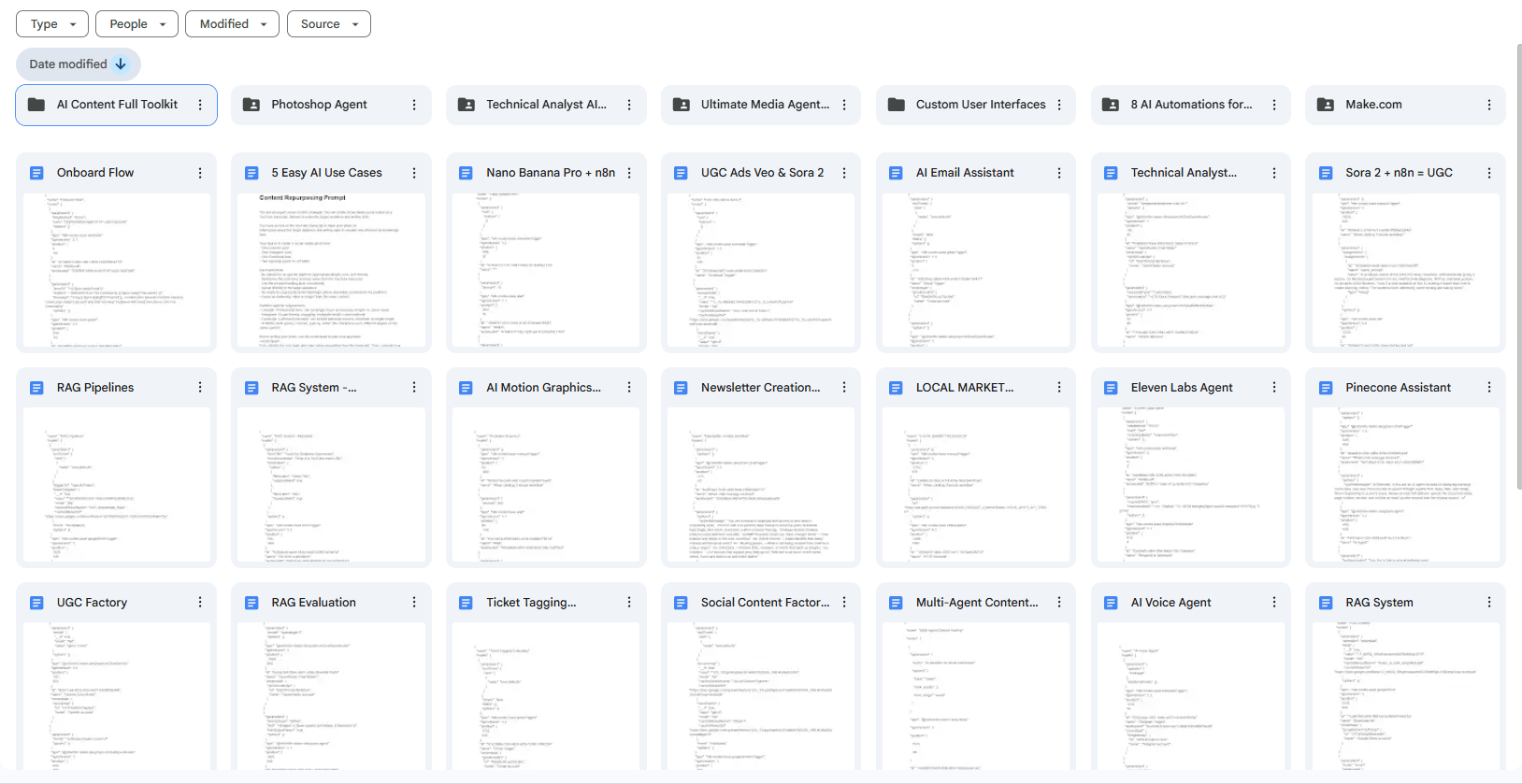
When you build something once and document it properly, you can reuse it in minutes instead of rebuilding from scratch every time. Like mine:
2. What to Include
A few things you should focus on repeatable patterns:
-
Data Collection: This includes web scraping, form answers and pulling data from APIs, multi-source aggregation.
-
Communication: Email sequences, Slack alerts, SMS triggers, cross-channel messaging.
-
Content & Social Media: Scheduling, repurposing, posting, performance tracking.
-
Business Ops: Invoices, CRM updates, bookings, document generation.
-
Monitoring: Uptime checks, price tracking, inventory alerts, keyword monitoring.
These are building blocks. Once you have them, most automations become remixing instead of rebuilding.
3. How to Organize It
After having them, you need to keep it simple and searchable for the next time. You don’t want to waste 30 minutes searching for the same workflow you already built once, right?
There are 3 ways you could organize it cleverly:
-
GitHub: Create a repo called
n8n-automation-library. -
Notion: A simple database with columns for
Name,Use CaseandJSON Link. -
n8n Cloud/Self-Hosted: Use n8n’s folders feature, then add tags for each workflow or document inline with sticky notes.

Now take the workflow from Thing #1 and document it properly. Export the JSON, write a short README and store it somewhere searchable.
This is workflow #1 in your portfolio. Let’s move on.
V. Thing #3: Join the Right Communities (The ‘Anti-Lurk’ Rule)
You know what happens when you learn n8n alone? You will hit a problem, search for hours, get stuck and never move past basic workflows.
The fix is simple: join communities where people are actually building.
But here’s the catch: Most people join communities and lurk forever. They read, save posts, say “I’ll try that later” and they never do. That’s why they never level up.
1. The Right Communities to Join
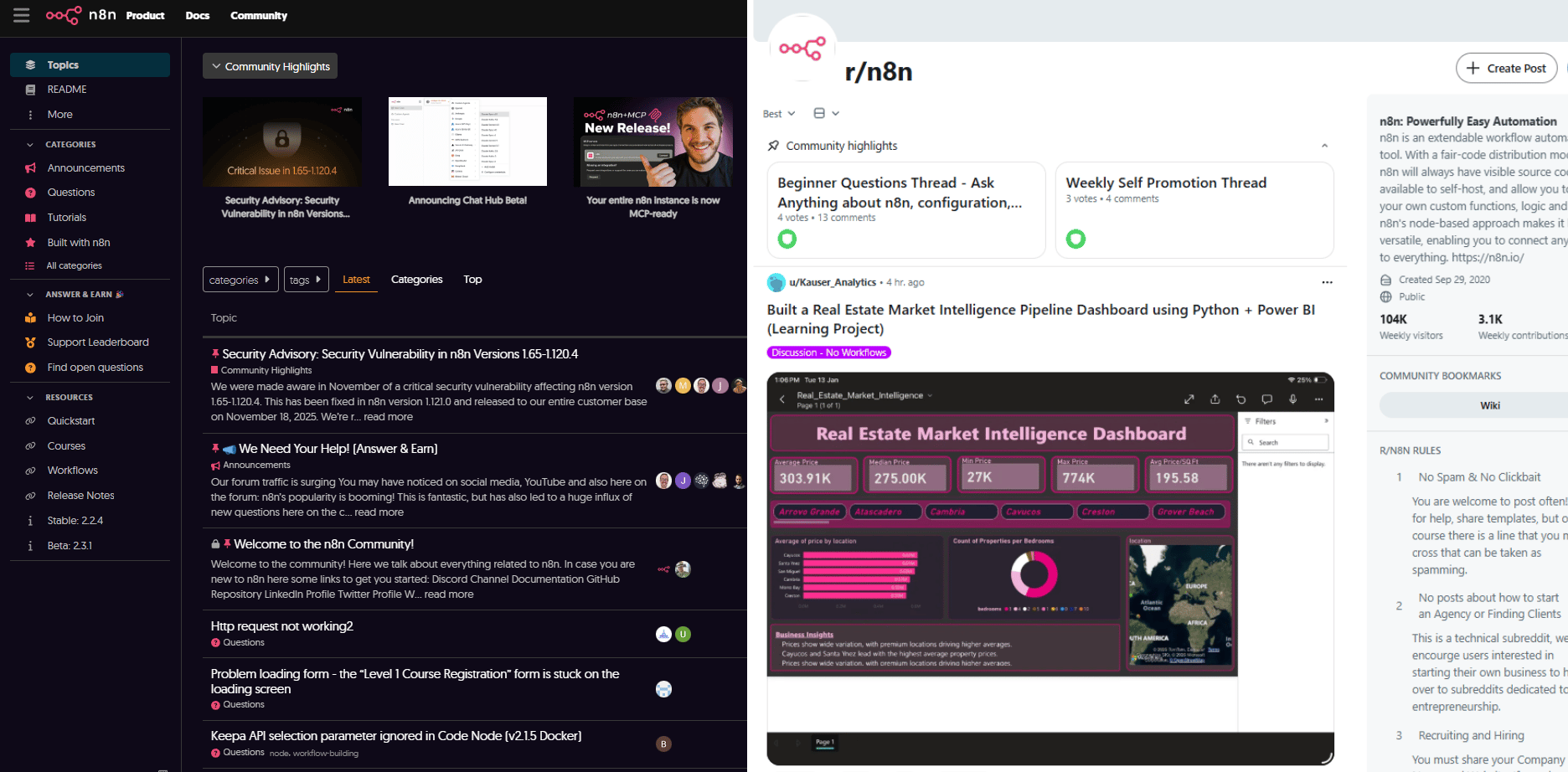
Here are communities worth joining:
-
The n8n Forum (community.n8n.io): This is the official best place to troubleshoot.
-
Reddit (r/n8n) and Discord: Great for seeing wild, experimental use cases.
-
YouTube Communities: Engage with popular automation YouTubers. They often share the newest and best ways to use n8n.
-
Slack: You get the real-time help when you’re stuck, voice chat for complex problems and build networking with other builders.
2. The Contribution Rule
Most people lurk. Don’t. Here’s my rule: for every 3 questions you ask, answer 1 for someone else.
Why? Because teaching a concept is the fastest way to master a complex n8n workflow, you build a reputation in the community, people are more likely to help you later and you discover problems you didn’t know existed.
Plus, when you become a known helper, the experts are more likely to help you when you get stuck.
3. What to Share in Communities
Sharing is good but you should know your limit. Sometimes, if you overshare, you’ll annoy people or leak stuff you shouldn’t. So, this list is the handbook that helps you avoid that red zone.
|
Share This |
Don’t Share This |
|---|---|
|
Workflows that solved specific problems |
“Here’s my workflow, make it work for me” |
|
Creative or clever uses of nodes |
Vague questions with no context |
|
Integration workarounds you discovered |
Screenshots of errors without the workflow |
|
Error solutions you figured out |
Asking for free consulting |
|
Performance optimizations |
Do not send lazy requests that ask other people to do your work for you |
VI. Thing #4: Build a Portfolio Project (The Credibility Builder)
Let’s see: You automated your own stuff, built your portfolio, joined communities. It’s time to build something that shows you can solve problems for other people.
1. Why You Need to Build a Good Portfolio Project
Building for yourself is easy because you can ignore your own bad habits. But building for someone else forces you to think about user experience, error handling and data security. That’s the strongest proof that you can build production-ready workflows, even if you’re not freelancing.
Now, a good project requires you to do a few things well:
-
Solves a real, common problem
-
Works end to end, not just a demo
-
Handles errors without breaking
-
Is documented clearly
-
Could realistically be used by others
If it only works on your machine or only once, it doesn’t count.
2. How to Build It
To avoid wasting time, think in phases. Don’t jump straight to “big.”
-
Phase 1: Planning (Don’t skip this)
Everything starts with clarity. Before you build anything, define the problem in plain terms. Who has it? How do they solve it today? And what about those solutions frustrates them?
Once the problem is clear, you map the workflow. Use a tool like Excalidraw or a simple notebook to map the logic first.
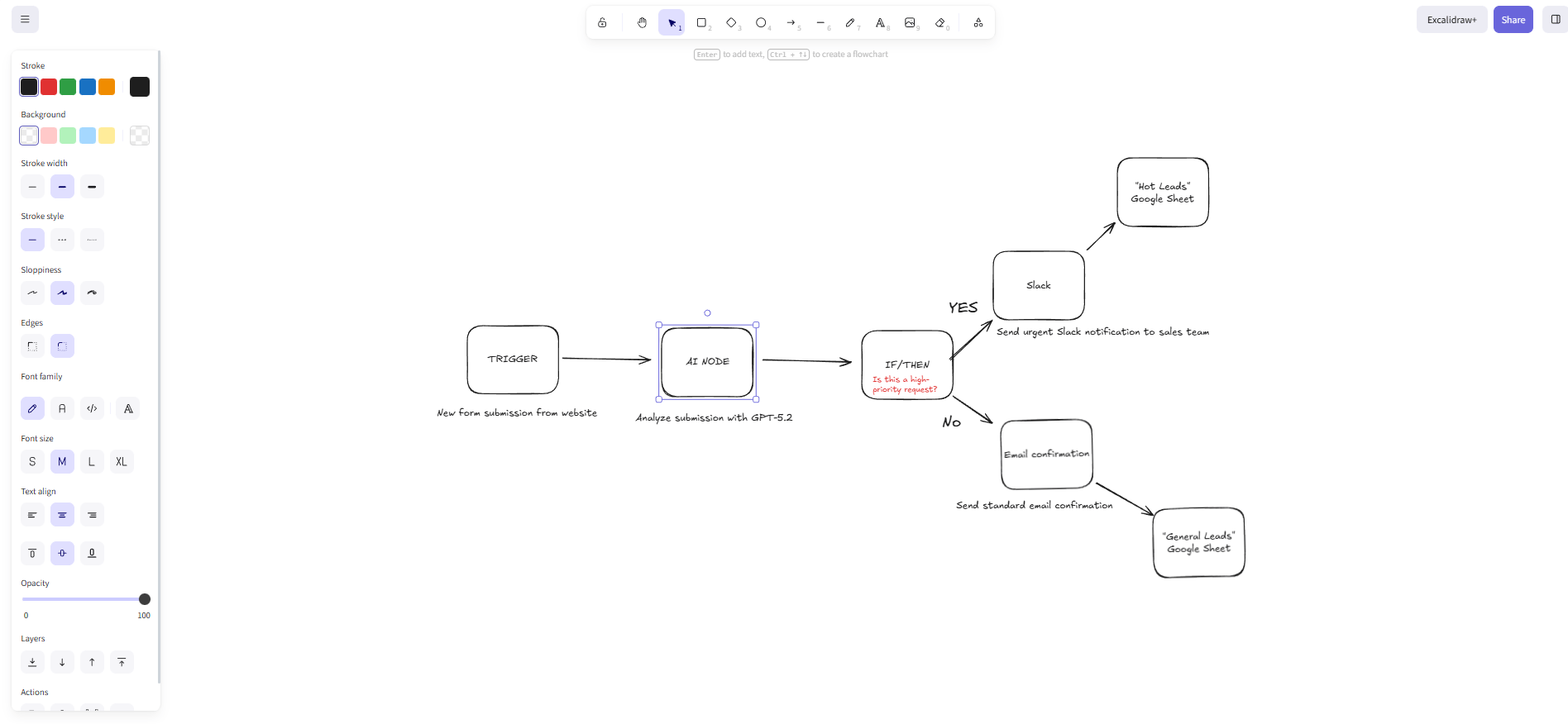
Finally, you HAVE to check reality. What tools or APIs do you need? Do you actually have access? Are there limits that could block you later?
This phase saves more time than any shortcut ever will.
-
Phase 2: Build the MVP
Next, you build the smallest version that actually solves the problem. Nothing extra. You test it until errors don’t collapse everything. If this core doesn’t work, polish won’t save it.
-
Phase 3: Polish
Once it works, you make it usable. Ensure the n8n workflow is clean enough that someone else can understand it without asking questions.

This is where it stops feeling like a prototype.
-
Phase 4: Share It
Once it’s done, you put it in front of people. Remember groups you joined: post it to them, write a blog post explaining how it works, make a video walkthrough or share on LinkedIn or Twitter.
Feedback will tell you what matters and what you should cut.

-
Phase 5: Document
Finally, you package it as proof. A clear README, a simple diagram and a few real use cases. Anyone should understand what it does and why it matters in minutes.
That’s how a small build turns into real credibility.
VII. Thing #5: Master the Power Features (Level Up)
Most n8n tutorials teach you the basics: triggers, HTTP requests, data transformation. That’s fine for getting started. But if you stop there, you’re driving a Ferrari in first gear.
Here are the power features that separate amateur workflows from professional ones.
1. Sub-Workflows
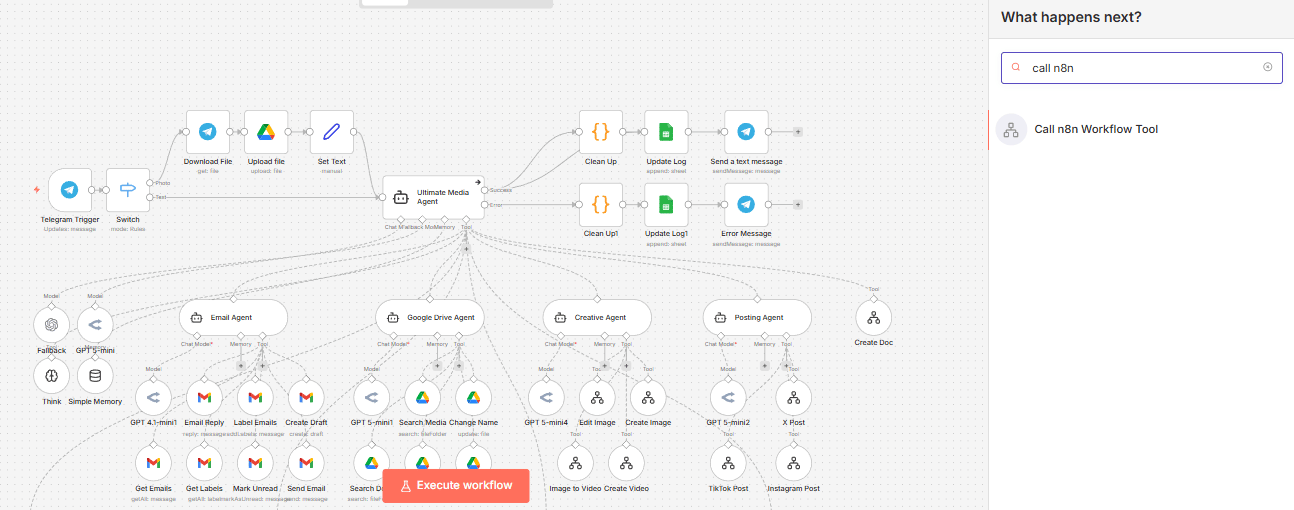
Don’t rebuild the same logic 10 times. Build it once as a “Sub-Workflow” and call it from every other n8n workflow.
-
Use Case: An error notification system that sends a Slack message. Build it once, use it everywhere.
Pro tip: Name your sub-workflows with the “SUB_” prefix so you can easily identify them.
2. Error Handling
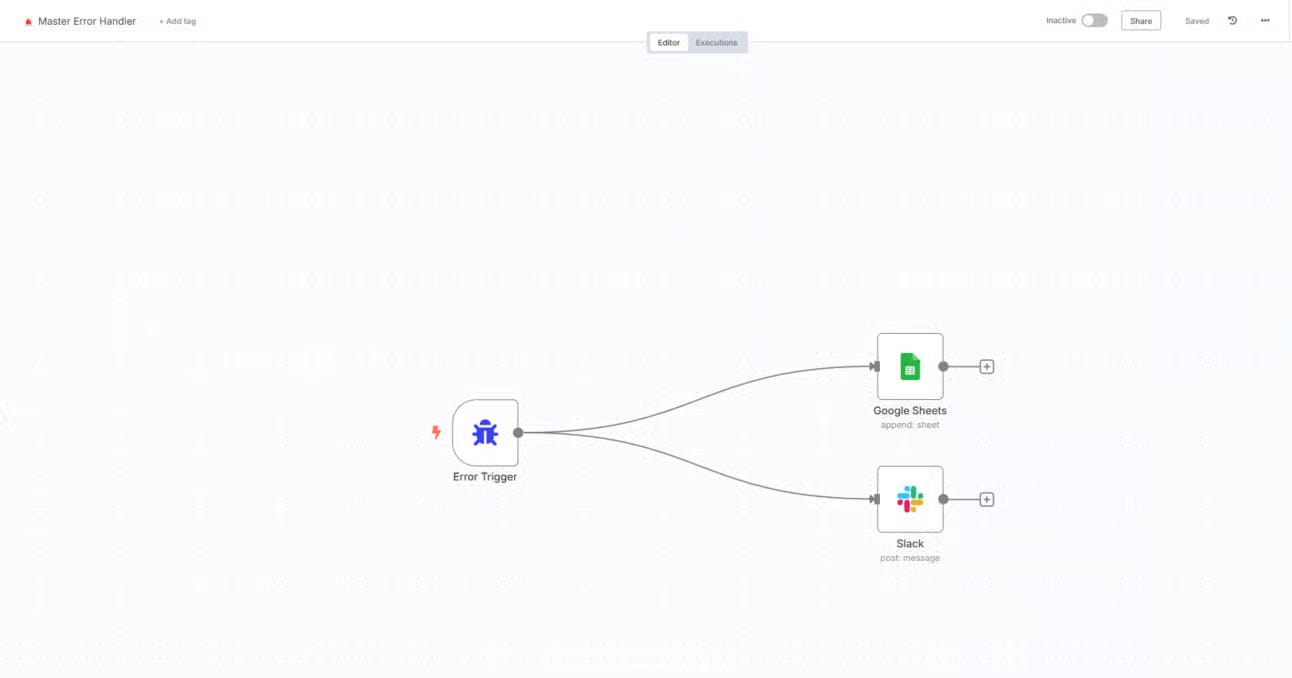
Do not let your n8n workflows fail without you knowing. You should add an “Error Trigger” to every important project. If something breaks at 3 AM, the system should automatically log the error in a Google Sheet and send you a Slack alert.
Pro tip: Create ONE master error handling workflow and point all your error triggers to it.
3. Webhooks (Your Automation Superpower)
Webhooks turn n8n into a real integration layer. Forms, custom apps, real-time alerts, even your own mini-APIs; everything can trigger workflows instantly. This is how you connect tools that don’t officially support n8n.
With basic security and validation, webhooks become the backbone of serious automation.

4. The Code Node
Visual nodes are great but sometimes they are limited. Learning basic JavaScript for the “Code Node” allows you to perform complex math, data cleaning and custom logic that standard nodes cannot touch.
Example: {{ $json.price * 1.10 }} to add a 10% markup. See, it’s not that hard, right?

5. Expressions and Environment Variables
Stop typing passwords and API keys directly into your workflow nodes. This is not secure. Use Environment Variables (stored in your .env file or n8n settings).
This keeps your data secure and makes it easy to share your workflows with others without leaking your private keys.

And yeah, this is only a slice of what makes n8n powerful. But if you nail these, you’re already ahead of most people.
If you want, I can link you to my full “power features” notebook. It’s basically the cheat sheet that turns your workflows into something you can run like a system.
Creating quality AI content takes serious research time ☕️ Your coffee fund helps me read whitepapers, test new tools and interview experts so you get the real story. Skip the fluff – get insights that help you understand what’s actually happening in AI. Support quality over quantity here!
VIII. Final Thoughts: Don’t Be a Student Forever
You are never done learning n8n. But that is not an excuse to stay in student mode.
The difference between someone who knows n8n and someone who gets results is simple: application. You can watch tutorials forever but until you do these 5 things, you’re just collecting skills that decay.
So, before you close this tab, write down the one task you hated doing this week. That is your first real n8n workflow. Do not be the person who is “still learning” six months from now. You could be the person who already has 5 workflows running while everyone else is still learning.
Did you know: The only thing worse than not learning n8n is learning it and never using it.
If you are interested in other topics and how AI is transforming different aspects of our lives or even in making money using AI with more detailed, step-by-step guidance, you can find our other articles here:
-
I Ranked 10 AI Video Creators in 2026 & Find The Best List (So You Don’t Waste Credits)
-
YouTube Cloning Hack: Reverse- Engineer Any Viral Channel in 10 Minutes (No Guessing)*
*indicates a premium content, if any
Leave a Reply