
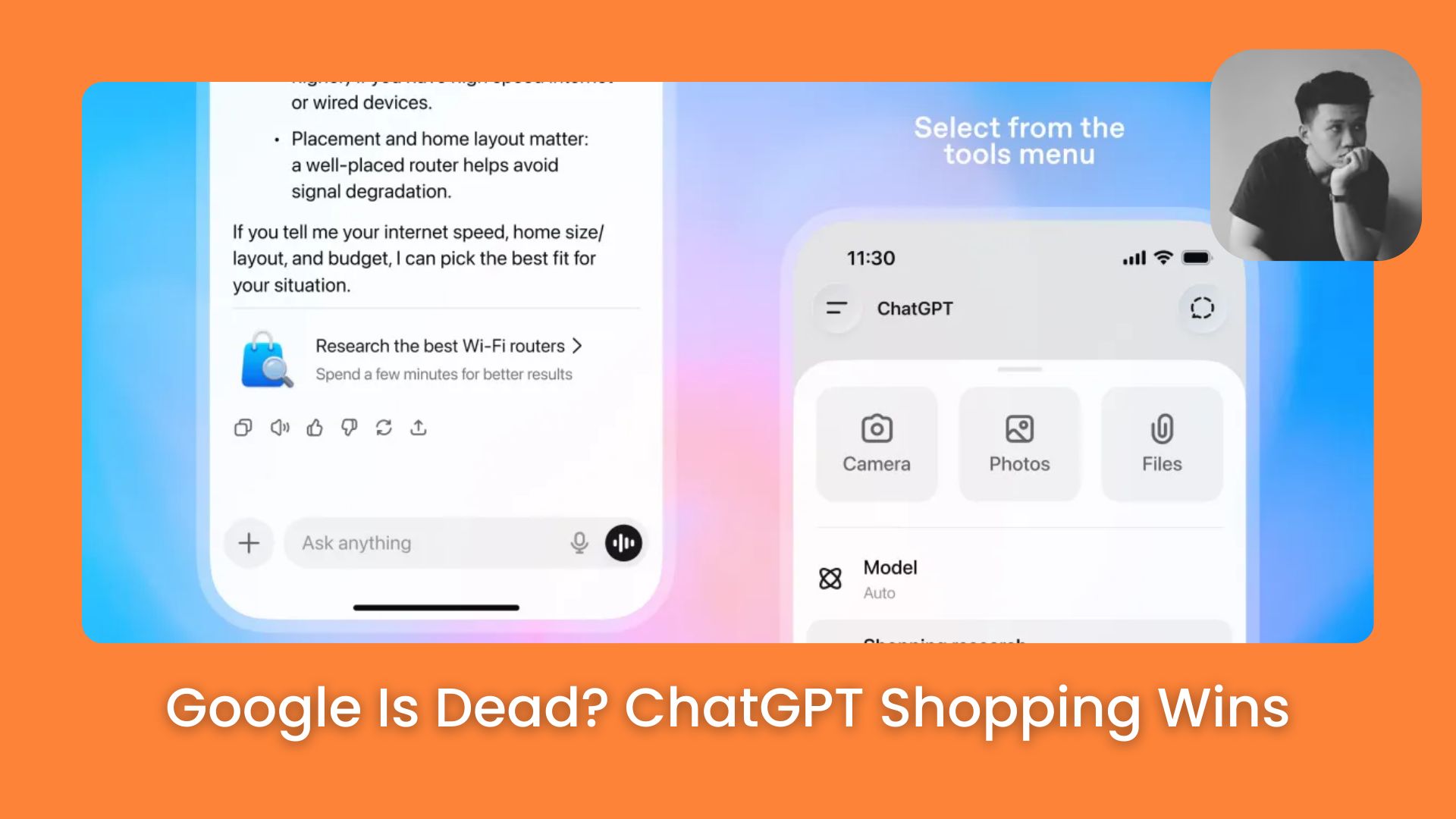
Shopping online is broken and stressful. This new AI tool fixes it by finding the perfect products for you in seconds. Learn the secret prompts.. Ai Tools, Prompt Engineering.
TL;DR
ChatGPT Shopping Research is an AI feature that finds and compares products to create personalized buyer guides. It replaces manual searching by asking questions and analyzing reviews to recommend the best options.
You start by telling the AI what you need, and it conducts an interview to refine your preferences. It scans trusted sources to filter out low-quality items and summarizes the findings into a clear visual list.
This process saves time on research but currently requires users to finalize purchases on retailer websites. It is designed to act as a decision-making partner rather than a simple search engine.
Key points
-
It filters results using organic data, not paid advertisements.
-
Avoid assuming listed prices or stock levels are perfectly accurate.
-
Providing detailed personal context yields significantly smarter product suggestions.
Critical insight
The feature excels at understanding complex trade-offs but serves better as a research filter than a live price checker.
Table of Contents
Shopping online used to be fun, but now it feels like a hard job. Have you ever felt like this? You want to buy a vacuum cleaner. You open Google, you search, and then you have to open 20 different tabs. You read reviews on Amazon, watch videos on YouTube, and check Reddit. Finally, you feel tired and dizzy because there is too much information. You turn off your computer and buy nothing. I have been there many times.
But recently, things have changed completely.
I have spent a few weeks testing a new feature called “Shopping Research” inside ChatGPT. This is not the normal chat you usually use. It is a totally new experience. It is like you have a smart friend who loves shopping. This friend reads all those boring websites for you and then tells you the best options.
In this article, I will guide you step-by-step. I will show you how to use it, the exact words to say, and the bad things that no one tells you about.
Part 1: What Is Shopping Research In ChatGPT?
1. How Is It Different From Google Search?

Let’s imagine this to make it easy to understand.
When you use Google, it is like going to a huge library. You ask the librarian: “Where are the books about running shoes?” The librarian points to a shelf and says: “They are over there, go find them.” You have to take each book out and read it yourself. That is how we usually search.
Shopping Research in ChatGPT is different. It is like hiring a personal assistant. You say: “I want running shoes, my feet hurt, and I only have $100.” This assistant runs into the library, reads all the books, checks the prices, and comes back to you. The assistant says: “Here are the 3 best shoes for your feet, and this store has the cheapest price.”
You do not need to filter the bad information yourself anymore. This AI is trained to understand products, prices, and features.
2. What Does It Look Like?
If you are used to chatting with ChatGPT with just text, you will be surprised. When Shopping Research starts, the screen changes.
You will not see boring text anymore. You will see “Product Cards.” These have pictures of the item, the price, and buttons. You can click “More like this” or “Not interested.” It feels like you are using a nice shopping app, but it is much smarter.
Part 2: How To Use It? (Step-By-Step Guide)
I will show you exactly what to do. It is very easy.
Step 1: The Trigger (Start The Feature)
You do not need to find a secret button. You just open ChatGPT and start chatting.
However, you need to tell the AI that you want to buy something.
For example, you type: “Help me find a new laptop.”
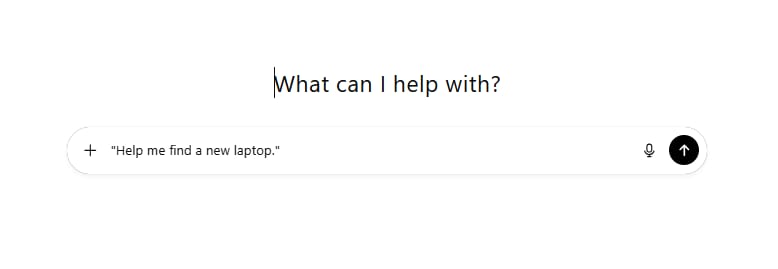
When the AI sees you want to go shopping, it will switch to Shopping Research mode automatically. Sometimes it shows a small button that says “Use Shopping Research.” You can just click it.
Learn How to Make AI Work For You!
Transform your AI skills with the AI Fire Academy Premium Plan – FREE for 14 days! Gain instant access to 500+ AI workflows, advanced tutorials, exclusive case studies and unbeatable discounts. No risks, cancel anytime.
Start Your Free Trial Today >>
Step 2: The Interview (Answer Questions)
This is the most important part. After your first question, ChatGPT will not give you a list of products immediately. It will stop and ask you questions.
Why? Because it needs to know what you really need.
For example, if you want a laptop, it might ask:
-
“Is this for office work or for gaming?”
-
“Do you like lightweight computers?”
-
“What is your maximum budget?”
My advice: Please answer these questions carefully. The more details you give, the better the result. Do not answer too quickly.
Step 3: The Buyer’s Guide (The result)
After it gets your answers, the AI starts “thinking.” You will see it says “Researching…” It is now checking the internet for reviews and prices.
After a few seconds, it gives you a summary. It does not just give you a link. It will write:
-
Top Pick: Why this is the best one.
-
Budget Pick: The best one if you want to save money.
-
Pros and Cons: It will say clearly, “This has a strong battery, but the screen is a bit dark.”
Part 3: Don’t Get Confused (Search Vs. Shopping)
I know you might have questions because ChatGPT has many features now. Let me explain simply.
1. Normal ChatGPT Search Vs. Shopping Research
There is a small globe icon (Search) in ChatGPT, and then there is Shopping Research.
-
Normal Search: Use this for quick facts.
-
Example: “How much is the iPhone 16?” or “When is Black Friday?”
-
It gives a fast answer or a news article.
-
-
Shopping Research: Use this for decisions.
-
Example: “Should I buy an iPhone 15 or wait for the iPhone 16 if I take photos at night?”
-
It compares options and helps you choose.
-
2. AI Agents Vs. Shopping Research
People talk about “AI Agents.” An Agent is a robot that does a task for you, like booking a flight.
Shopping Research is a special Agent just for shopping. It has a special “brain” (based on GPT-5 mini) that understands how buyers think. It understands trade-offs. For example, it knows that if you want a “super light” laptop, the battery might be small. Normal AI sometimes does not understand this.
Part 4: The Best Prompts To Find What You Need
This is the most valuable part of this lesson. I tested hundreds of prompts. I learned one thing: The more specific you are, the smarter the AI becomes. Do not use short sentences. Tell it a story about your life.
Here are 3 specific examples. You can copy these and use them.
Example 1: Buying A Gift (The Hardest One)
Buying gifts is hard because we don’t know what people like. Let the AI help.
Bad Prompt: "Find a gift for my dad." -> The result will be boring, like a tie or a wallet.
Good Prompt (Use this one):
"I need to buy a birthday gift for my dad. He is 60 years old. He recently retired and has started gardening, but he complains that his back hurts when he bends down. He also loves listening to old rock music. My budget is under $100. Please suggest 3 unique gift ideas that combine his interests or help with his gardening."The Result:
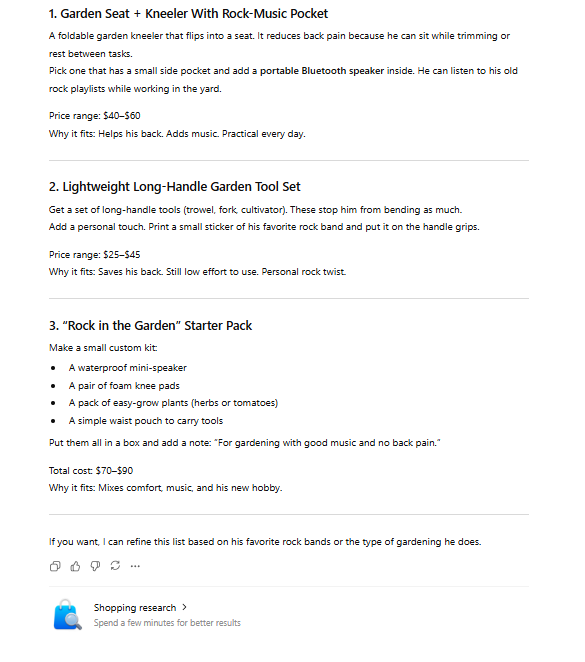
The AI connects “back pain” + “gardening” to suggest a Garden Kneeler Seat. Or it connects “gardening” + “music” to suggest a waterproof speaker for the garden. Very smart, right?
Example 2: Electronics (Comparing Specs)
Buying computers or phones is confusing because of the technical words.
Good Prompt:
"I am looking for a monitor for my home office. I work as a graphic designer, so color accuracy is the most important thing for me (sRGB must be nearly 100%). I also use a MacBook Pro, so I want a monitor that connects via USB-C to charge my laptop at the same time. My desk is small, so 27 inches is the maximum size. My budget is around $400. Compare the top 3 options."The Result:

It removes gaming monitors (which have bad colors) and looks for professional ones like Dell Ultrasharp or Asus ProArt. It will make a table to compare the charging power.
Example 3: Clothing (Finding Lookalikes)
You see a nice dress online but it is too expensive.
Good Prompt:
"I am looking for a summer dress for a beach wedding. I want something that looks elegant but is made of breathable fabric like linen or cotton because I sweat easily. I prefer pastel colors like blue or pink. I saw a dress from [Brand X] that costs $300, which is too expensive. Can you find me something with a similar vibe but under $100?"The Result:

The AI looks for cheaper brands with the same style. It pays attention to the fabric you asked for (linen or cotton) so you stay cool.
Part 5: The Truth: Is It Actually Good?
I am not here to sell ChatGPT to you. I want to tell you the truth. After using it a lot, I see good things and bad things.
1. The Good Things (Pros)
-
Saves brain energy: This is the best part. I don’t have to read 10 different articles. I just read one summary from the AI. It reduces stress.
-
It remembers you: If you told ChatGPT yesterday “I have a dog,” then today you ask for a sofa, it suggests a “scratch-resistant” fabric. You don’t have to say it again. Google cannot do this.
-
Spots fake things: The AI reads many sources. If a product has great ads but real people on Reddit say it is bad, the AI often warns you: “Users report this breaks after 1 month.”
2. The Bad Things (Cons)
-
Price errors: This is a big problem. The AI might say a camera is $500, but when you click the link, it is $550. Prices on Amazon change every hour, and the AI cannot always catch up. Always check the price again when you click the link.
-
Sold Out: The AI suggests a great shoe, you click it, and it says “Sold Out.” The AI is not perfect at checking stock in real-time.
-
Rare items: If you look for an iPhone, it is great. But if you look for “Spare parts for a sewing machine from 1980,” it might struggle.
Part 6: Is It Safe? Should I Be Scared?
When I use this, I have some fears. Maybe you do too.
Fear 1: Is It Just An Advertisement?
You might ask: “Does ChatGPT suggest this Samsung TV because it is good, or because Samsung paid them?”
Right now, OpenAI says the results are “Organic.” This means brands cannot pay to be at the top. The results depend on your question and the reviews. I find it more honest than Google search results, which have many “Sponsored” links at the top.
Fear 2: Will It Steal My Credit Card Info?
The answer is No.
Currently, you do not pay inside ChatGPT. The AI is just a consultant. When you want to buy, you click a link, and it takes you to the store’s website (like Amazon, Best Buy, or Target). You pay on their website.
So, ChatGPT does not touch your money or card number. It is safe.
Fear 3: Does It Track Me?
There is a feature called Pulse (for Pro users). It gives suggestions proactively. For example, last week you bought a coffee machine, this week it says: “Do you want to buy good coffee beans?”
If you like this, it is useful. If you feel it is creepy, you can turn off the Memory feature in the settings.
Next Step For You
Do not just read this article and forget it. Try it right now to see the difference.
Here is what you can do:
Open ChatGPT. Think of one thing you wanted to buy for a long time but were too lazy to research (like an air fryer, a book, or headphones).
Copy this sentence and fill in the blanks:
"I want to buy a [Item Name] for a room size of [Size/Number of people]. The most important feature for me is [Feature you need] and my budget is [Amount]. Please find the 3 best options and compare them for me."Try it, and you will see it is much easier than Google!
Part 7: Conclusion – Should you try it?
The short answer is: YES.
It is not 100% perfect, especially with price updates. But it changes how we find things. It turns shopping from a tiring hunt into a fun chat with a smart friend.
It is very helpful for people who:
-
Are not good with technology but need to buy tech gadgets.
-
Are very busy and have no time to read websites.
-
Have no ideas for gifts.
Do not think of it as the law. Think of it as a helpful guide. It filters the information for you, but you still make the final decision.
If you are interested in other topics and how AI is transforming different aspects of our lives or even in making money using AI with more detailed, step-by-step guidance, you can find our other articles here:
-
Forget ChatGPT: 10 New AI Tools Minting Millionaires In 2026 List
-
Earn Money with MCP in n8n: A Guide to Leveraging Model Context Protocol for AI Automation*
-
Transform Your Product Photos with AI Marketing for Under $1!*
-
Finally! AI Photos That Don’t Look Fake. Try This Google Tool Now
*indicates a premium content, if any
Leave a Reply