
Chinese AI Tools are changing the game with free 3D, video, and editing features. Why pay monthly fees when these powerful apps do it better for $0?. Ai Tools, Ai Automations.
TL;DR
Chinese AI tools are currently offering professional-grade creative capabilities such as 3D modeling, high-speed video generation, and app building, often for free or with significantly fewer restrictions than Western alternatives.
By using simple browser translation, users can access powerful models like Hunyuan 3D for instant object modeling, Qwen for rapid video creation, and GLM 4.7 for no-code software development. This guide provides a strategic roadmap to bypass paywalls and master a new generation of high-performance creative tools.
Key points
-
Accessibility: Use the “Right-click > Translate to English” trick to navigate Chinese-language interfaces instantly.
-
Versatility: Tools like Hunyuan 3D and GLM 4.7 replace years of technical training in Blender or coding with simple image uploads and English prompts.
-
Value: Many Chinese platforms like Wan offer “Infinite Canvas” editing and high-speed generation for free by switching off “credit mode.”
Critical insight
The next wave of creative freedom isn’t behind a $20/month subscription; it’s being built by Chinese tech giants and is accessible right now to anyone willing to hit the translate button.
Table of Contents
Introduction
You find a tutorial for a great tool, you get excited to try it, and then boom, you see the monthly subscription fee. It is really discouraging.
But recently, I discovered something that completely changed my workflow. While we are busy looking at famous American apps, a massive wave of technology is coming from the other side of the world. These are Chinese AI Tools.
Let me give you an example. Normally, creating a 3D model takes me a whole day. But with these Chinese tools, I just upload exactly one photo, and I have a complete 3D model immediately. It saves an incredible amount of time.
If you are addicted to this kind of speed, using the top productivity AI tools for every task will help you finish the rest of your projects with expert quality while you enjoy your free time.
Let’s start this journey and build your new creative toolkit.
I. Hunyuan 3D: Create 3D Models with Chinese AI Tools
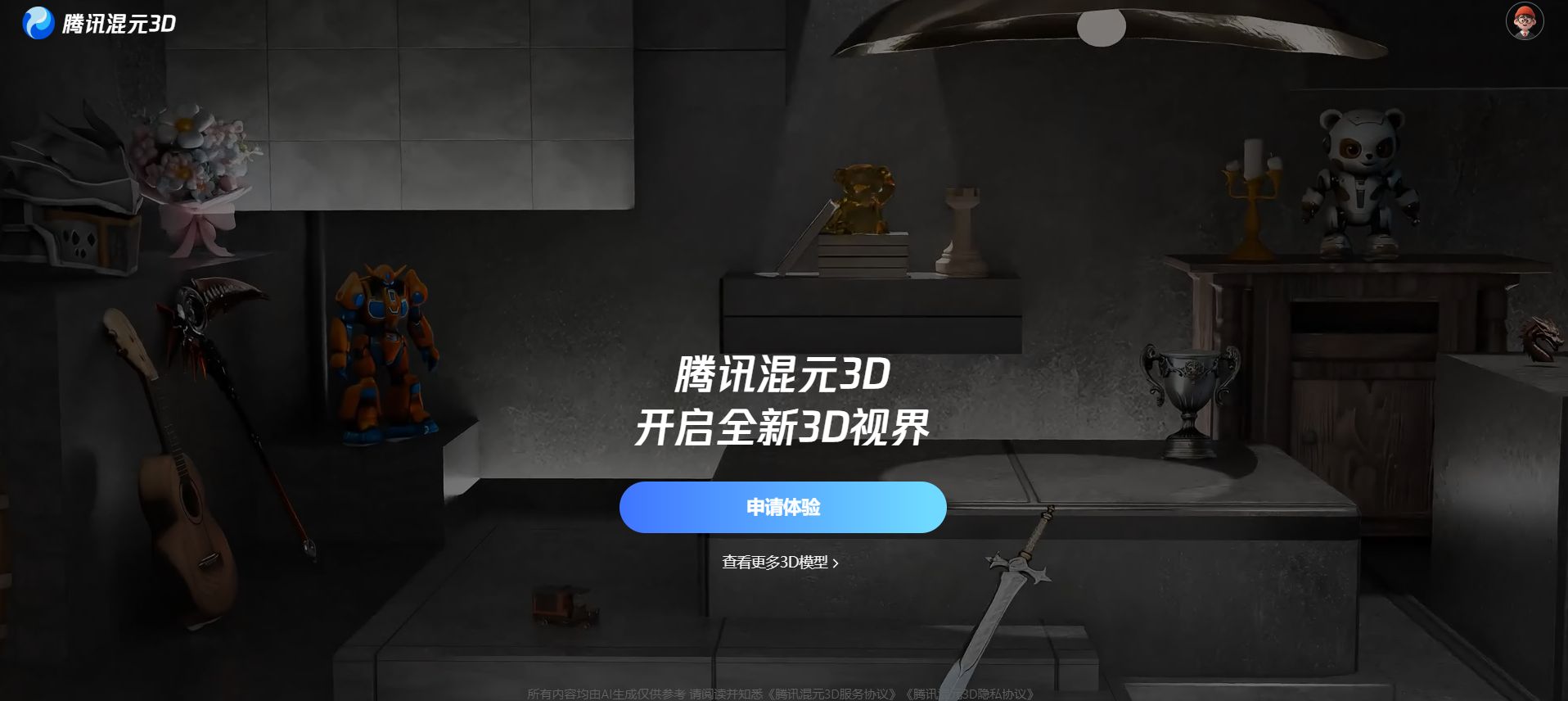
Chinese AI tools like Hunyuan 3D allow you to bypass complex software like Blender by turning a single 2D image into a fully rotatable 3D object. By uploading a clean photo of an item, the AI interprets depth and geometry to generate a model suitable for digital art or 3D printing in about two minutes.
These quick assets are perfect starting points if you plan to insert high-quality 3D AI animation into your slides, saving you hours of manual rendering. This removes the steep learning curve typically associated with professional 3D modeling.
Key takeaways
-
Speed: Generates a complete, downloadable 3D model in roughly two minutes.
-
Comparison: Replaces hours of manual vertex manipulation in tools like Blender with one upload.
-
Tip: Set the “Detail” slider to “High” for the best structural accuracy.
-
Action: Use the “Image to 3D” feature for the most precise results.
Let’s begin with something that usually takes years to master: 3D Modeling. You can do it with just a single photo.
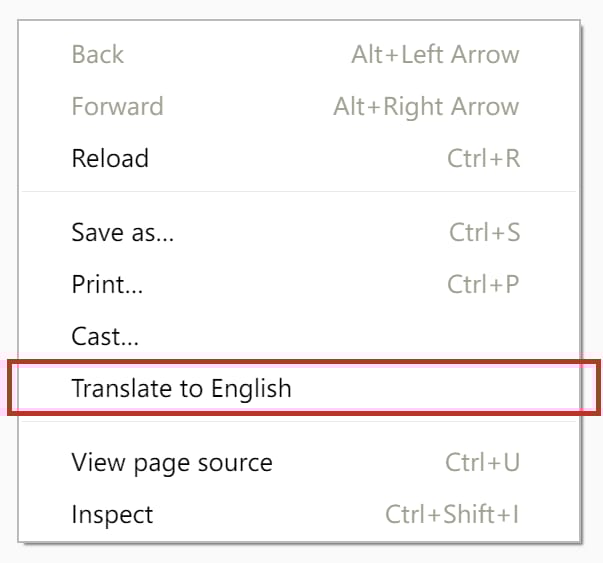
1. The ‘Translation Trick’ You Need to Know
Before we jump in, you might notice the website is in Chinese. Don’t worry, here is the secret you will use for almost every tool on this list:
-
Right-click anywhere on the white background of the page.
-
Select “Translate to English” from the menu.
-
Now, the interface is easy to read and navigate.
2. Creating Your First Model with Hunyuan 3D
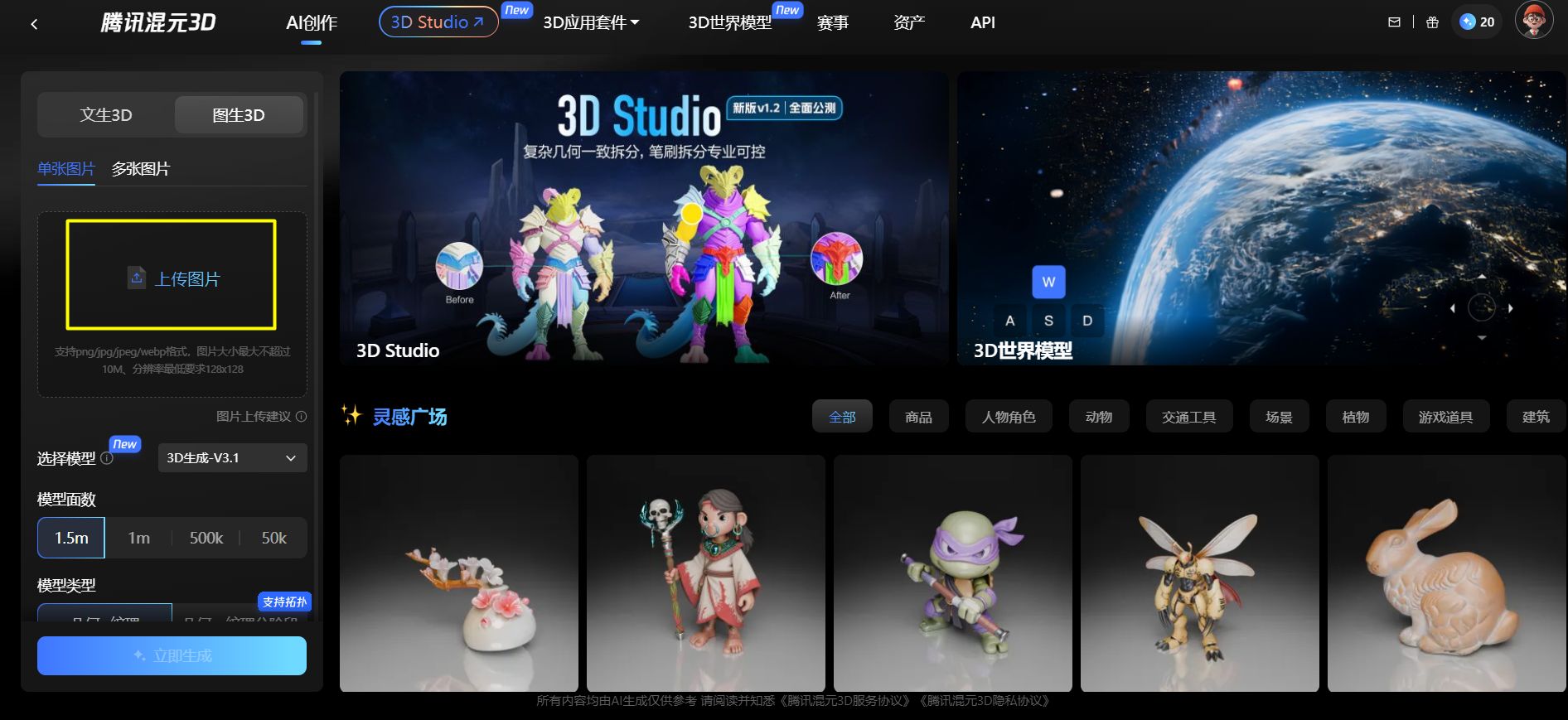
Go to the Hunyuan website. You will see a few options, but I recommend focusing on the “Image to 3D” feature because it gives the most accurate results.
-
Upload: Choose a clean photo of an object, like a toy car or a sneaker.
-
Settings: Look for the “Detail” slider on the side and push it to “High” for the best quality.
-
Generate: Click the button and wait about two minutes.
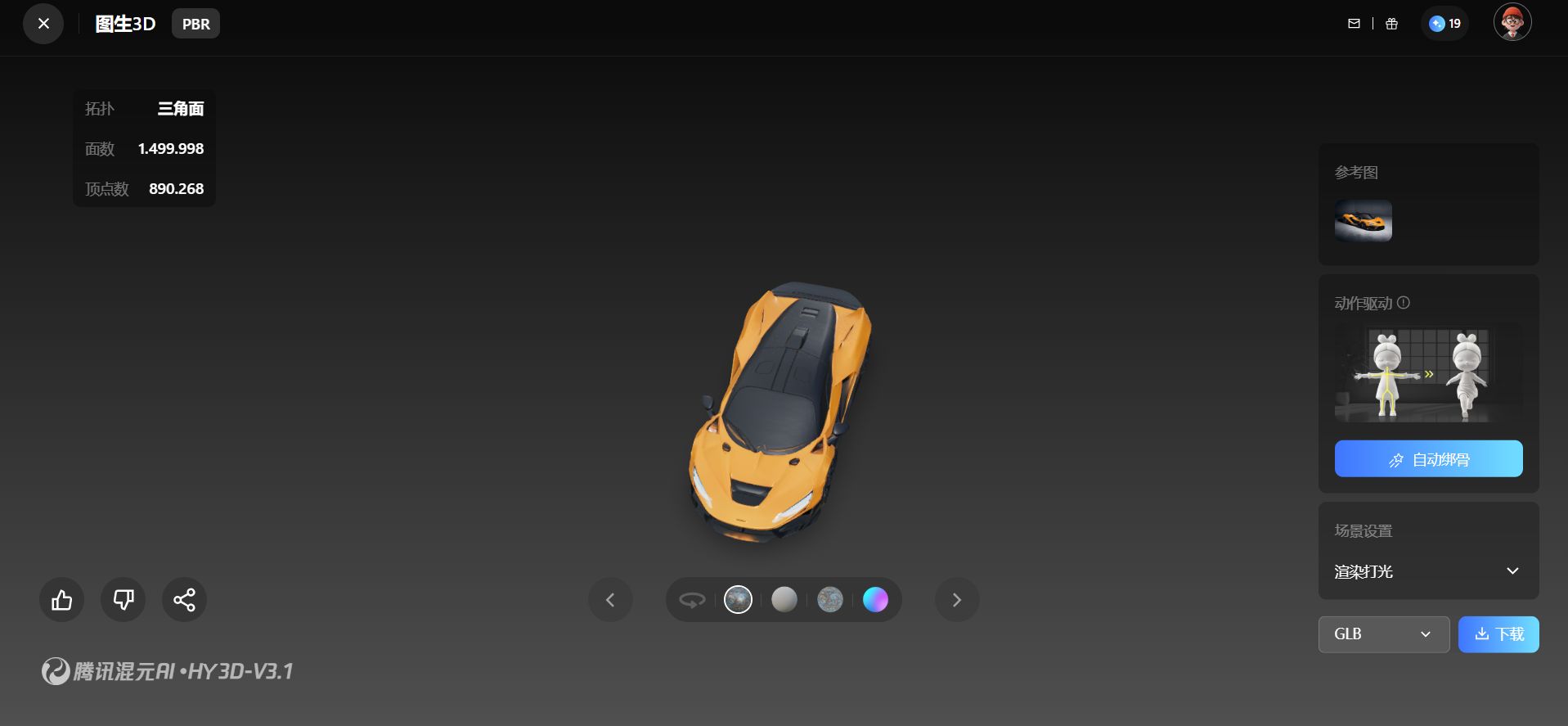
When it finishes, you won’t just see a picture. You will have a real 3D shape that you can spin around with your mouse. You can even download it to print on a 3D printer.
Now that we have created objects, let’s move on to creating realistic people.
Learn How to Make AI Work For You!
Transform your AI skills with the AI Fire Academy Premium Plan – FREE for 14 days! Gain instant access to 500+ AI workflows, advanced tutorials, exclusive case studies and unbeatable discounts. No risks, cancel anytime.
Start Your Free Trial Today >>
II. Apob: Get Realistic Influencers Using Chinese AI Tools
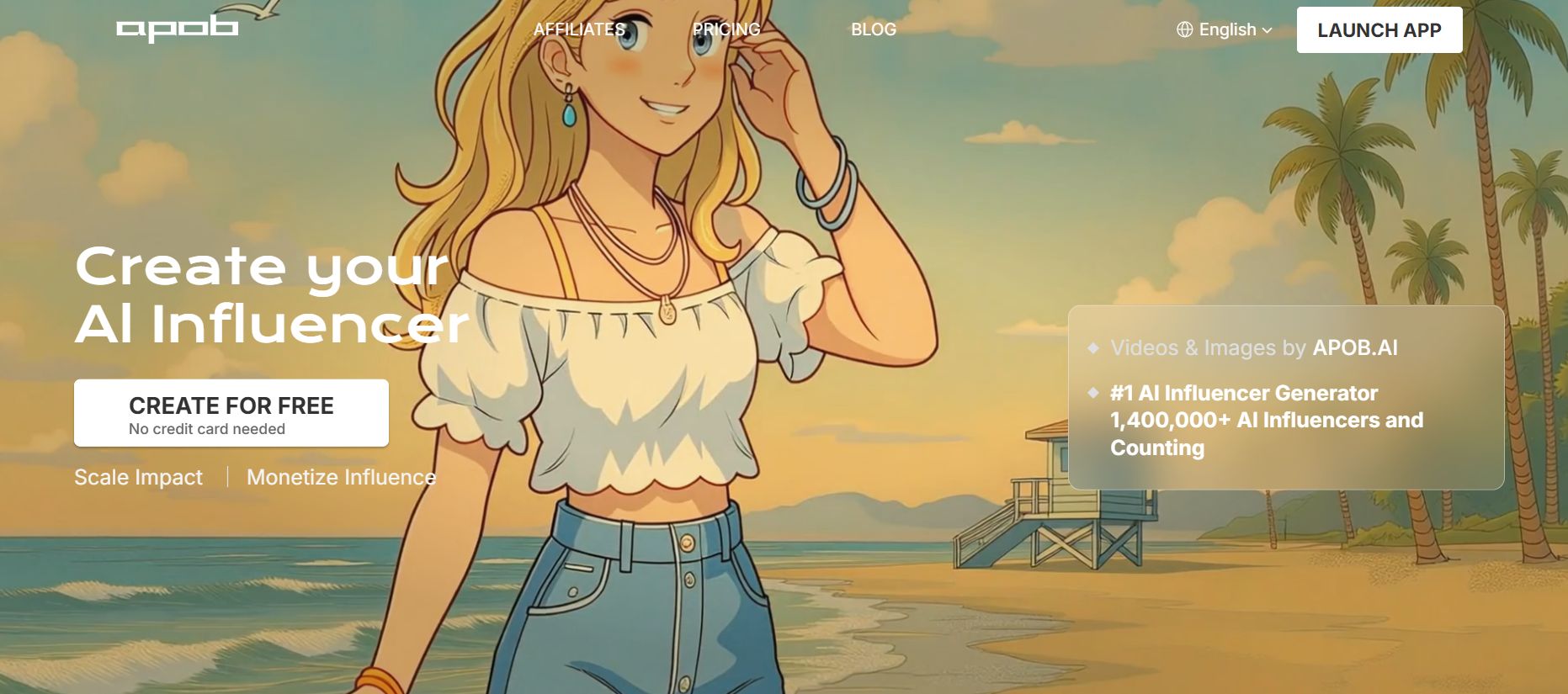
Apob creates lifelike characters with natural skin textures and lighting, avoiding the “plastic” look of typical AI. By using the Ultra S4K model, you can build consistent digital influencers and refine their details through natural language while keeping their identity intact.
Key takeaways
-
Quality: Uses the Ultra S4K model to produce high-fidelity, photorealistic textures.
-
Difference: Focuses on realistic imperfections like pores and wrinkles rather than “plastic” skin.
-
Customization: Change clothing or backgrounds by simply typing new descriptions.
-
Use Case: Ideal for creating consistent brand ambassadors without hiring professional models.
If you need a photo of a person for your blog, brand, or social media, you don’t need to hire a model or a photographer anymore. Apob is a standout among Chinese AI tools because it creates people that look 100% human, not like fake AI robots.
Why Apob feels different
Most AI tools make skin look too smooth, almost like plastic. Apob is different because it focuses on texture pores, tiny wrinkles, and natural lighting. This makes the images feel authentic.
→ Let’s Build Your Character
Head over to the Apob website and choose the “Ultra S4K” model. This is their highest quality option.
-
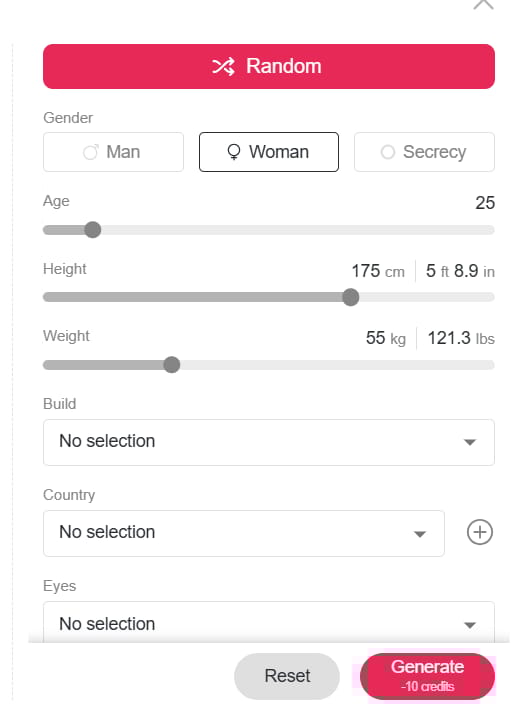
Settings: Choose your parameters, for example: Female, Age 25, Casual Style.
-
Prompt: Try typing something specific:
A university student studying in a cozy library, wearing a yellow sweater, soft rain on the window behind her.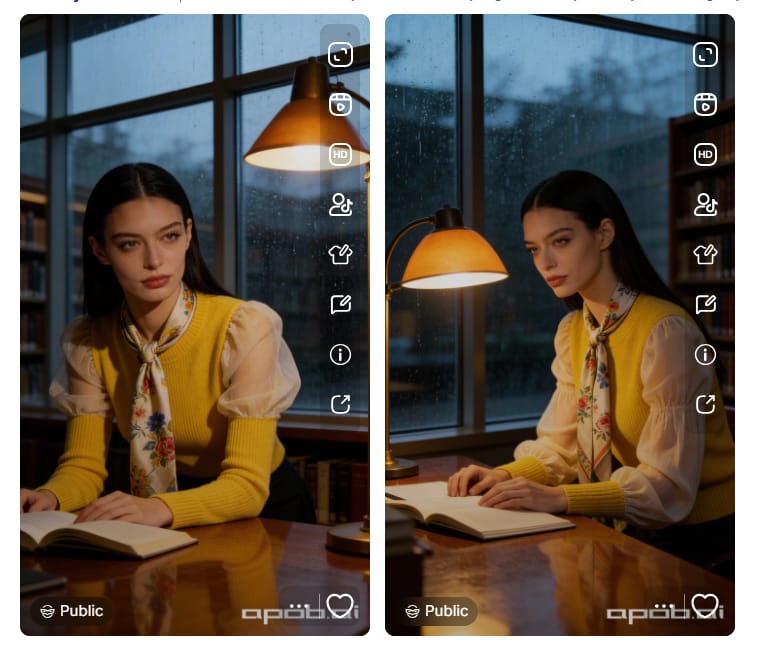
The AI understands exactly what you mean and changes only that small detail while keeping the rest of the image perfect.
But what if you already have a photo of your own room, and you want to redesign it? That brings us to our next tool.
III. Wan: Unlimited Image Editing with Powerful Chinese AI Tools
Photoshop is a powerful program, but it is hard to learn and expensive to own. Wan is an “Infinite Canvas” editor that lets you change reality just by typing words.
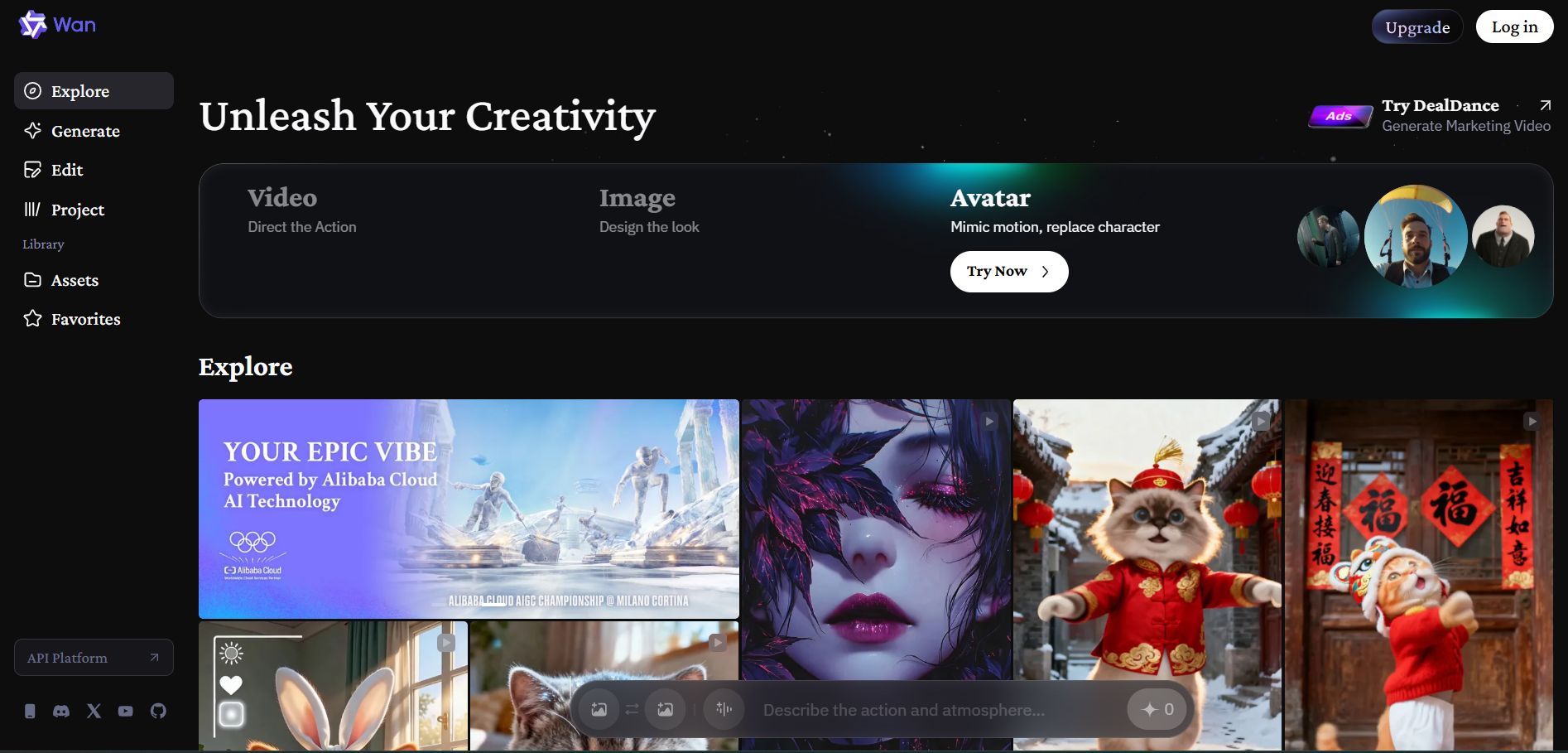
The ‘Unlimited’ Advantage
Many apps give you 5 free credits and then ask for your credit card. Wan is currently one of the few Chinese AI tools that lets you edit as much as you want for free.
1. How to Transform Your Photos
→ First, upload a picture of your living room or office to the Wan editor. Type a description like:
A large window with a view of a tropical beach at sunset.⚠️ Wait! Do not click “Generate” yet. To ensure this process costs you $0, please read the critical step below first.
2. A Critical Step for Free Use
Please pay close attention to this setting to keep the tool free. Before you click Generate, open the settings menu.
-
Find the switch that says “Generate with credits.”
-
Turn it OFF.
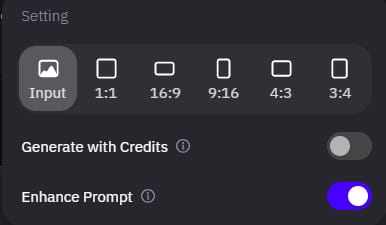
This switches the tool to “Free Mode.” It might take 30 seconds longer to load than the paid mode, but it will cost you absolutely nothing. You can keep editing and adding details all day long. Now you can click Generate and see the transformation!
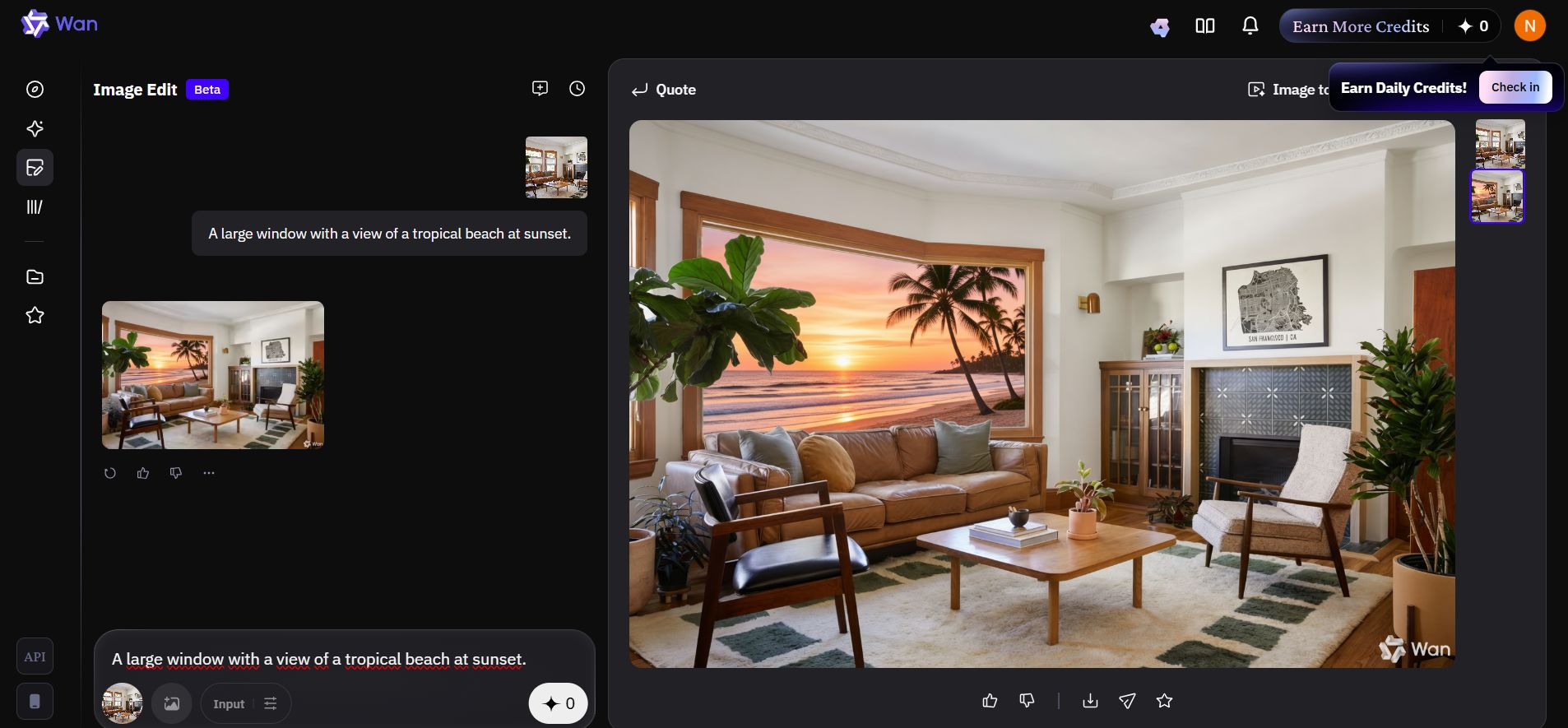
We have mastered static images. But to tell a real story, we need movement. That is where our next tool shines.
IV. CapCut: Consistent Video Storytelling
You probably know CapCut as a simple editor on your phone, but the web version has a superpower called “Instant AI Video.” The biggest problem with AI video is that the character often changes faces between scenes. Chinese AI tools like CapCut are designed to fix this specific problem.
👉 Fun Fact: Many people believe CapCut is an American app, but it is actually a Chinese video editing application developed by ByteDance, the same parent company that owns TikTok.
However, keeping the face the same is only half the battle; you also need to apply the ‘static’ hack to make videos look real and intentional, ensuring your consistent character feels like they belong in a high-budget movie.
Solving the Consistency Issue
This tool ensures your main character looks the same from the start of the movie to the end, which is essential for storytelling.
How to Make a Movie
Now, go to the “Instant AI Video” section on CapCut.
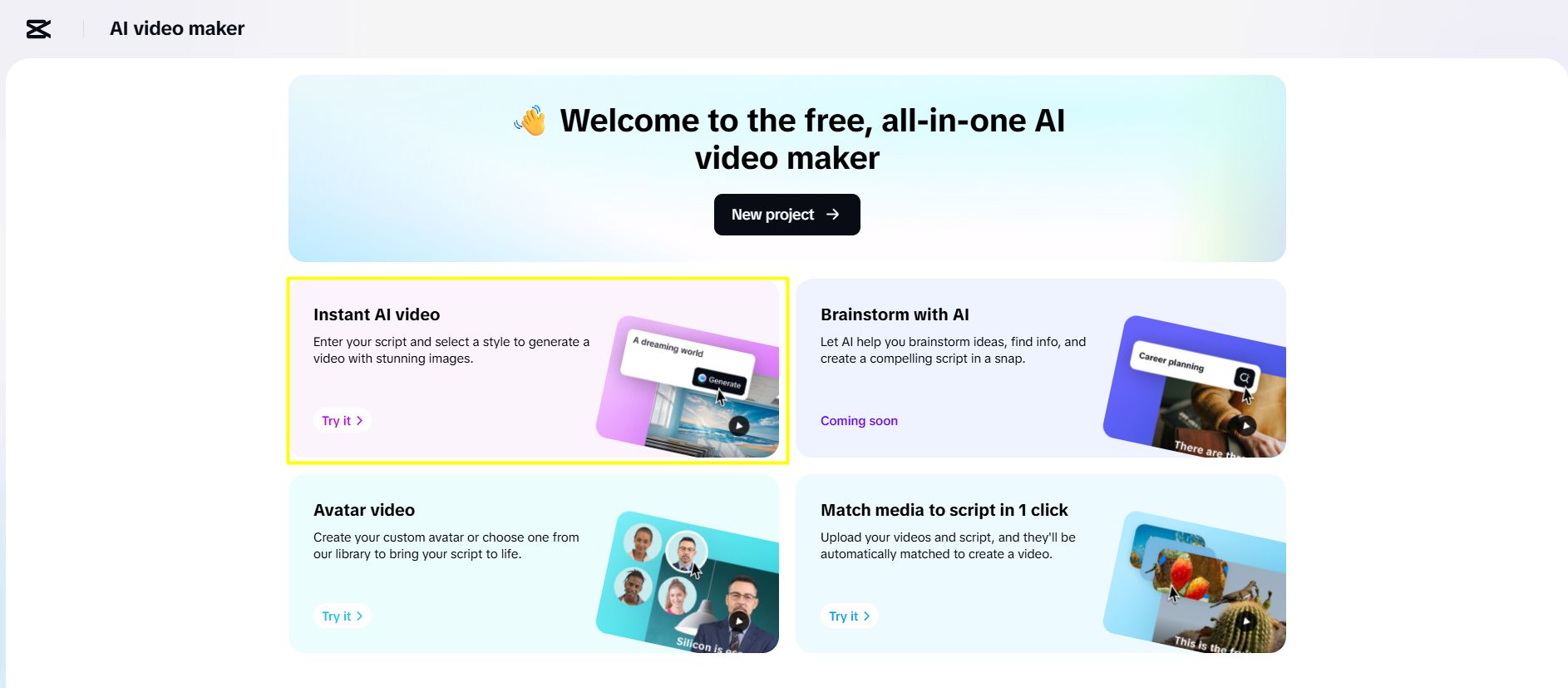
-
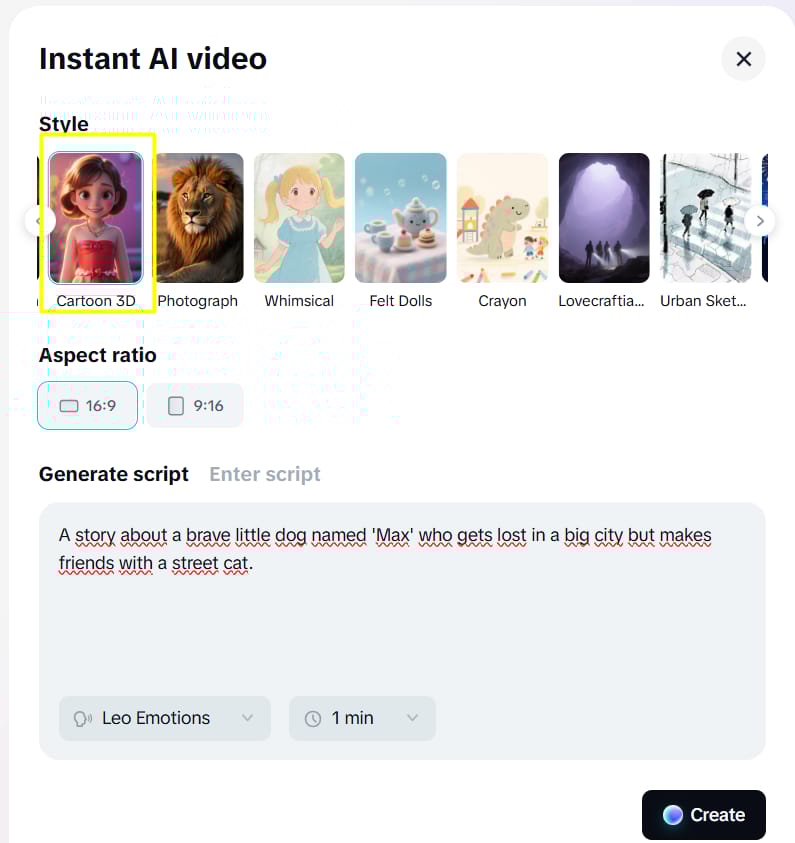
Prompt: Enter a story idea:
A story about a brave little dog named 'Max' who gets lost in a big city but makes friends with a street cat.-
Style: Choose the “Cartoon 3D” style for the best results.
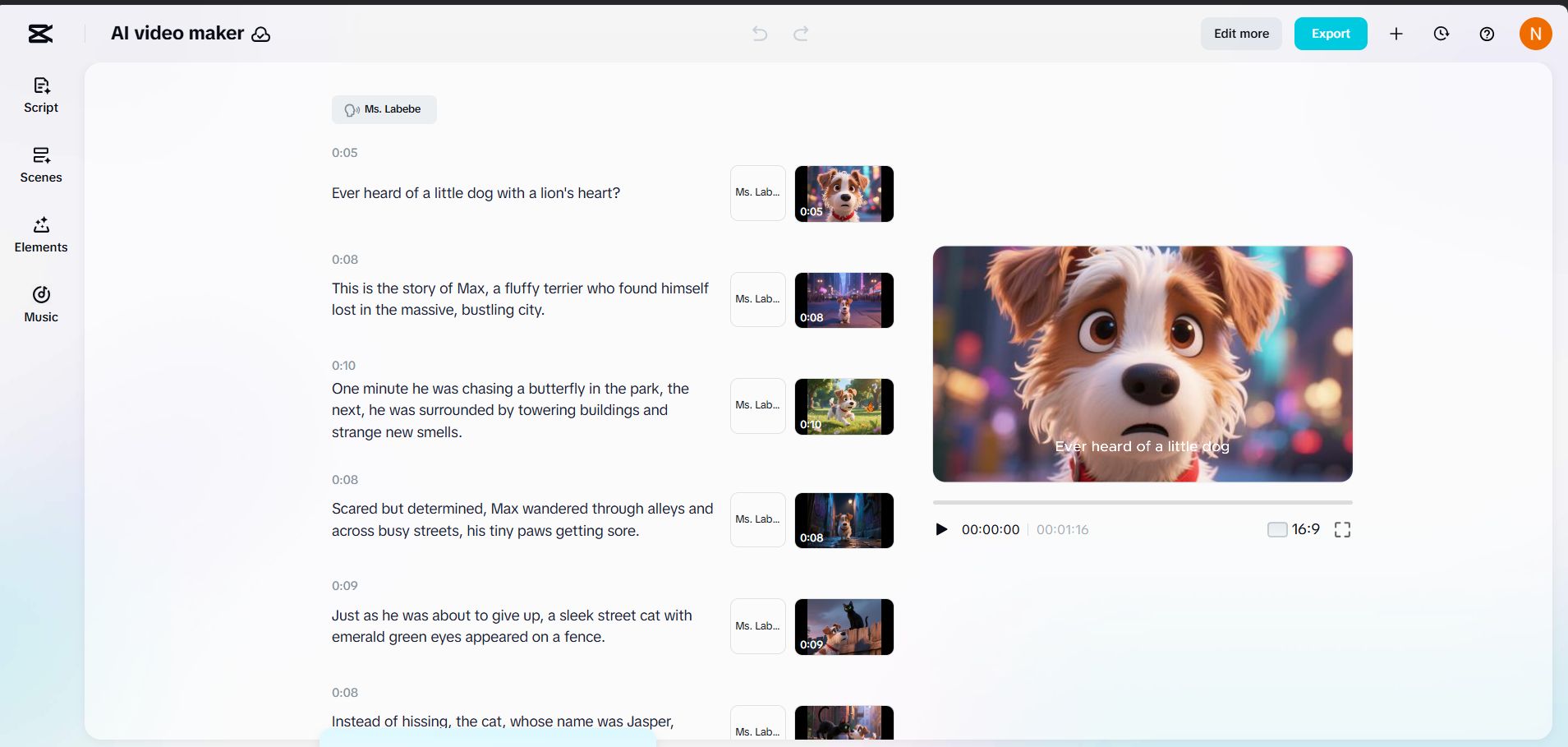
CapCut will do all the heavy lifting for you. It writes the script, creates the voiceover, and generates the video clips.
-
Review: Watch the video closely. You will see that ‘Max’ wears the same collar and has the same spots in every scene.
-
Edit: If you don’t like Scene 3, click “Regenerate” on that specific clip. It fixes just that part without ruining your whole movie.
Sometimes, however, you don’t need a full movie story. You might just want to take a beautiful photo and make it move slightly right? Just keep reading.
V. Vheer: Animate Static Images via Accessible Chinese AI Tools
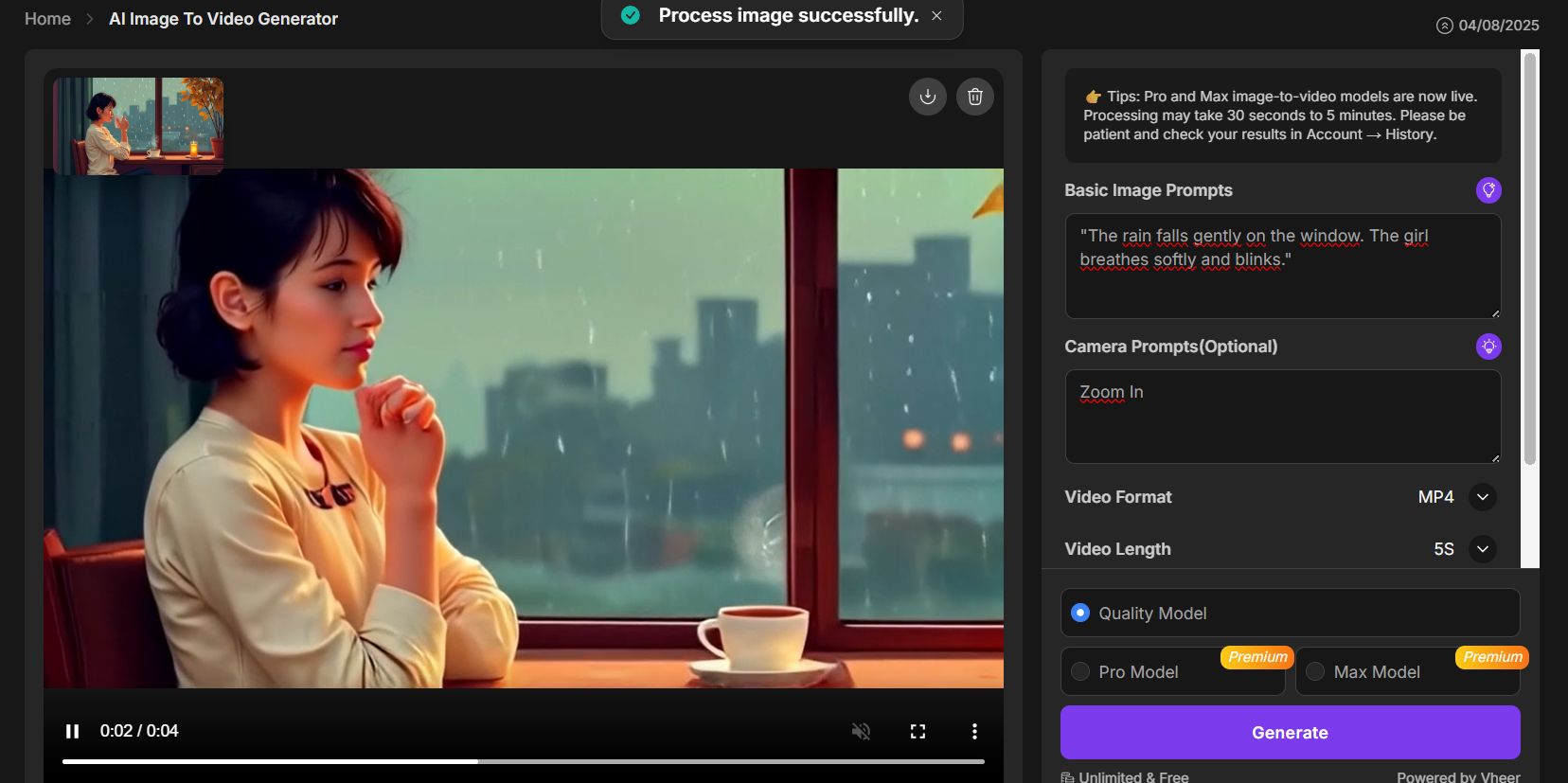
Imagine you have that beautiful photo of the library student we made earlier with Apob. It’s nice, but it would be much better if the rain outside was actually moving. That is exactly what Vheer does.
1. Simplicity is Key
Vheer is one of the most accessible Chinese AI Tools because you don’t even need to create an account to try it. It is designed for speed and ease of use.
2. Breathing Life into Images
Go to Vheer and upload your static photo.
-
Motion Prompt: Tell the AI what should move:
"The rain falls gently on the window. The girl breathes softly and blinks." -
Camera Movement: To make it look cinematic, You can write “Zoom In” from the camera control options.
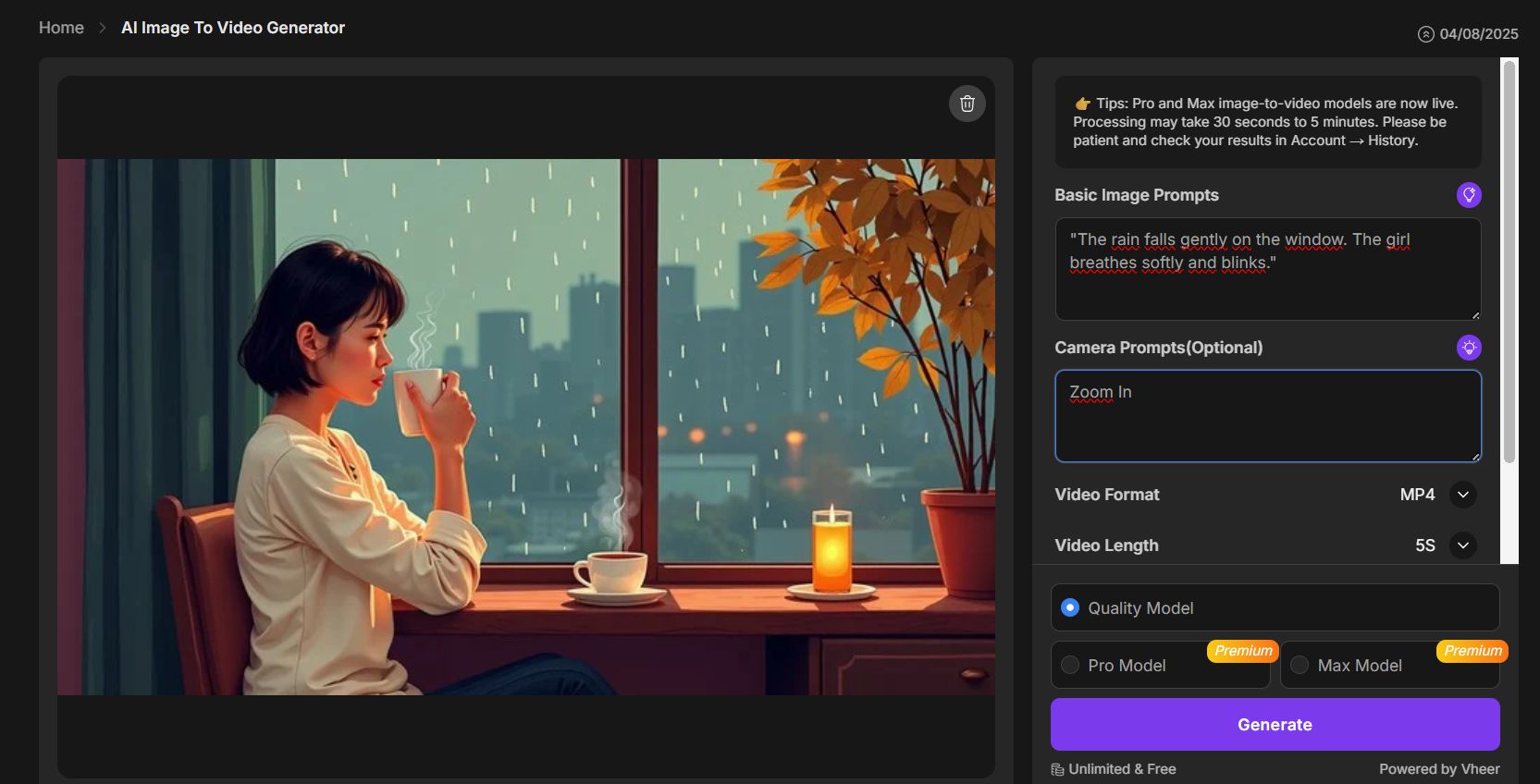
Click generate, and in about 20 seconds, your static image becomes a video loop. This is perfect for social media posts where you want to grab attention quickly without making a full video.
But what if you need to generate a high-quality video from scratch, and you need it fast?
VI. Qwen: High-Speed Videos from Top Chinese AI Tools
Some AI video tools make you wait 10 or 20 minutes just to see a 5-second result. That kills your creative flow. Qwen, created by the tech giant Alibaba, is built specifically for speed.

The Chat Interface
Qwen works just like ChatGPT. You talk to it naturally, but instead of replying with text, it replies with a video. It is one of the smartest Chinese AI tools for understanding complex scene descriptions.
How to Use It
Go to the Qwen website and select “Video Generation.”
-
Prompt: Type a detailed description: “A drone flying fast over a cyberpunk city at night. Neon lights reflecting in puddles. Heavy rain. 4k resolution.”
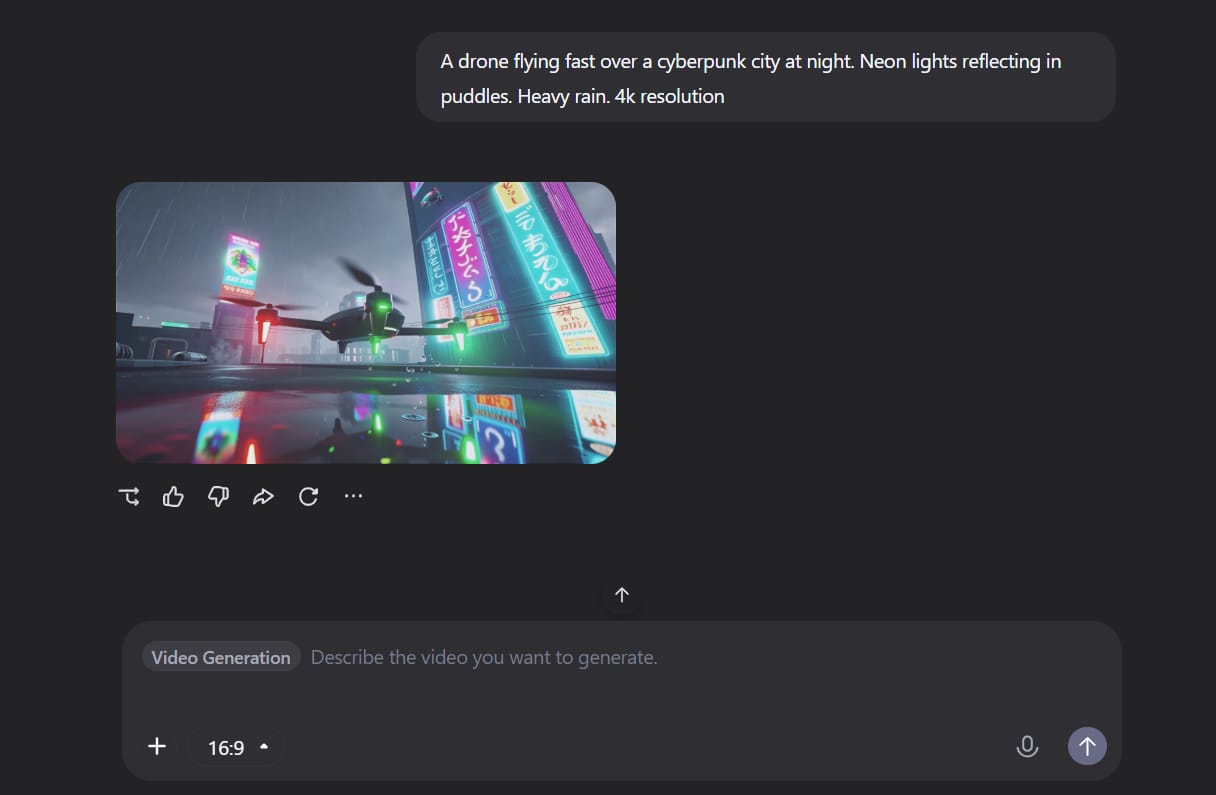
Because Qwen is so fast (usually finishing in under 2 minutes), you can experiment freely.
-
Refine: If the video is too dark, just tell it: “Make the neon lights brighter and pink.”
-
Iterate: It understands your feedback instantly. This speed lets you learn and improve much faster than with other slower tools.
Okay, we have covered a lot of creative media tools. Now, let’s talk about actually getting business work done.
VII. Minimax Agent: Automate Complex Tasks with Chinese AI Tools
There is a big difference between a “Chatbot” and an “Agent.” A chatbot talks to you, but an agent does work for you. Minimax is a powerful agent that acts like your personal digital employee.

Let’s say you have an idea to start a small coffee shop. You can ask Minimax to handle the boring planning work.
-
Task: Give it a comprehensive command:
I want to open a small coffee shop. Please research the current coffee trends in 2024. Create a menu with prices. Then, write a marketing plan for the first month.
Watch the sidebar on the left of the screen. Minimax won’t just chat with you.
-
Documents: It will create a actual Word document for your menu.
-
Plans: It will create a Text file containing your marketing strategy.
You can download these files and use them immediately. This capability to organize, research, and create downloadable documents sets Minimax apart from many other Chinese AI tools.
You have the plan. Now, maybe you need a custom app for your new business?
VIII. GLM 4.7: Build Web Applications Using Chinese AI Tools
This might sound impossible if you are not a programmer, but you can build working software today without knowing how to write a single line of code. GLM 4.7 is an AI designed to write and run programming code for you.
From Idea to Reality
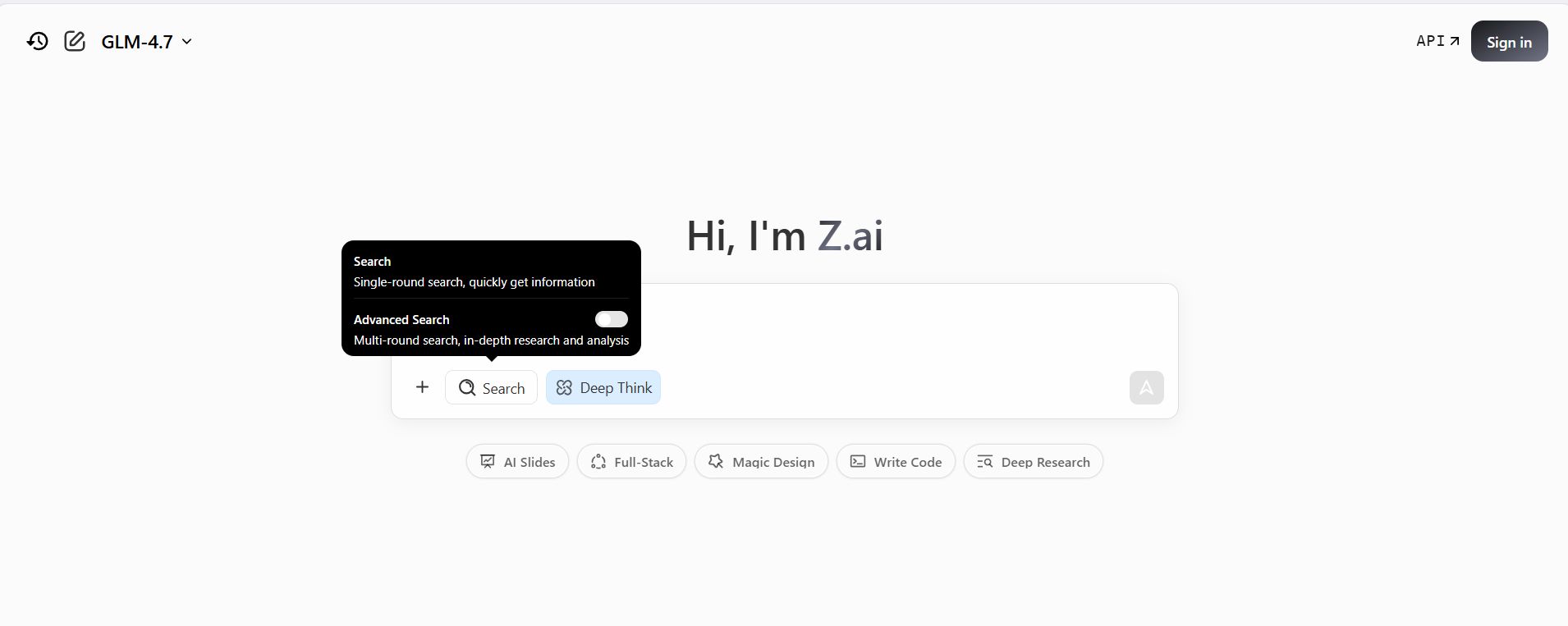
Go to GLM and look for the “Full Stack” or “Code” mode. You just need to describe what you want in plain English.
Let’s Build a Calculator
-
Prompt: Type this instruction:
Create a 'Tip Calculator' app. It should have a box for the bill amount and a slider for the tip percentage.

Show the final total in big bold numbers at the bottom. Make the background green.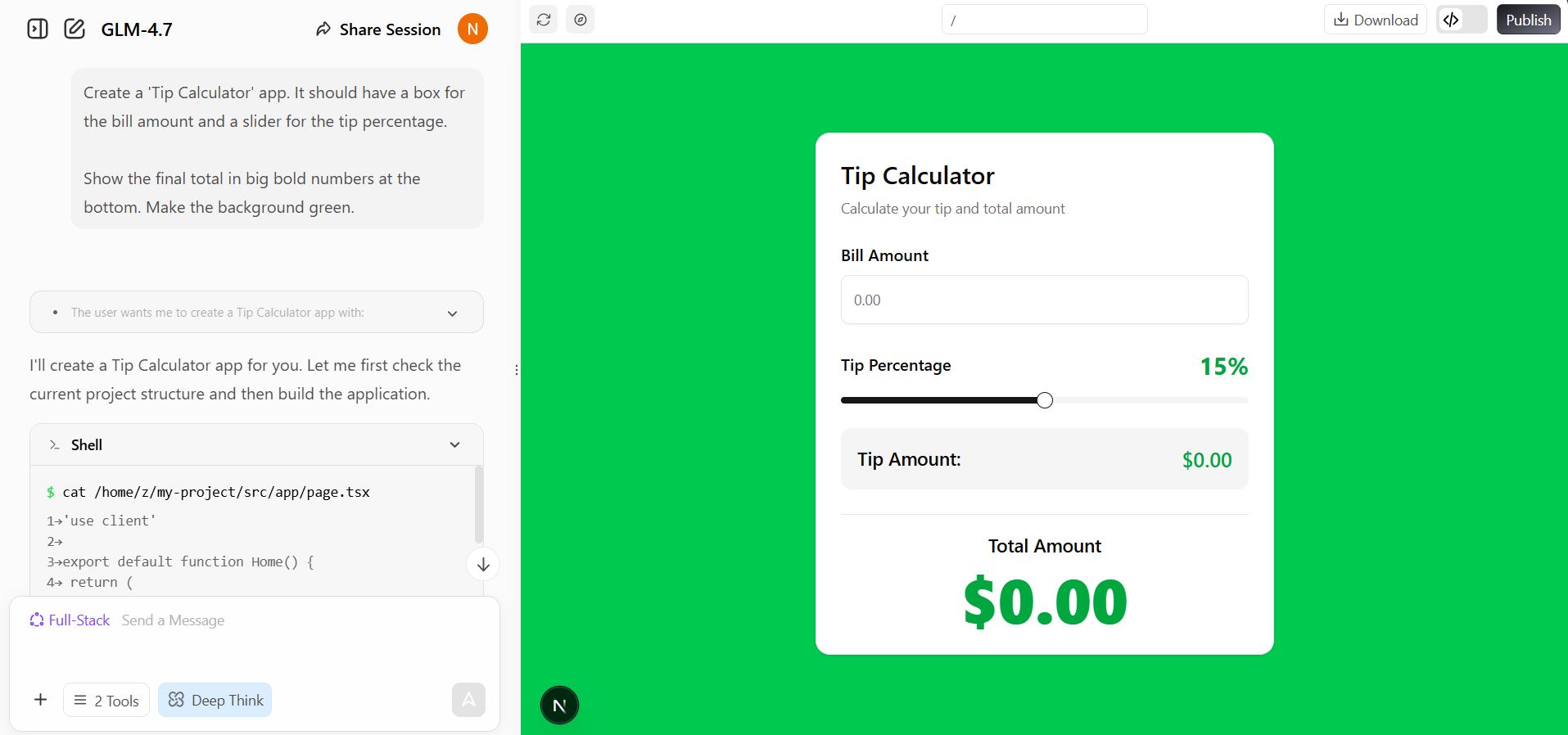
Instant Preview
GLM will write the code and then – this is the amazing part, it will pop up a window showing your actual working app.
-
Test: Try using it. Move the slider. Does the number change?
-
Fix: If the text is too small, just tell the AI: “Make the numbers bigger.”
It updates instantly. You are literally building functional software just by talking to Chinese AI Tools.
Great, we have visuals and apps. But something is missing. We need sound.
IX. Hailuo Audio: Produce High-Quality Music and Voice
A video without sound is boring, but if you use a famous song, YouTube will block your video for copyright. Hailuo Audio is the perfect solution to this problem.
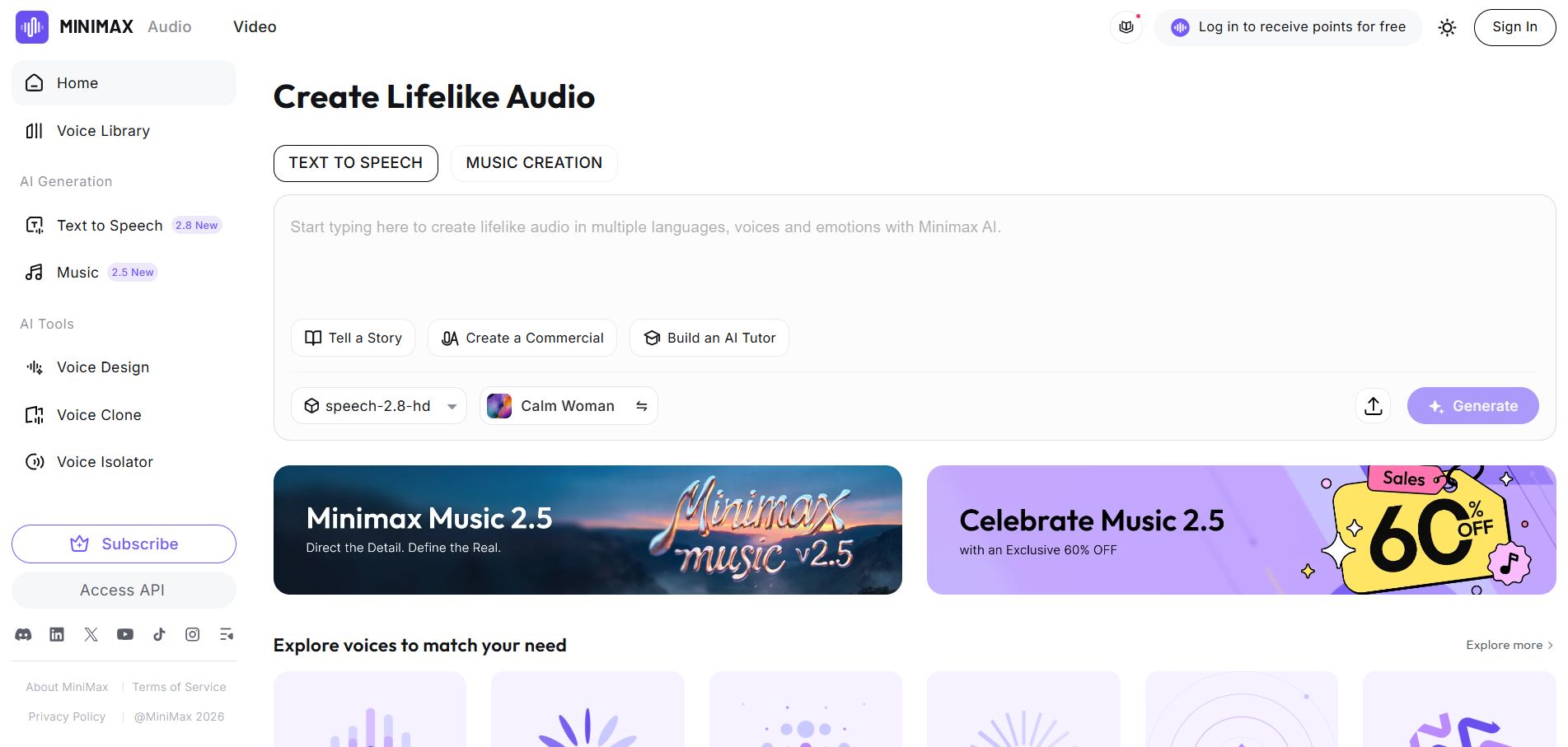
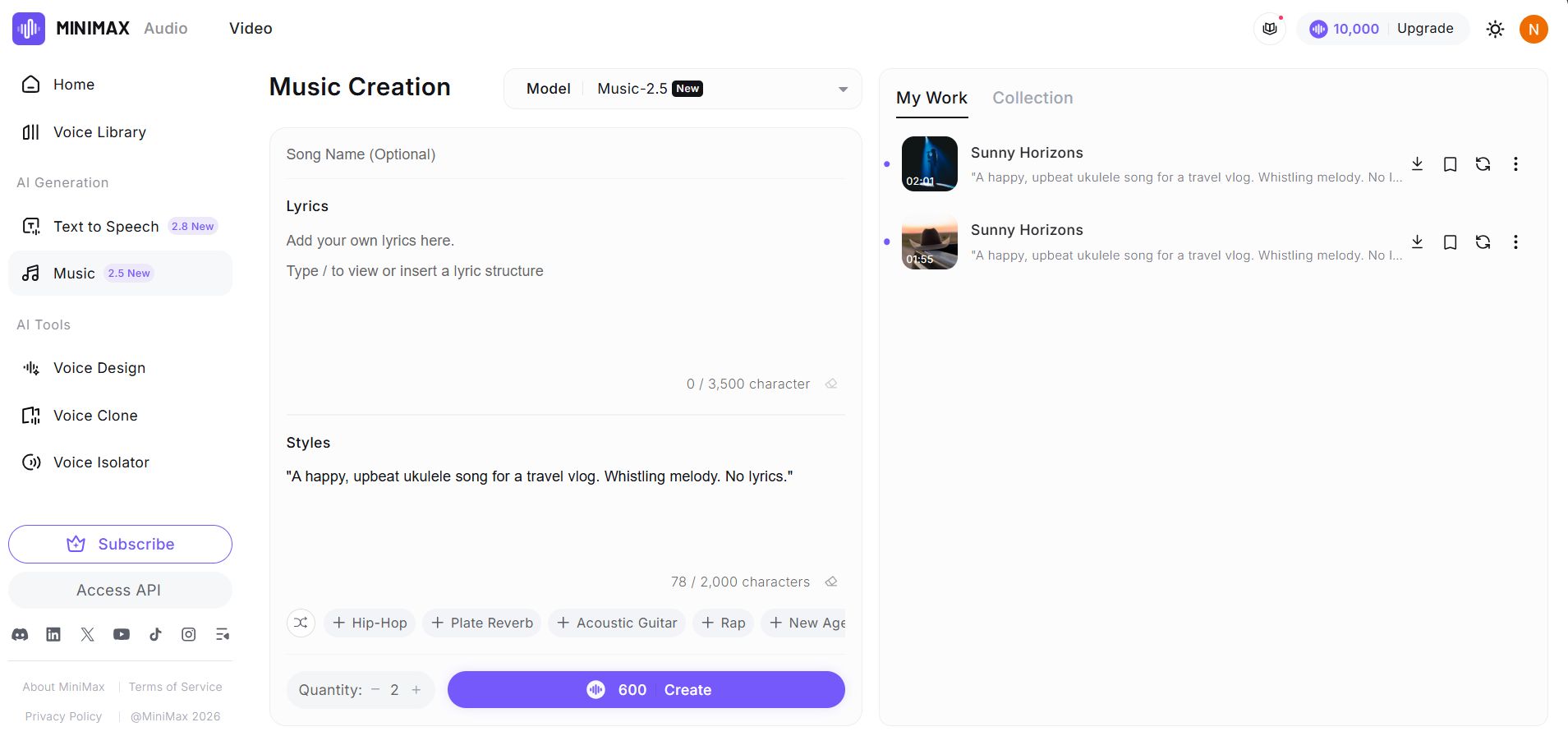
Hailuo lets you generate unique songs that belong to you.
-
Music Prompt: Try this: “A happy, upbeat ukulele song for a travel vlog. Whistling melody. No lyrics.”
-
Result: In a few moments, you have a custom soundtrack that is safe to use on any platform.
The Voice Cloning Feature
This feature is incredibly useful for content creators. You can record your own voice for 30 seconds to “train” the AI.
-
Clone: Once trained, you can type any text, and the AI will read it in your voice.
-
Fix: If you record a video but stumble on a word, don’t re-record the whole video. Just generate that one sentence with Hailuo and patch it in.
Now let’s bring it all together for social media.
X. TikTok Symphony: Create Viral Avatars with Chinese AI Tools
If you want to make videos for TikTok or YouTube Shorts but you are too shy to show your face on camera, TikTok Symphony is your best friend. Since it is made by ByteDance (the owners of TikTok), it knows exactly what works.
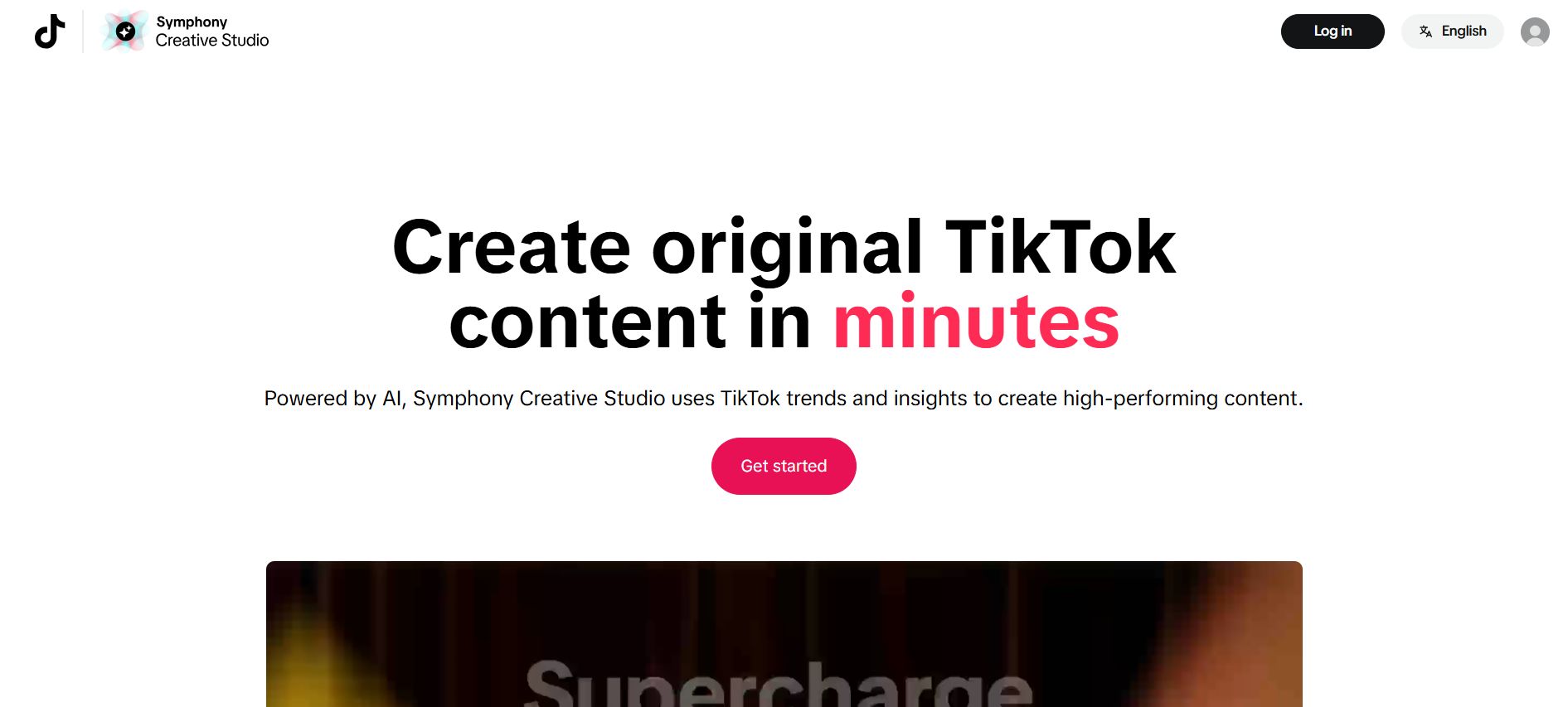
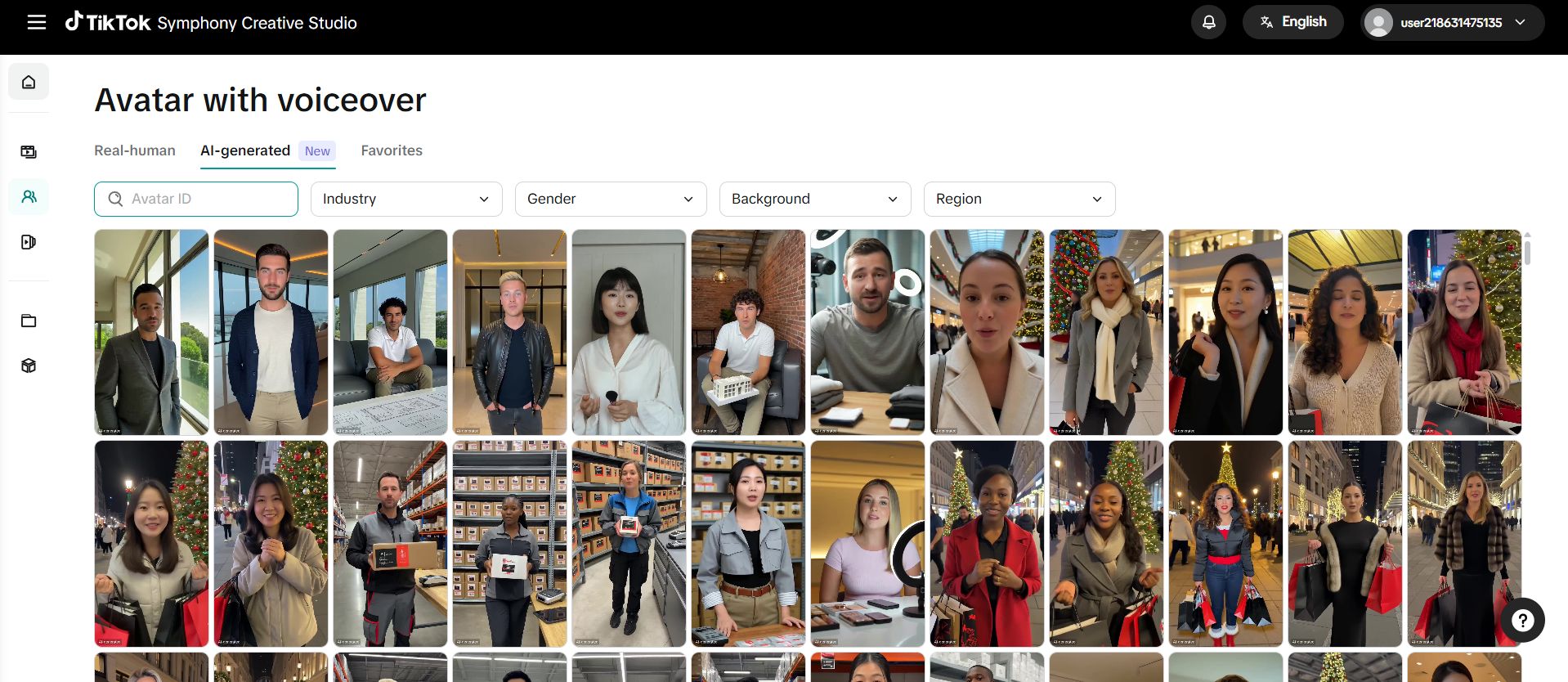
Symphony provides “Digital Avatars“, realistic looking people who will speak your script for you.
-
Select: Go to the Symphony Creative Studio and choose “Avatar Video.” Pick a face that looks friendly and trustworthy.
Perfect Lip Sync
-
Script: Type what you want them to say: “Hey guys, I just found 10 amazing free tools you need to try!”
-
Generate: Click the button.
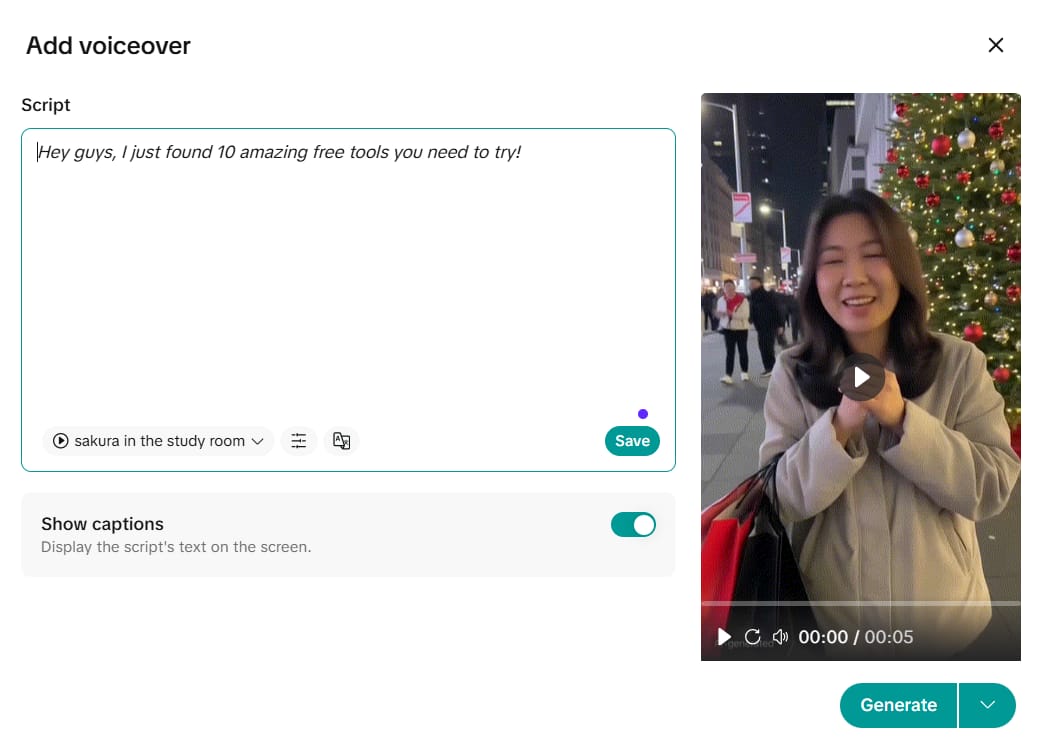
When you watch the result, look at the lips. They move perfectly in time with the words. It looks incredibly natural on a phone screen. Chinese AI tools are leading the world in this kind of video technology.
We have covered so many online tools. But what if the internet goes down?
XI. Pinokio: Run Chinese AI Tools Locally on Your Computer
This final tool is a little different. Pinokio is not a website. It is a browser that you install directly on your computer’s hard drive.
Why Go Local?
Websites can crash, or they can start charging fees unexpectedly. But if you have the AI on your own computer, no one can take it away from you.
The “App Store” for AI
Download and open Pinokio. It looks just like an App Store on your phone.
-
Browse: Search for tools like “FaceFusion” or different versions of the video and image tools we discussed today.
-
Install: Click Install.
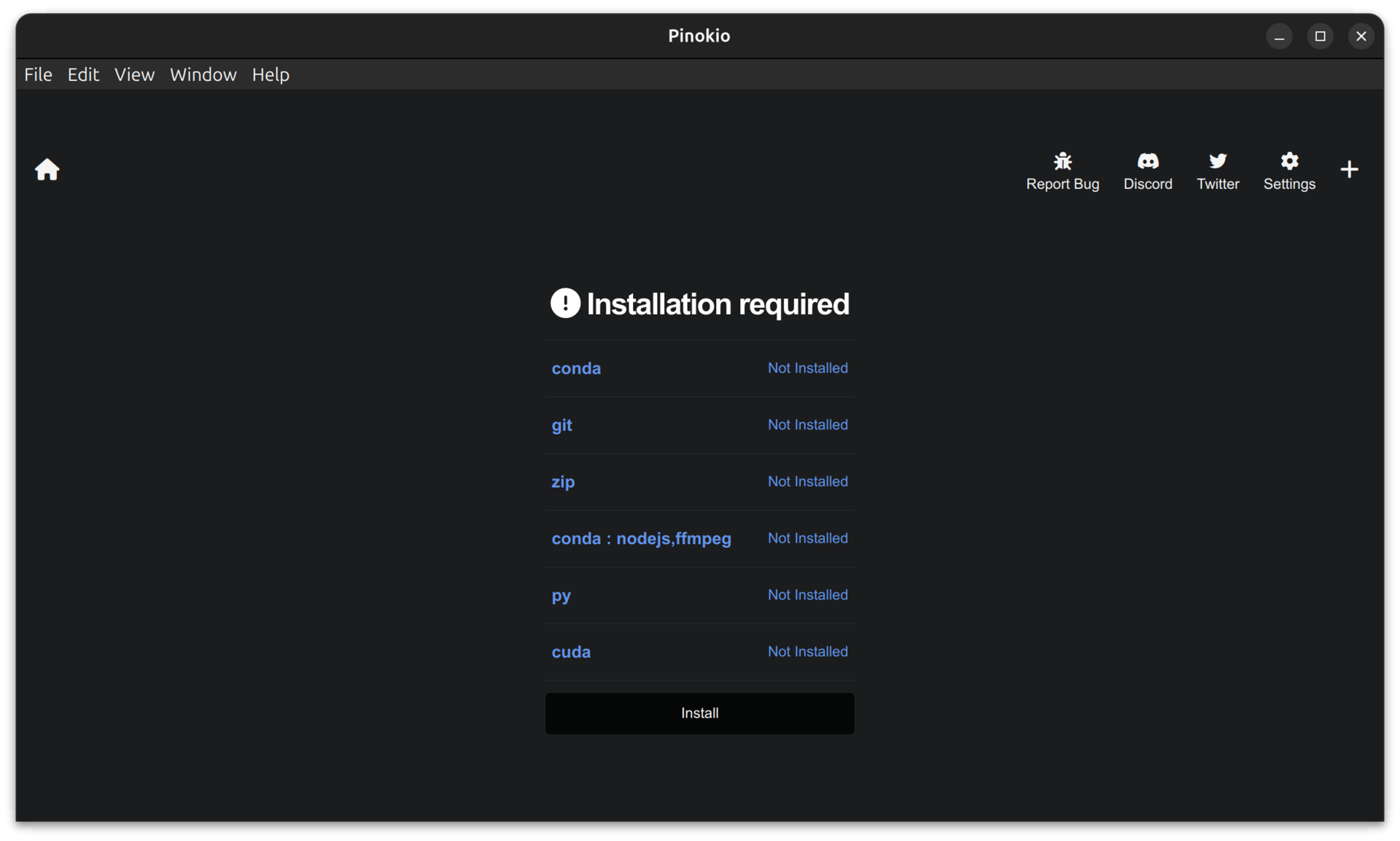
Pinokio handles all the complicated coding and setup in the background for you. You just click Run. Now you have powerful Chinese AI tools running offline, privately, and with zero limits.
Conclusion
We have traveled a long way together in this guide. We started by making 3D models with Hunyuan, moved to building apps with GLM, and ended with installing tools on your own computer with Pinokio.
The world of Chinese AI Tools is vast and exciting. It opens up doors that used to be locked behind expensive subscriptions.
Here is my final piece of advice for you:
Please don’t try to learn all 11 tools today. You will get overwhelmed. Just pick one.
-
If you like art, start with Wan.
-
If you like business, start with Minimax.
Spend 20 minutes playing with it. Make something fun. Once you master one, come back to this guide and try the next. The tools are free, and they are waiting for you.
Now, go create something amazing!
If you are interested in other topics and how AI is transforming different aspects of our lives or even in making money using AI with more detailed, step-by-step guidance, you can find our other articles here:
-
Building Apps with Bolt: A No-Code Guide to Turning Ideas into Reality
-
Detailed Guide: How To Automatically Get Unlimited High-Quality LinkedIn Jobs*
-
Prompt Engineering Automation: Build a Mini AI Assistant with n8n
-
Discover My Ultimate AI Tools Productivity Kit for 2024*
*indicates a premium content, if any
Leave a Reply