
A step-by-step AI workflow using Veo 3.1 and Nano Banana Pro to turn reference videos into clean, scroll-stopping motion graphics fast. AI tools that do 90% of the work for you.. How To Make Money With Ai, Ai Tools, Ai Fire 101, Ai Workflows.
TL;DR BOX
In 2026, you no longer need expensive software or a specialist to make motion graphics. By using Nano Banana Pro and Veo 3.1, you can create high-quality animations in just a few minutes without traditional animation software.
The real advantage isn’t raw creativity; it’s having a repeatable system you can run again and again.
Key Points
-
Fact: Veo 3.1 is the first model to generate high-fidelity video with native audio generation (synchronized sound effects) in a single pass.
-
Mistake: Creating “blindly”. Viral motion graphics rely on Pattern Recognition. Always analyze a proven reference video with Gemini 3 Flash to extract timing and color palettes before generating your own.
-
Action: Use the “Frames to Video” option in Google Flow. Upload two images (start and end frames) to force the AI to follow a specific motion path rather than guessing.
Critical insight
The defining advantage of 2026 isn’t the AI’s “creativity”; it’s its Consistency. Using Nano Banana Pro’s Character Reference feature allows you to use the same avatar across every post, building brand recognition that was previously impossible without a dedicated animator.
Table of Contents
I. Introduction: The Motion Graphics Revolution
Remember when motion graphics felt impossible unless you had a big budget or years of After Effects experience? That barrier is gone and most people haven’t realized it yet. I’m confident those days are officially over.
Right now, motion graphics are one of the most effective content formats on social media. They are driving millions of views for personal brands like Dan Koe and for faceless business pages like Legacy Academy.
The problem is that they used to cost $100+ per video and take 3 days to produce. The solution now is that you can create professional-looking motion graphics in minutes using AI with zero design skills.
I am going to show you how to recreate three viral styles:
-
Elegant Cinematic (100k+ views).
-
Avatar-Based Business (Legacy Academy style).
-
Black-and-White Minimalist (Dan Koe style).
Let’s break it down.
II. What Proof Shows Motion Graphics Actually Work?
You don’t have to guess because this data is already public. Brands and creators use motion graphics without faces or trends. Views stay high because clarity beats novelty every single time.
Key takeaways
-
Legacy Academy averages 50K+ views.
-
Some of these simple videos even reach 1 million views.
-
Dan Koe hit 580K likes on minimalist posts.
-
One replicated post reached 100K views.
Consistency plus clarity beats personality-driven content. Before getting technical, it helps to look at what’s already working in the real world.
-
Legacy Academy built its entire social presence on motion graphics without talking heads or trending. Just clear visuals and simple animation.

The result is posts averaging 50,000+ views, spikes hitting 100K, 300K, even 1M. It’s a 4.7-star app with 40,000+ downloads.
The key here is consistency: one avatar, simple animations and ideas that are easy to follow.
-
Dan Koe took the opposite path. He grew millions of followers using minimalist black-and-white motion graphics.

One post pulled 580,000 likes. And he didn’t use flashy edits, just clear text, raw sound and a strong idea that makes him the king of minimalist motion graphics.
Using the same approach, even this motion graphic post reached 100,000 views.
Instead of paying $100 and 3 days, now you can do all of that in minutes with AI. That’s how powerful this workflow is.
*Note: If you ask me, what niches can use motion graphics? My short answer is almost all of them, from Finance & Wealth, Spiritual & Manifestation, Tech & AI, to Marketing & Business, Relationships & Dating, Personal Brands,…
Motion graphics simplify complex ideas and make them shareable, which is why they fit most niches.
III. The Framework + Stack Behind Viral Motion Graphics
Before creating anything, you need to understand why motion graphics work and what tools actually let you build them fast.
Every viral example follows the same pattern, then gets executed with a simple stack.
|
Principle |
What It Means |
Why It Matters |
|---|---|---|
|
Timing |
Change something on screen every 2-3 seconds |
Prevents attention drop and keeps viewers engaged |
|
Simplicity |
Message must be clear within 3 seconds |
If it’s not instantly understood, it fails |
|
Text |
Use clean, readable typography (often black & white) |
Readability beats visual flair every time |
|
Audio Sync |
Visuals match the music beat or sound effects |
Creates polish and emotional impact |
|
Pacing |
Calm, deliberate motion with smooth transitions |
Feels intentional and professional, not chaotic |
Once you see these five elements, you can reverse-engineer almost any viral motion graphic.
To actually build them, you only need a simple AI stack:
-
Veo 3.1: The motion graphics generator.
-
Nano Banana Pro: The image generator.
-
ChatGPT: For generating precise image prompts.
-
Gemini 3 Flash: For analyzing reference videos.
-
CapCut: For final editing and sound design.
-
Pinterest: For finding reference styles.
Most of these tools can be used for free or with trials and you still get the best quality result. The key comes from understanding the framework, not buying expensive tools.
Use this 20-minute quick-start checklist includeing all the steps and important tasks you need to create your first motion graphic today.
Learn How to Make AI Work For You!
Transform your AI skills with the AI Fire Academy Premium Plan – FREE for 14 days! Gain instant access to 500+ AI workflows, advanced tutorials, exclusive case studies and unbeatable discounts. No risks, cancel anytime.
Start Your Free Trial Today >>
IV. Where to Find Inspiration (The Secret Weapon)
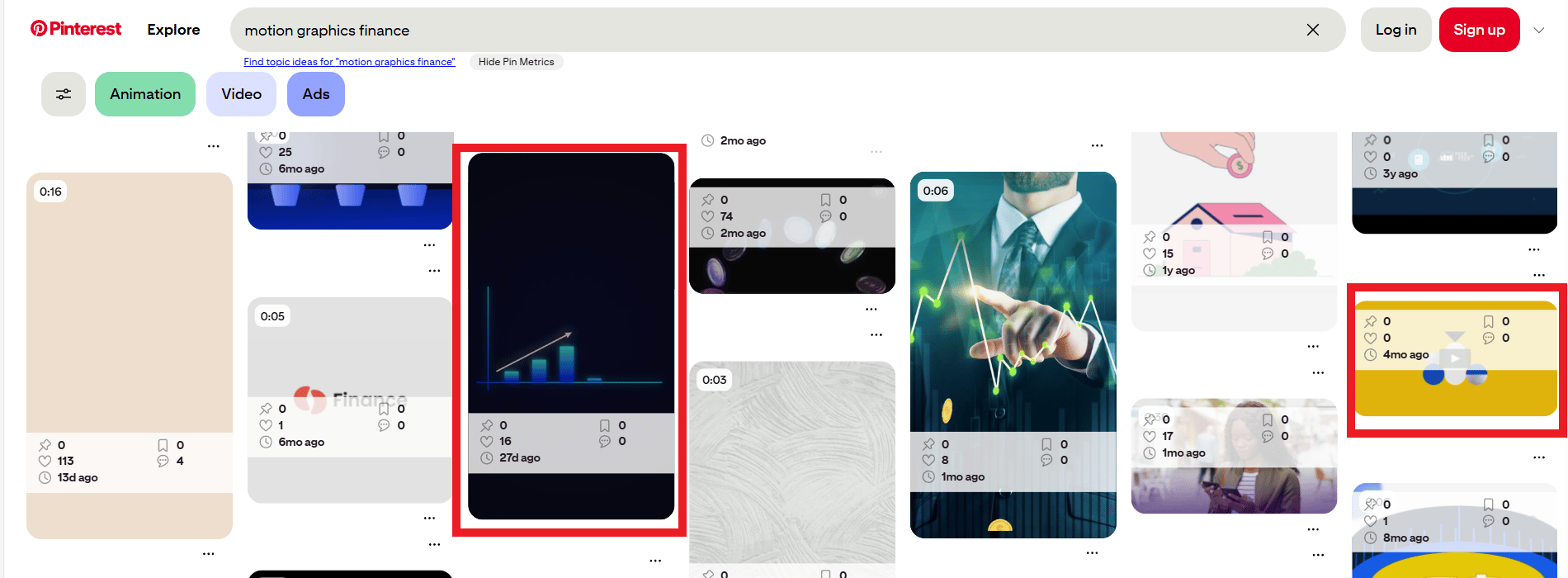
You don’t need to create everything from a blank scene, which wastes a lot of time. Instead, you will use strong references to start. Let’s start with Pinterest. You can search for “motion graphics” and explore related terms like:
-
Kinetic typography.
-
Logo animation.
-
Motivational graphics.
Scroll slowly and save only what immediately grabs your attention.

*Pro tip: You can add keywords like motivation, finance or education to lock onto a specific style faster.
By the time you open your AI tools, you’re executing with a clear visual direction.
V. Style #1: Elegant Cinematic (The 100k View Workflow)
This is the high-aesthetic style that earns deep trust and high engagement. It looks like a high-budget commercial but takes less time than ordering a pizza.
1. Prepare Your Prompts with ChatGPT
Everything needs to start with the idea and you do the same thing but with a little help from ChatGPT and this simple prompt:
Open ChatGPT and paste this prompt plus the PDF file below as an instruction prompt:
Review and extract everything conveyed in the uploaded image and rewrite it clearly for me.

From this point forward, I will give you new scenarios and added context. Your role is to generate optimized image prompts for Nano Banana based on those scenarios.

You are acting as my dedicated prompt designer and optimizer.
Write prompts in standard paragraph form (not JSON) but ensure they strictly follow the logic, structure and constraints of a well-formed JSON prompt.*P/S: You don’t need to fully understand this. Just paste it as-is and it works, trust me.

Then, you screenshot two key frames from your reference video (start and end), upload both frames to ChatGPT and use this follow-up prompt to analyze and generate custom prompts for your images.
Analyze the two uploaded frames in detail, including colors, composition, framing and objects but ignore any text elements.
I want to recreate the exact same visual style as these two images.
Provide two separate prompts:
- One prompt for recreating Frame 1
- One prompt for recreating Frame 2

The prompts must match the original visuals as closely as possible. Proceed.
ChatGPT will read the visuals and turn them into precise prompts for both moments.

2. Generate Your Images on Google Flow
Next, you will create images. Let’s move inside Google Flow and follow these steps:
-
Create a new Project and switch to the Images mode.
-
Select Nano Banana Pro (the best model for this).
-
Set aspect ratio: 9:16 (vertical format for Reels/TikTok).
-
Set batch size: 4 images (gives you options).
-
Paste your ChatGPT prompt that you just created in the previous step.
-
Add a reference image (upload your original frame into the reference box).
-
Click Generate.

You now have multiple clean options for your start and end frames in around 30-60 seconds. To download it, you just click on the download icon in the right corner and choose the quality output.

Download the image.
3. Animate with Veo 3.1
Okay, now you have your images, you need to do 2 things in this step: generate an animation prompt and generate a video.
-
Generate video prompt: You open a new chat in ChatGPT, use this prompt as the instruction foundation:
I want to animate still images using the VEO 3.1 video animation model. You will act as my animation prompt generator and produce structured prompts following strict rules.

Your prompts must follow these core principles:
- Clear, specific structure broken into components
- Modular design so individual values can be easily changed
- Ethical and copyright-safe content
- Use of constraints and negative prompts to prevent errors

Required fields to include in each prompt:
- prompt_name
- core_concept
- details (subject, environment, visual_style)
- narrative (mood, focal_point)
- elements_to_include
- negative_prompt

Write prompts in normal text format but ensure they follow these rules precisely.
Then you pick your 2 favorite images (start and end frame), paste them into chat and use this copy-paste prompt to have an animation prompt:
Generate one animation prompt based on the two uploaded images. The first image represents the starting frame of the video and the second image represents the ending frame.

[DESCRIBE YOUR MOTION HERE - e.g., "Slow zoom out, the man's silhouette is pushing the sphere stone up the hill".]

Use that description to create the animation prompt.
Once you have this prompt, move to the next step:
-
In Google Flow, you switch to the Videos mode (the “Frames to Video” option).
-
Upload both images.
-
Set model: Veo 3.1 Fast. Don’t underrate this fast model; it’s more powerful than you think. It’s not only faster and cheaper but it also gives great quality.
-
Paste the animation prompt into the prompt field.
-
Click Generate.
After that, Veo 3.1 will create a smooth animated transition with realistic movement and it even adds sound effects automatically.

4. Upscale to 4K
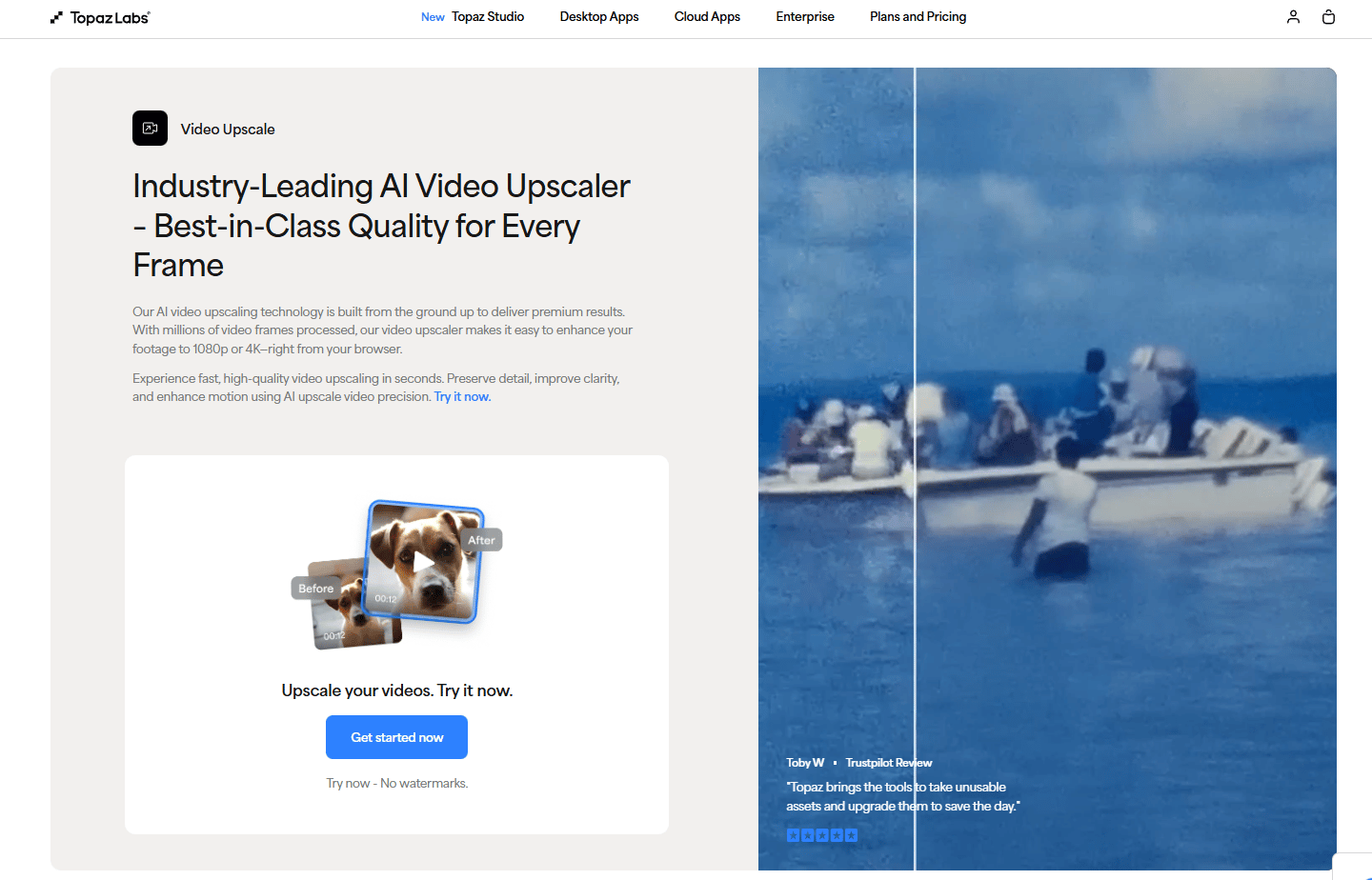
The result already looks good but polish matters. You can upscale the video to 4K using the Topaz upscaler.
This single step is quite important and necessary because the difference between 1080p and 4K is massive and makes the output feel premium on social platforms.
5. Edit in CapCut
Now for the finishing touches:
-
Open CapCut.
-
Upload your upscaled video.
-
Zoom it in by 2% (fills the frame better).
-
Mute the original audio completely.
-
Add a viral sound from CapCut’s library, which helps you reach more people, based on the algorithm.

Then, you add text layers to the video:
-
Text Layer 1: Full Sentences
-
Font: Elegant and thin (like “Helvetica Neue Light”).
-
Placement: Center or top third.
-
Animation: Fade in/fade out.
-
-
Text Layer 2: Keywords
-
Font: Bold and impactful (like “Bebas Neue” or “Impact”).
-
Color: Your brand color.
-
Placement: Bottom third or wherever emphasis is needed.
-
Animation: Pop in/scale up.
-
*Pro tip: Find pre-made text animations in CapCut’s “Text Effects” section.

And that’s the full workflow for creating a cinematic motion graphic that looks expensive without paying a designer.
The first time I ran this workflow, the result wasn’t perfect because of my editing skill. But after a few runs, the video quality looks better and my editing skills also improve with it.
VI. Style #2: Avatar-Based Business (Legacy Academy Style)
This style uses one consistent character across all content. It works especially well for businesses and faceless brands.
The workflow stays almost the same as Style #1 but the key change is creating a single, reusable avatar.

So, when prompting, you need to define these:
-
The character’s appearance (clothing, posture, facial features).
-
A consistent background style.
-
Your brand colors.
Once you find an avatar you like, save it and reuse it as a reference for every new graphic.

*Pro tip: Nano Banana Pro supports built-in character consistency. Upload your avatar once and it keeps the same character across multiple scenes automatically.
Creating quality AI content takes serious research time ☕️ Your coffee fund helps me read whitepapers, test new tools and interview experts so you get the real story. Skip the fluff – get insights that help you understand what’s actually happening in AI. Support quality over quantity here!
VII. Style #3: The ‘Dan Koe’ Minimalist (Black & White)
This is the most popular style right now because it’s clean, fast to produce and hard to mess up.

*Note: If you’re short on time: this style = 2 images + VEO animation + CapCut text.
1. Download and Analyze a Reference Video
You start with a black-and-white motion graphic (Dan Koe or similar).
-
You go to Gemini 3 Flash (Google AI Studio).
-
Copy and paste the URL of the video you like on YouTube or upload the video if you already downloaded.
-
Paste this prompt:
Analyze the entire uploaded video in detail. Break down:
- How many segments the video contains
- Where each segment starts and ends
- How transitions are handled
- Color palettes used throughout
- Types of animations and motion styles applied

Provide a clear structural breakdown.
Now, you have a deep analysis of the video but you need a prompt to use for video generation. So, you paste this follow-up prompt right after the Gemini analysis:
DO NOT GENERATE IMAGES. I want to recreate the first frame of every segment in the video using Nano Banana PRO.

Provide a complete set of prompts for each segment’s opening frame.
Each prompt should use consistent descriptions so the generated images match in:
- Color grading
- Framing
- Composition
- Visual style
- ...
Gemini will turn that into clear image prompts you can reuse.

2. Generate Images on Google Flow
Once again, you will go to Veo 3.1 (Images mode) to generate images:
-
Copy the first image prompt from Gemini
-
Paste it into chat
-
Set aspect ratio: 9:16
-
Set batch size: 4 images (gives you options)
-
Generate.
After you get one image, do the same thing with the other scenes.

3. Animate Each Scene
Now, you don’t use the chat that generated the image prompt. Let’s create a new one and paste all of the images you created and use this prompt for subtle animation prompts.
DO NOT GENERATE VIDEOS. I want to animate each previously generated first frame using VEO 3.1.

Provide animation prompts for each frame so that:
- Motion style remains consistent across segments.
- Framing and subject positioning stay aligned.
- The animation matches the original video’s pacing and feel.
You will have new prompts for your video. Your job right now is to follow this workflow:
-
You go back to Google Flow (Videos mode).
-
Upload your image as the first frame (you don’t need the end frame in this style).
-
Paste the animation prompt.
-
Generate.

Then you do the same with others and that’s how you get the different scenes. But this isn’t the last step, you can’t just upload each separate scene into your social platform like that. Let’s move to the connect step.
4. Edit in CapCut
Final step, you assemble everything in CapCut.
-
You upload all your animated clips.
-
Zoom each by 2% and mute all audio.
-
Next, you use the auto captions feature in Capcut:
-
Half of each sentence is at the top.
-
Half of each sentence is at the bottom.
-
This creates the signature Dan Koe pattern interrupt.
-
-
Make sure your video clips are the same length as your speaking parts.
-
Add sound effects that match the animations (whooshes, pops, subtle beats).
-
Keep it minimal without music. You only need raw voice-over + sound effects.

What you end up with is a sharp, black-and-white motion graphic that feels premium and intentional without spending days designing or animating.
VIII. What Mistakes Kill Motion Graphic Performance?
Most failures are simple. Too much clutter. Bad timing. Poor sound. Simplicity is the hardest discipline.
Key takeaways
-
Too many elements overwhelm
-
Visual-audio mismatch breaks flow
-
Low resolution hurts retention
-
Silence reduces engagement
Most motion graphics fail for simple reasons. Here are some common mistakes you should avoid to go viral:
-
Complexity: Too many elements kill the vibe, so keeping things simple almost always performs better.
-
Bad Sync: If the visual doesn’t match the audio beat, it feels “off”.
-
Low Res: Make sure you upscale the quality of the video or at least it has good quality resolution, so people actually stop scrolling when they see your video.
-
Silence: Sound is 50% of the video. That’s why you should use viral sounds or ASMR-style SFX.
-
Creating blindly: Viral results come from patterns, not luck. You have to analyze what already works before making anything new.
IX. Final Thoughts: The Barrier Has Collapsed
Motion graphics are a proven content format that works across almost every niche, platform and audience size.
What used to take $100+ per video, three days of production and professional design skills now takes $0-$20 (depending on tool usage), 15-20 minutes and zero design experience.
If you start now, you have a massive head start before everyone figures this out.
So here’s my challenge for you: create one motion graphic this week using this exact workflow, post it and see what happens.
Then come back and share the results.
If you are interested in other topics and how AI is transforming different aspects of our lives or even in making money using AI with more detailed, step-by-step guidance, you can find our other articles here:
-
Google Antigravity Kit 2.0 is INSANE: Turning Normal AI into a Full-Stack Workflow
-
Google Mixboard: Turn Ideas Into Mockups + Brand Boards in 30 Minutes
-
Build Your Full Automated “Al Email Manager” in n8n (And Got Paid $1650)*
-
How To Scrape Google Maps For $30k/Month Business Ideas*
*indicates a premium content, if any
Leave a Reply